.
_,.
-
.1 •
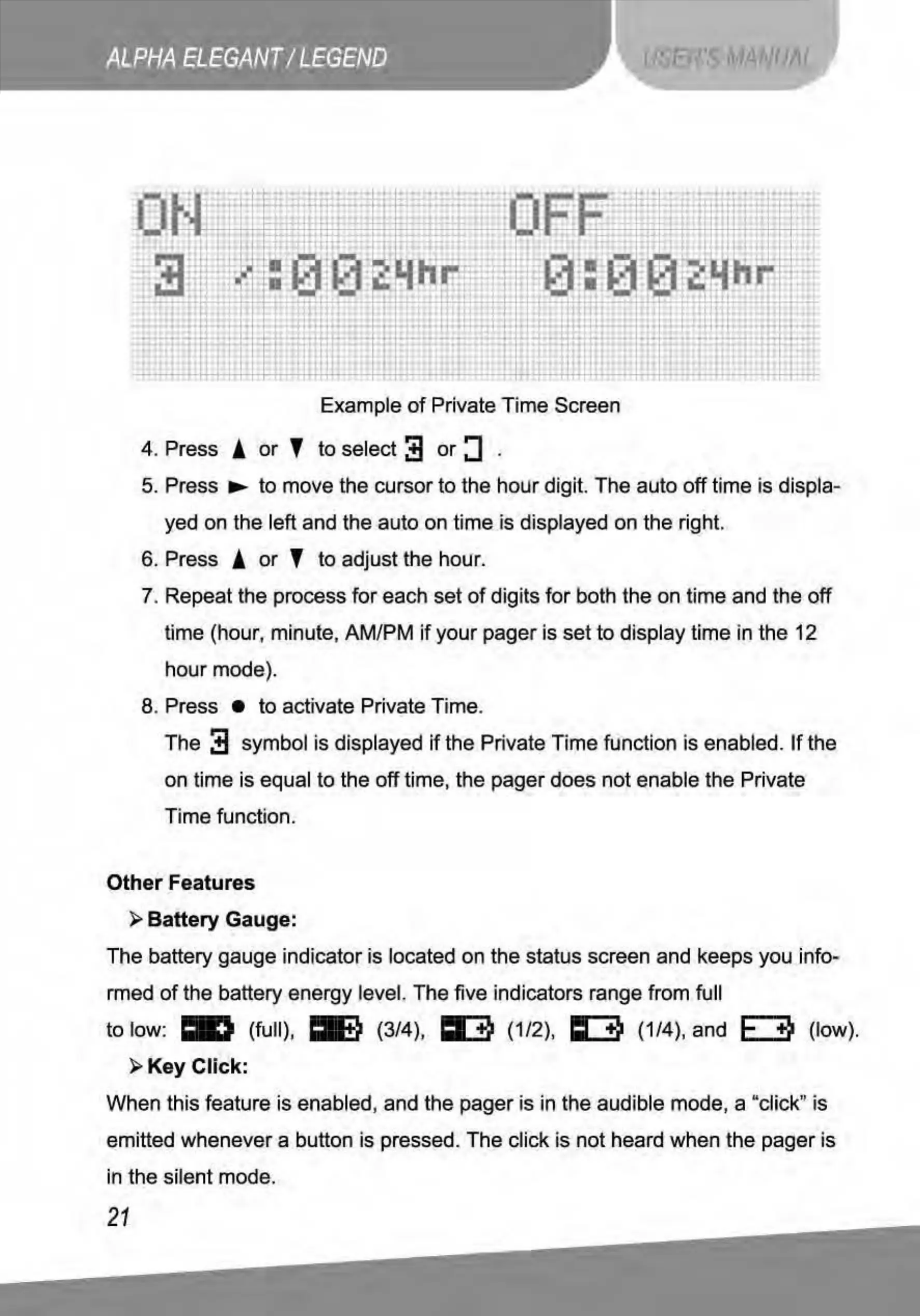
Example
of
Private Time Screen
4. Press !
or
T to select
~
or
:J
.
5. Press •
to
move the cursor
to
the
ho
ur digit. The auto
off
time is displa-
yed on the left and the auto on time is displayed on the right.
6. Press !
or
T to adjust the hour.
7. Repeat the process
for
each set
of
digits
for
both the on time and the off
time (hour, minute, AM/PM
if
your pager is
set
to
display time in the 12
hour
mode).
8. Press •
to
activate Private Time.
The
~
symbol is displayed
if
the Private Time function is enabled.
If
the
on time is equal to the off time, the pager does not enable the Private
Time function.
Other Features
~Battery
Gauge:
The battery gauge indicator is located on the status screen and keeps you info-
rmed
of
the battery energy level. T
he
five indicators range from full
to low:
.,
(full),
mt)
(3/4), I E
Oij
(1/2), I I
Oij
(1/4), and F
Oij
(low).
~Key
Click:
When this feature is enabled, and the pager is in the audible mode, a "click
''
is
emitted whenever a button is pressed. The click is not heard when the pager is
in the silent mode.
21



 To Next Page