EasyManua.ls Logo

unication Alpha Legend - 16

Default Icon
32 pages
Print Icon
To Next Page IconTo Next Page
To Previous Page IconTo Previous Page
Loading...
To
change your On/
Off
Duty Status
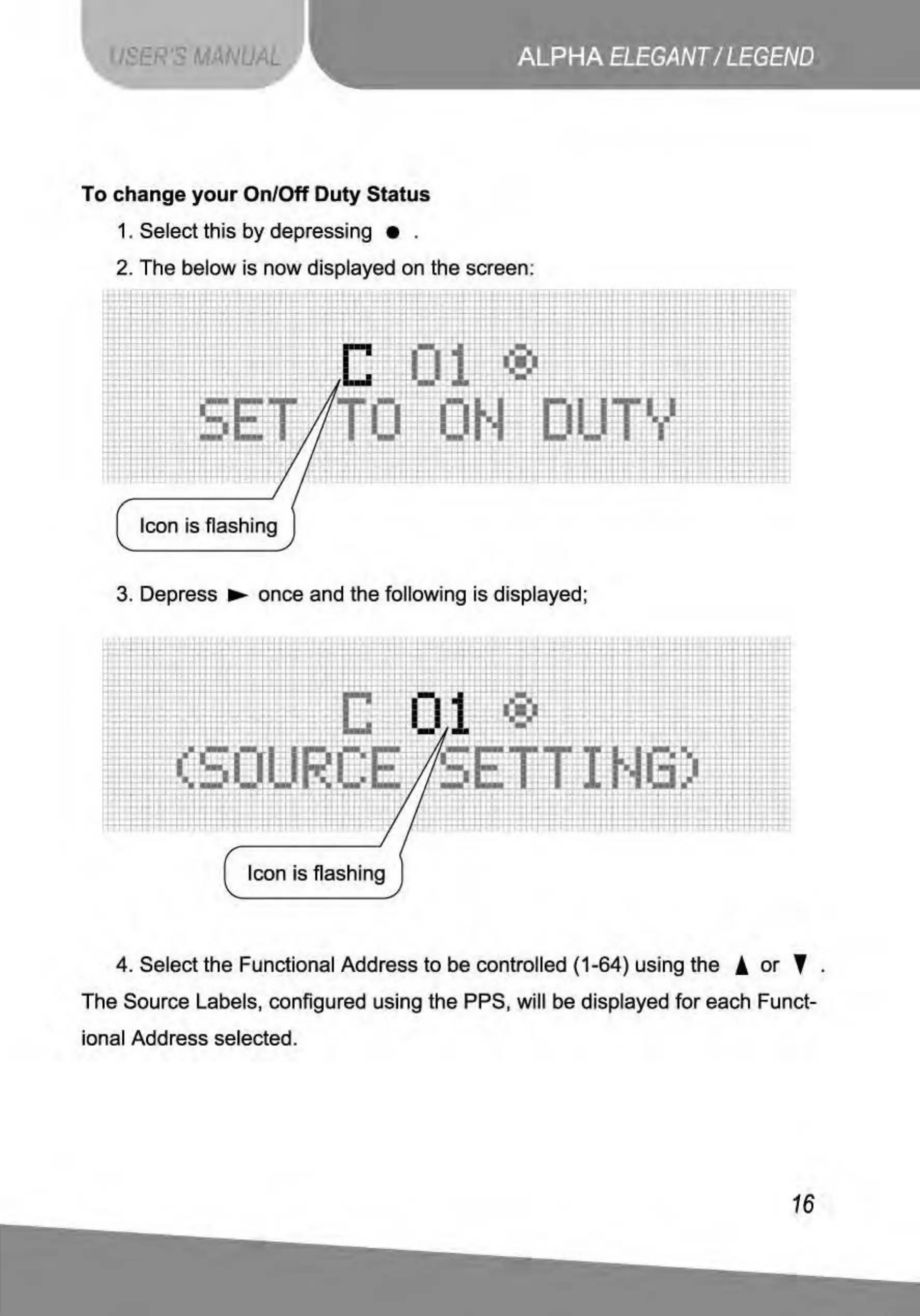
1. Select this
by
depressing .
2. T
he
below is
now
displayed on the screen:
;;-llHTI.,[
•ll
-•·t
' .
J 1
.
Hl
B
I
'
I
I
I>
l
- -
'
.:.:
I
::
Icon is flashing
3. Depress ..,. once and the following is displayed;
'-
.
..
. '
.ll
'
'.
'
I
'
I
I•
-~1~
··
f;~!
I
I•
j
:u
1.
'
t
'
'
H!i
t :
11
·1 ! t
,
-
.
:
t
Jl
i
JIO
J
'
..
'
'
....-
~
H
!
~
.
- - /'I
·-
1
~
'
'
·'
...
I
--
-+<
-
1-
M
~
~
-
~ ~
-
""'
I
'Tl
:
T,;
- r
I
"TI
,
~.,
!l
: i
1
-;
t
-
!l
-
'r
. '
" ..
l'""','111~·
-
·
'1'
.
I"
1 m _
fil
l
,,
i i
! I I
!
UJ
'
. '
,
.
I I
'
"
'
.
'
,
'
Icon is
fl
ashing
4. Select the Functional Address to be controlled
(1
-64) using the !
or
' .
The Source Labels, configured using the PPS, will be displayed for each Funct-
ional Addr
ess
selected.
16

Related product manuals