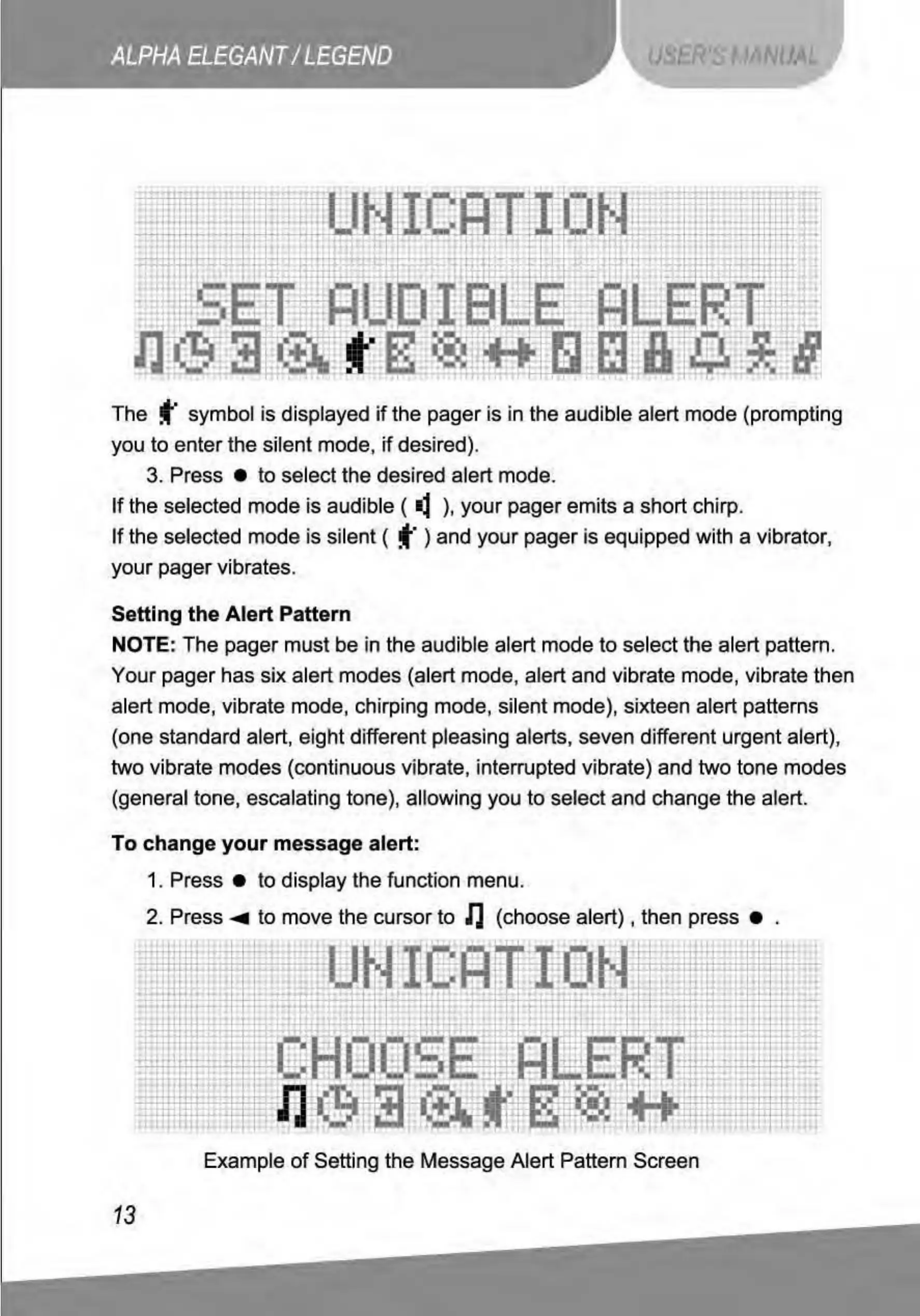
The f symbol is displayed
if
the pager is in the audible alert mode (prompting
you
to
enter the silent mode,
if
desired).
3. Press •
to
select the desired alert mode.
If
the selected mode is audible (
~
),
your pager emits a short chirp.
If
the selected mode is silent ( f ) and your pager is equipped with a vibrator,
your pager vibrates.
Setting the Alert Pattern
NOTE: The pager must
be
in the audible alert mode
to
select the alert pattern.
Your pager has six alert modes (alert mode, alert and vibrate mode, vibrate then
alert mode, vibrate mode, chirping mode, silent mode), sixteen alert patterns
(one standard alert, eight different pleasing alerts, seven different urgent alert),
two vibrate modes (continuous vibrate, interrupted vibrate) and two tone modes
(general tone, escalating tone), allowing you
to
select and change the alert.
To
change
your
message alert:
1. Press •
to
display the function menu.
2.
Press...,. to move the cursor
to
lJ
(choose
alert),
then press •
~~~~
t~
-h
~*
m
mt1~1~
~r
~
M~---
1
Example
of
Setting the Message Alert Pattern Screen
13



 To Next Page