•
17
USERS
MAN
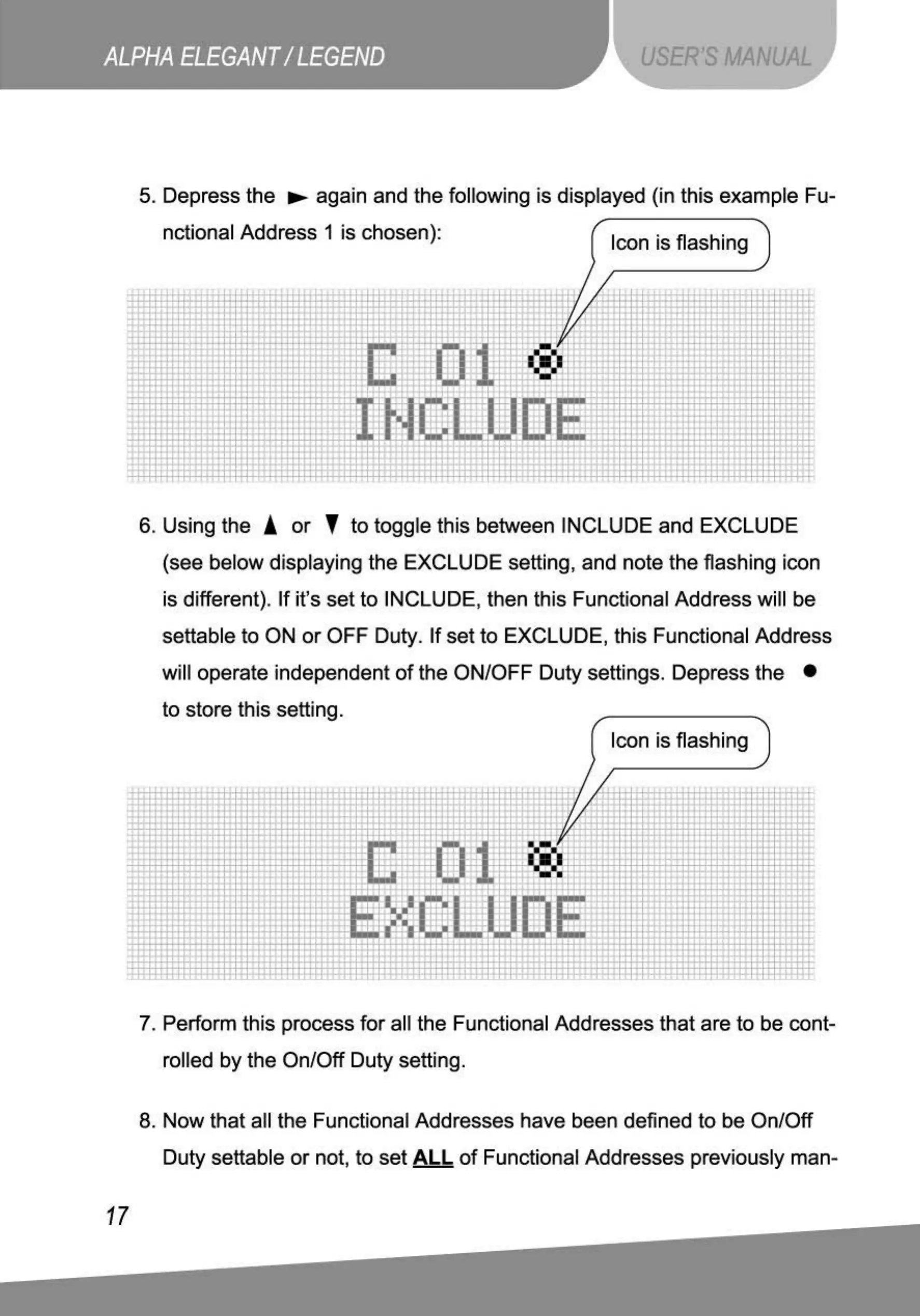
5. Depress the
..,..
again and the following is displayed (in this example Fu-
nctional Address 1 is chosen):
Icon is flashing
....
-. "
/
.
-
' c
.
~
---
-
+
:.!
,
i:.
.
"
r
~
'
'
I
~°1'
:
~
'·
:t.
+
-
'
•.
_.:1:1
-
-,
r
'"
'
;..
1
;-
-.
'
" t
.
ti
•
T:
:1
:tt
•
'
' ;
~
;
"
·-
••
,
.
..
·- .
...
.
...
t
~
l J ' l
......
.
.................
. "
.
..
,
..
.
.......
··-
·
,_
...
,
6. Using the A
or
'
to
toggle this between INCLUDE and EXCLUDE
(see below displaying the EXCLUDE setting, and note
the
flashing icon
is different). If it's set
to
INCLUDE, then this Functional Address will be
settable to ON
or
OFF Duty. If set
to
EXCLUDE, this Functional Address
will operate independent
of
the ON/OFF Duty settings. Depress the •
to store this setting .
Icon is flashing
--
. . .
..
.
. /
.,
'-i
'-;z /
-'
'~
-
r·
/
-1'"
..
-
..
·-
,,..
'
J--
-,
,, -.
·~
• I
:l:
..
.
-
'
7. Perform this process for all the Functional Addresses that are
to
be cont-
rolled
by
the On/Off Duty setting.
8.
Now
that all the Functional Addresses have been defined
to
be On/Off
Duty settable
or
not, to set
AL
L
of
Functional Addresses previously man-



 To Next Page