EasyManua.ls Logo

unication Alpha Legend - 14

Default Icon
32 pages
Print Icon
To Next Page IconTo Next Page
To Previous Page IconTo Previous Page
Loading...
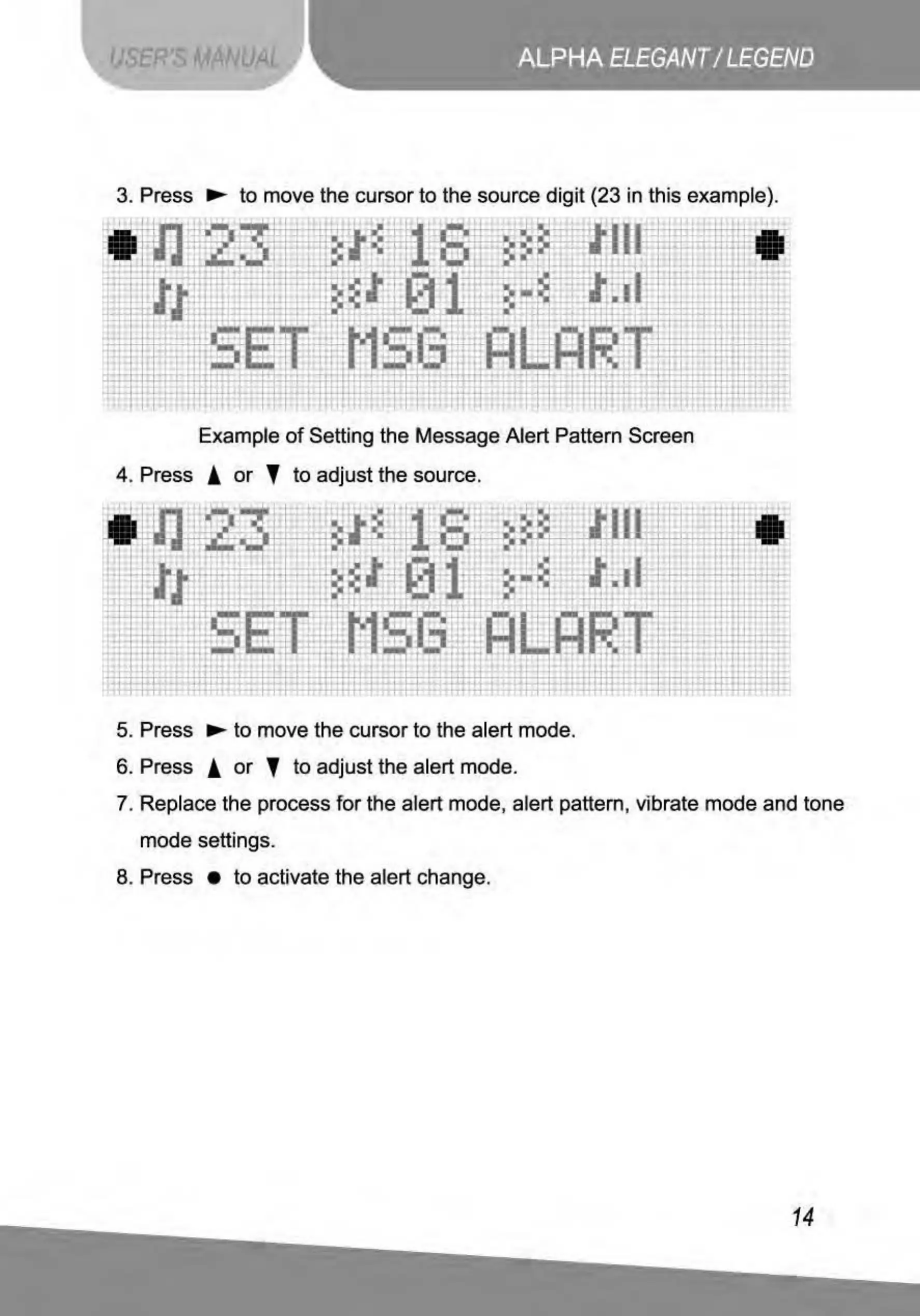
3. Press
..,...
to
move the cursor
to
the source di
git
(23 in this example}.
*
~
Lt'
.il..
I.
.I
..,
ri
~
ii
I
,,_ '
; - ·
·-
_.,..
-----
:.
II:
~~
-
" '
=~.
!
••
[
It
I
•••
,,
1
'
'
'
'
:
'
'
'
'
.
:
'
'
'
'
'
.
~
--
,_
'~
>I
.
'
....
~·~
!lllj
i1
l1
I•
;'tr.
i
I 1 - I .
fl_
j .' I
'·
':..
-
c
~~~.
I
-
::
'
-~
t•
....
!
'1
I•
-
r
t
. . -
.
..
~
...
i · .
~
••
1 '.
'I
I•
...
..
.
-
-·
-
-
-
..
·-
-
, ,
Example
of
Setting the Message Alert Pattern Screen
4. Press i
or
' to adjust the source.
UJ!
11
~:~
!.
..
~
1~
+.1- -
---1
...
!
.
~
'
-
~
m
,j_
l ..
~..1
.
~-
.
F.
.1
>tj
i
~
i
"ii
·- ! :; '!l
..
I:
I
··~
..
ll
...
••
:ni
.f
....
·
:w.
[
\I
~
ri.
I;,
~
"
!IJ
'.
·
..
·-
i
-
~
i
...
:
~
,
..
.
I l l
r•
r
. -
,
....
I -
+
..
--
-
!.
~
I•
t'
ti
:
+
..
..
5. Press
..,...
to
move the cursor
to
the alert mode.
6. Press ! or ' to adjust the alert mode.
'
'
:
.
..
"
...
-
lli
"
,.
I I
..
.i
ii
1
I
!
!!
't I
,t
'
·-
7.
Rep
lace the process for the alert mode, alert pattern, vibrate mode and tone
mode settings.
8. Press
to
activate the alert change.
14

Related product manuals