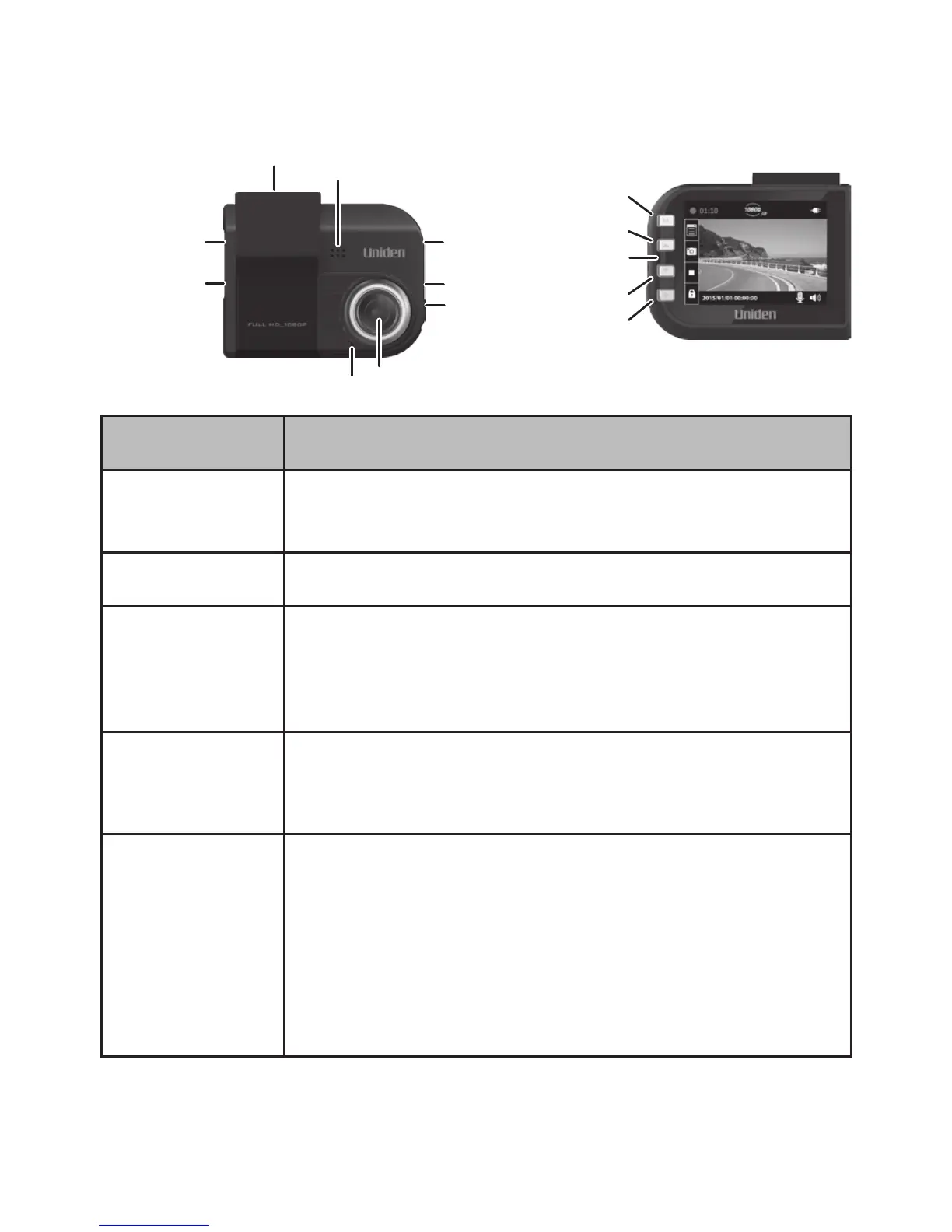
Speaker
LED
Bracket
Slot
Item Function
HDMI Output Connect your device to your television to view
recorded les (HDMI cable not included).
MiniUSB Port Connects the device to the power source.
Menu • Accesses the Menu system.
• While recording, press and hold to turn the
microphone on and o.
LED • Green: Standby mode
• Red: Recording mode
DOWN (▼) • In Menus: Selects next item in list.
• In Playback mode: Selects the next le.
• In Standby mode: Accesses File
Management menu.
• While Recording: Stops recording.





 To Next Page