Key (icon) What it does
inTErcoM/
clEar
In standby: start an intercom call. x
During a call: put the call on hold and start a call transfer. x
When entering text or numbers: erase the character at the x
cursor (press & hold to erase all characters).
MESSagE/MuTE
( )
In standby: access your answering system. x
During a call: mute the microphone. x
While the phone is ringing: ignore this call (mute the x
ringer).
Press & hold to lock/unlock the keypad. x
LED What it means
STaTuS
On: the battery is charging. x
Blinking: there are new messages. x
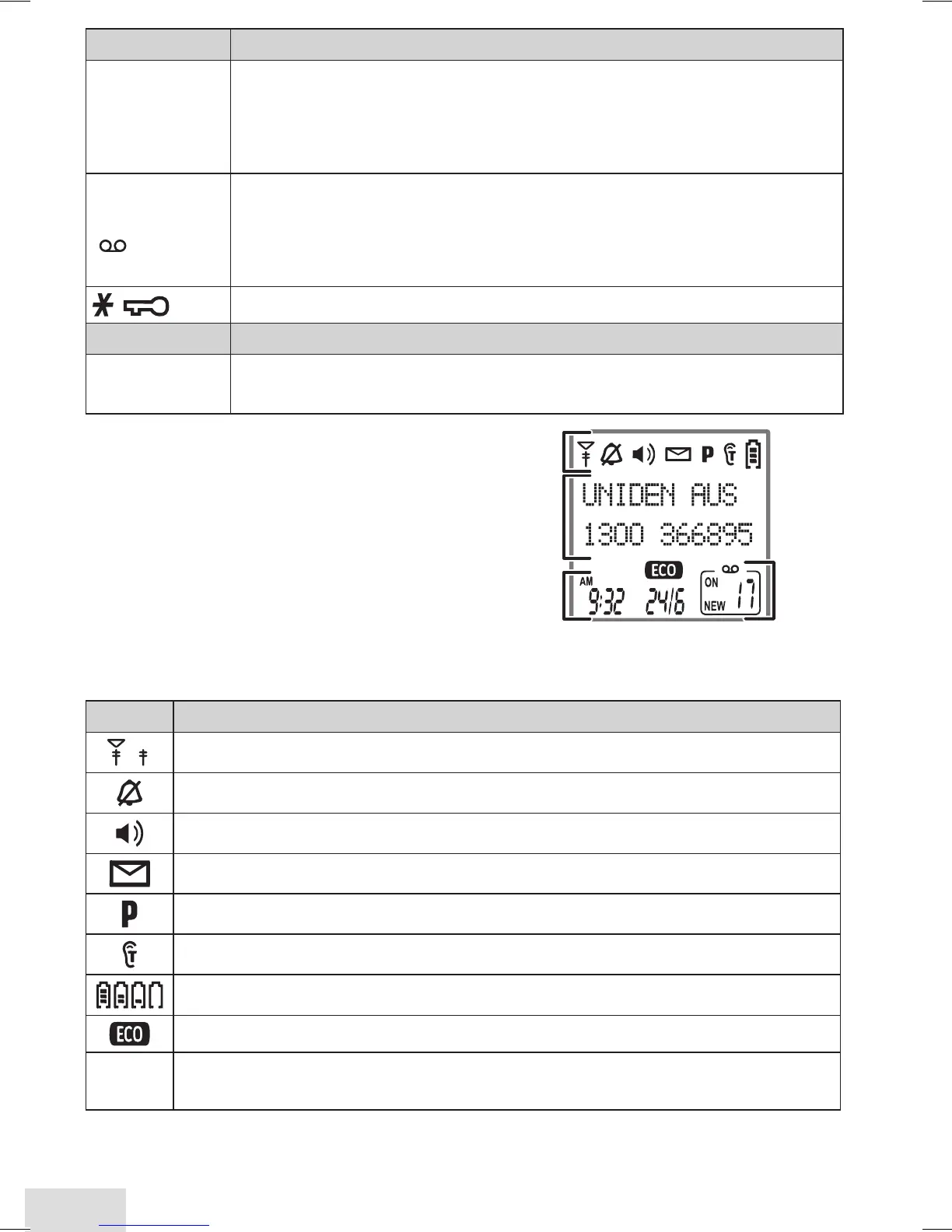
Reading the Display
The table shows the possible status
icons & what they mean. Since the
icons appear based on what the
phone is doing, you won't see all the
icons at the same time.
Icon What it means
The signal from the base is 1) strong or 2) weak.
The ringer is turned off and will not ring for new calls.
The speakerphone is on.
You have a voice message waiting.
Privacy Mode is on: no other handset can join the call.
T-coil mode is on (see p. 8).
The battery is 1) full, 2) half charged, 3) getting low or 4) empty.
The handset is using ECO (power save) mode.
[Aa]
[aA]
Enter 1) capital or 2) lower case letters (see p. 9).













 To Next Page