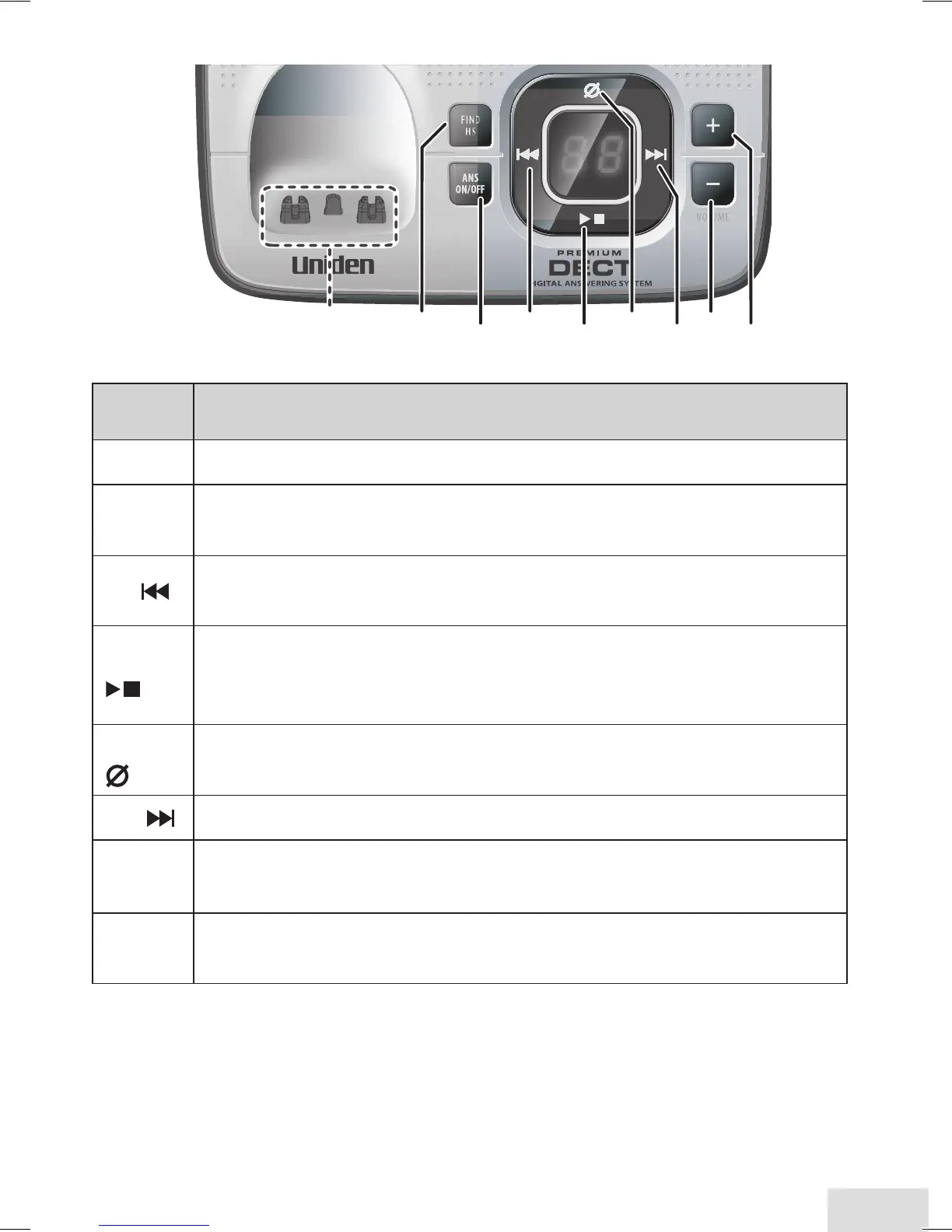
Parts of the Base
Key
(icon)
What it does
find hS
In standby: page all handsets. x
anS on/
off
In standby: turn the answering system on or off. x
rEV
( )
While playing a message: restart the message. x
In the first 2 seconds of a message: play the previous message. x
Play/SToP
( )
In standby: start playing messages. x
While playing a message: stop playing messages. x
When the phone is ringing: ignore this call (mute the ringer). x
dElETE
( )
While playing a message: delete this message. x
In standby: delete all messages. x
fwd
( ) While playing a message: skip to the next message. x
down
(
–
)
In standby: decrease the ringer volume. x
While playing a message: decrease the speaker volume. x
uP
(
+
)
In standby: increase the ringer volume. x
While playing a message: increase the speaker volume. x













 To Next Page