5
Set up for pressure transmitter 2 wires signal 4÷20mA
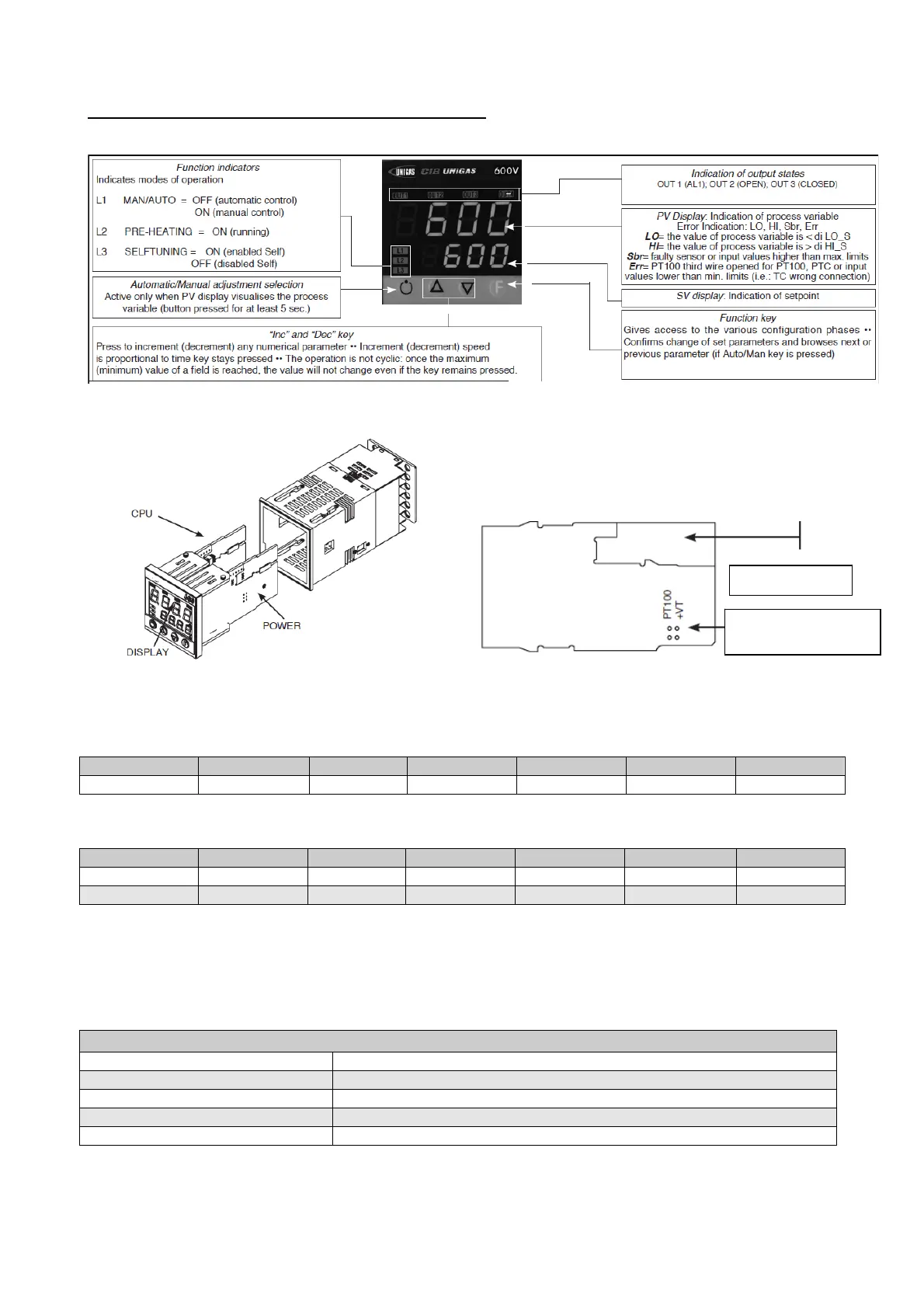
With pressure transmitters first we need to enable their power supply: remove the part as shown below, then,
on the CPU unit, move the bridge from Pt100 to +Vt
Verify wiring of the sensor
Impostazione set-point
Transmitter
1,6bar 3bar 10bar 16bar 25bar 40bar
Set-point 1bar 1,5bar 6bar 6bar 6bar 6bar
To modify it directly use "up" and "down" arrows.
By pushing F you go to parameter:
Transmitter
1,6bar 3bar 10bar 16bar 25bar 40bar
Hy.P 0,2bar 0,5bar 0,5bar 0,8bar 1,25bar 2bar
Hy.n 0bar 0bar 0bar 0bar 0bar 0bar
Keep pushing F until you see PASS, release F and through the arrows set 99, push F and visualize Pro
(protection code) default is 12, through the arrows set 128 and push F, keep it pushed until all parameters
InF, CFG, InP, Out, PASS are visualized.
CFG
S.tun 0
hPb 5
hIt 1,33
hdt 0,33
…
IN/OUT cards
Signal selection on
termina



 To Next Page