PART III: OPERATION
32
The burner and consequently the LMV2x.. are factory set; the air and fuel curves as set as well.
Info level
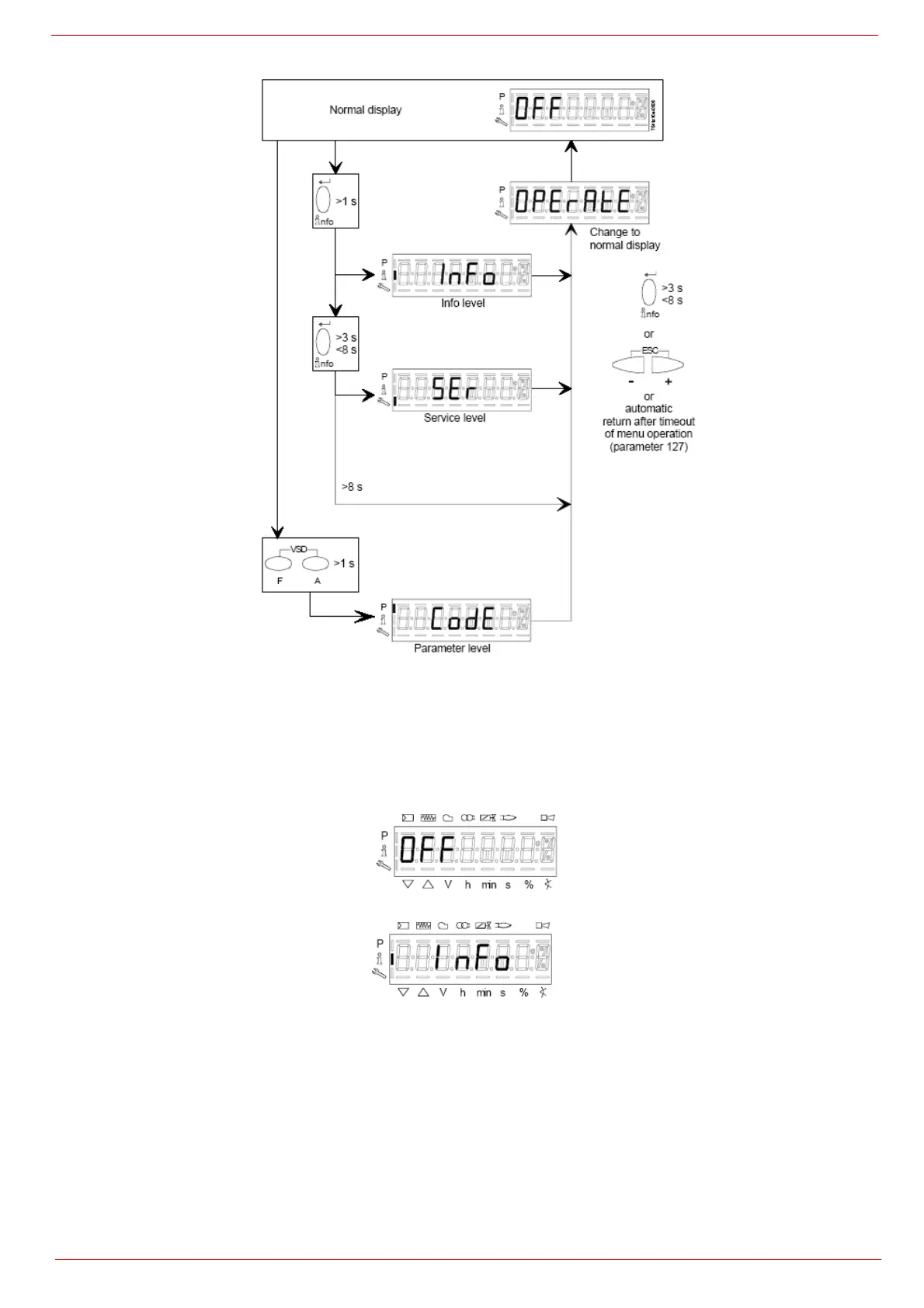
To enter the Info level, proceed as follows:
1 in any menu position, press keys + and - at the same time, then the program will start again: the display will show OFF.
2 until the display will show InFo, Press the enter (InFo) key
3 then il will show the first code (167) flashing, on the right side it will show the data entered. By pressing + or - it is possible to scroll
(up or down) the parameter list.
4 If a dot-line is shown on the right, there is no enough room for complete visualisation: press enter again the data will be completely
shown for 1 to 3 seconds. By pressing enter or + and- at the same time, the system will exit the parameter visualisation and go
back to the flashing number.
The Info level shows some basic parameters as:



 To Next Page