M12927CA
CONFIGURATION
How to access configuration level
The configuration parameters are collected in various groups. Every group defines all parameters related with a
specific function (e.g.: control, alarms, output functions).
1. Push the button for more than 5 seconds. The upper display will show PASS while the lower display will
show 0.
2. Using and buttons set the programmed password.
According to the entered password, it is possible to see a part of the parameters listed in the "configuration
parameters" section.
a. Enter "30" as password to view all the configuration parameters
b. Enter "20" as password to view the parameters of the "limited access level". At this point, only the
parameters with attribute Liv = A or Liv = O will be editable.
c. Leave the password blank to edit "user level" parameters, that are identified by attribute Liv = O
3. Push the button. If the password is correct the display will show the acronym of the first parameter group
preceded by the symbol: . In other words the upper display will show: inP (group of the Input parameters).
for more than 5 seconds, the instrument will return to the "standard display.
The instrument is in configuration mode. To press
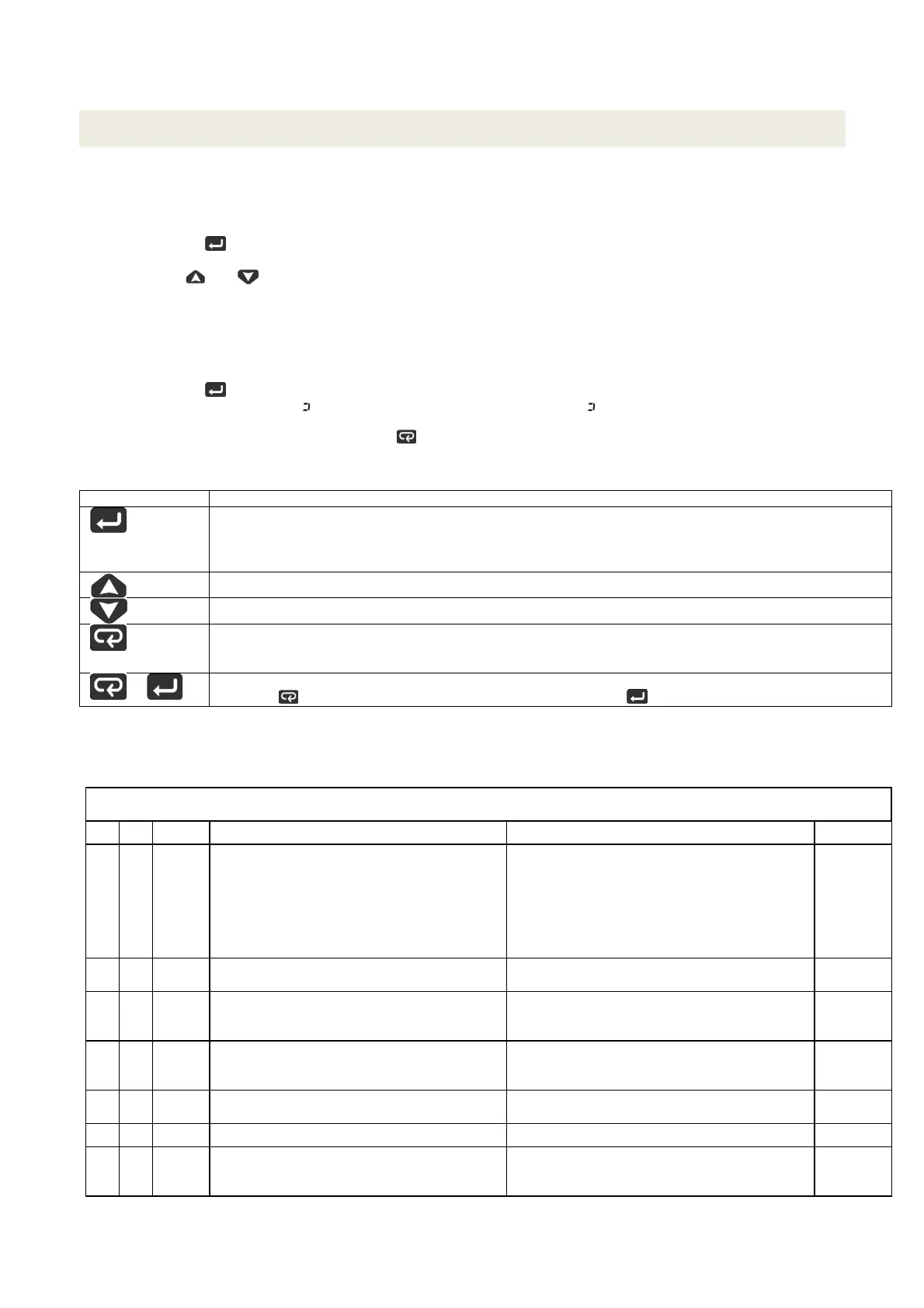
Keyboard functions during parameter changing:
Operator Mode
When the upper display is showing a group and the lower display is blank, this key allows to enter in the
selected group. When the upper display is showing a parameter and the lower display is showing its value,
this key allows to store the selected value for the current parameter and access the next parameter within
the same group.
Allows to increase the value of the selected parameter.
Allows to decrease the value of the selected parameter.
Short presses allow you to exit the current group of parameters and s
elect a new group. A long press
terminates the configuration procedure (the instrument returns to the normal display).
+
These two keys allow to return to the previous group. Proceed as follows:
Push the button and maintaining the pressure, then push the ; release both the buttons.
Configuration Parameters
inP GROUP - input confiuration
Liv N° Param Description
alues Default
A 1 SEnS Input type Pt1 = RTD Pt100
Pt10 = RTD Pt1000
0.20 = 0..20mA
4.20 = 4..20mA Pressure probe
0.10 = 0..10V
2.10 = 2..10V
crAL= Thermocouple K
Depends
on the
probe
A 2 dp Decimal point position 0... 3 See page
7
A 3 SSc Initial scale read-out for linear inputs (avaiable
only if SEnS parameter is not equal to Pt1,
Pt10, crAL values)
-1999... 9999 0
C 4 FSc Full scale read-out for linear input inputs
(avaiable only if SEnS parameter is not equal
to Pt1, Pt10, crAL values)
-1999... 9999 Depends
on the
probe
C 5 unit
Unit of measure
(present only in the case of temperature probe)
°C/°F °C
C 6 Fil Digital filter on the measured value 0 (= OFF)... 20.0 s 1.0
C 7 inE Selection of the Sensor Out of Range type
that will enable the safety output value
or = Over range
ou = Under range
our = over e under range
or
8



 To Next Page