PART III: OPERATION
30
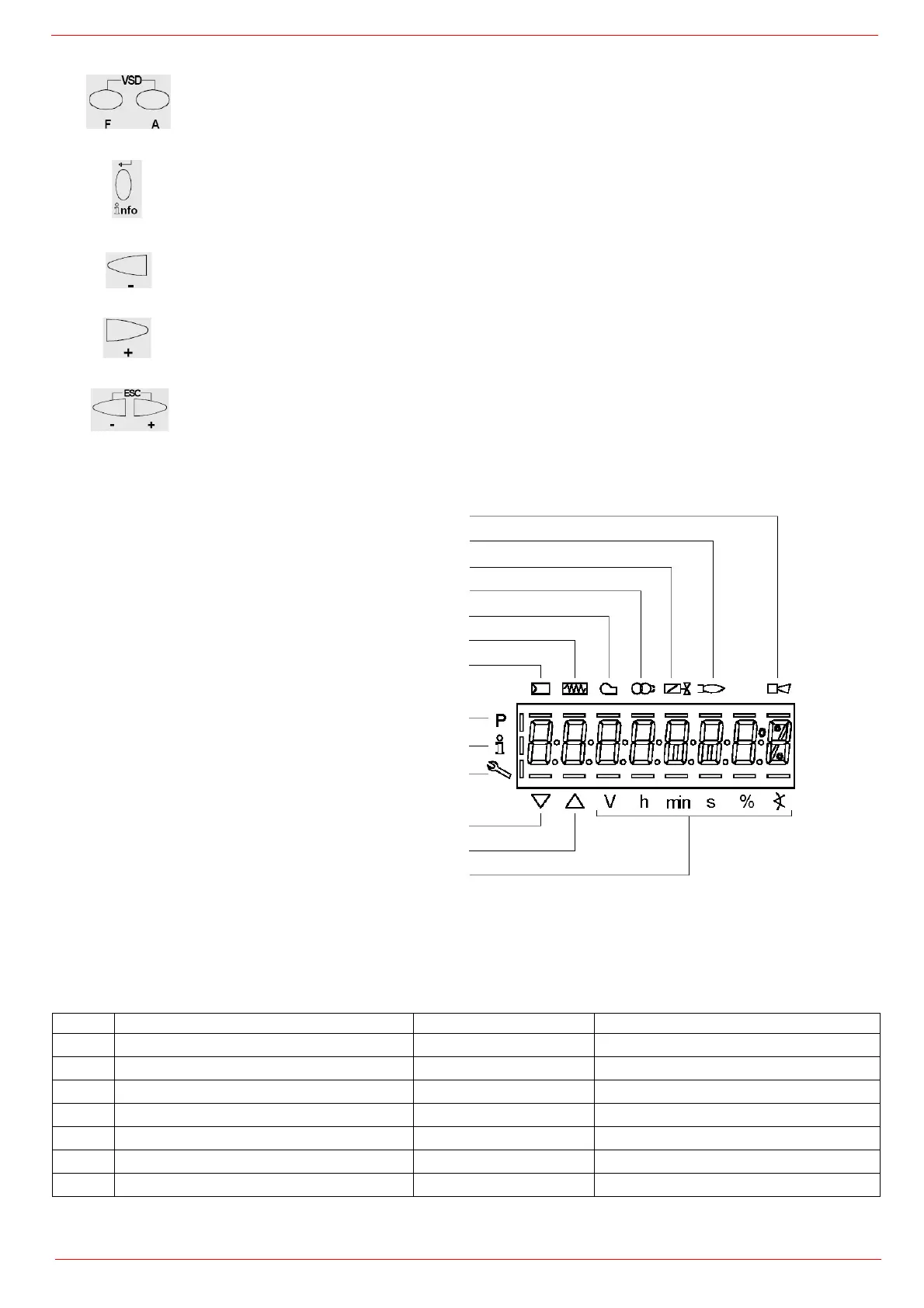
The display will show these data:
The display will show these data:
Setting menu
The setting menu is divided into different blocks:
The accesses to the various blocks are allowed by passwords. Passwords are divided into three levels:
Key F + A
While pressing the two keys contemporarly, the code message will appear: by entering the proper
password it is possible to access the Service mode.
Info and Enter keys
Used for Info and Service menues
Used as Enter key in the setting modes
Used as Reset key in the burner operation mode
Used to enter a lower level menu
-Key -
Used to decrease a a value
Used to enter Info and Serivce during the curve adjustments
+Key +
Used to increase a a value
Used to enter Info and Serivce during the curve adjustments
Keys (+ & - )= ESC
By pressing + and - at the same time, the ESCAPE function is perfomed:
to enter a lower level menu
Bloc. Descrizione Description Password
100 Informazioni generali General OEM / Service / Info
200 Controllo bruciatore Burner control OEM / Service
400 Curve rapporto Ratio curves OEM / Service
500 Controllo rapporto Ratio control OEM / Service
600 Servocomandi Actuators OEM / Service
700 Storico errori Error history OEM / Service / Info
900 Dati di processo Process data OEM / Service / Info
Lock+unlock codes
Flame
Open valves
Fan motor energised
Oil pre-heater energised
Ignition transformers energised
Plant heat request
Parametere setting mode
Info mode
Service mode
Closing actuator
Opening actuator
Unit measure



 To Next Page