27
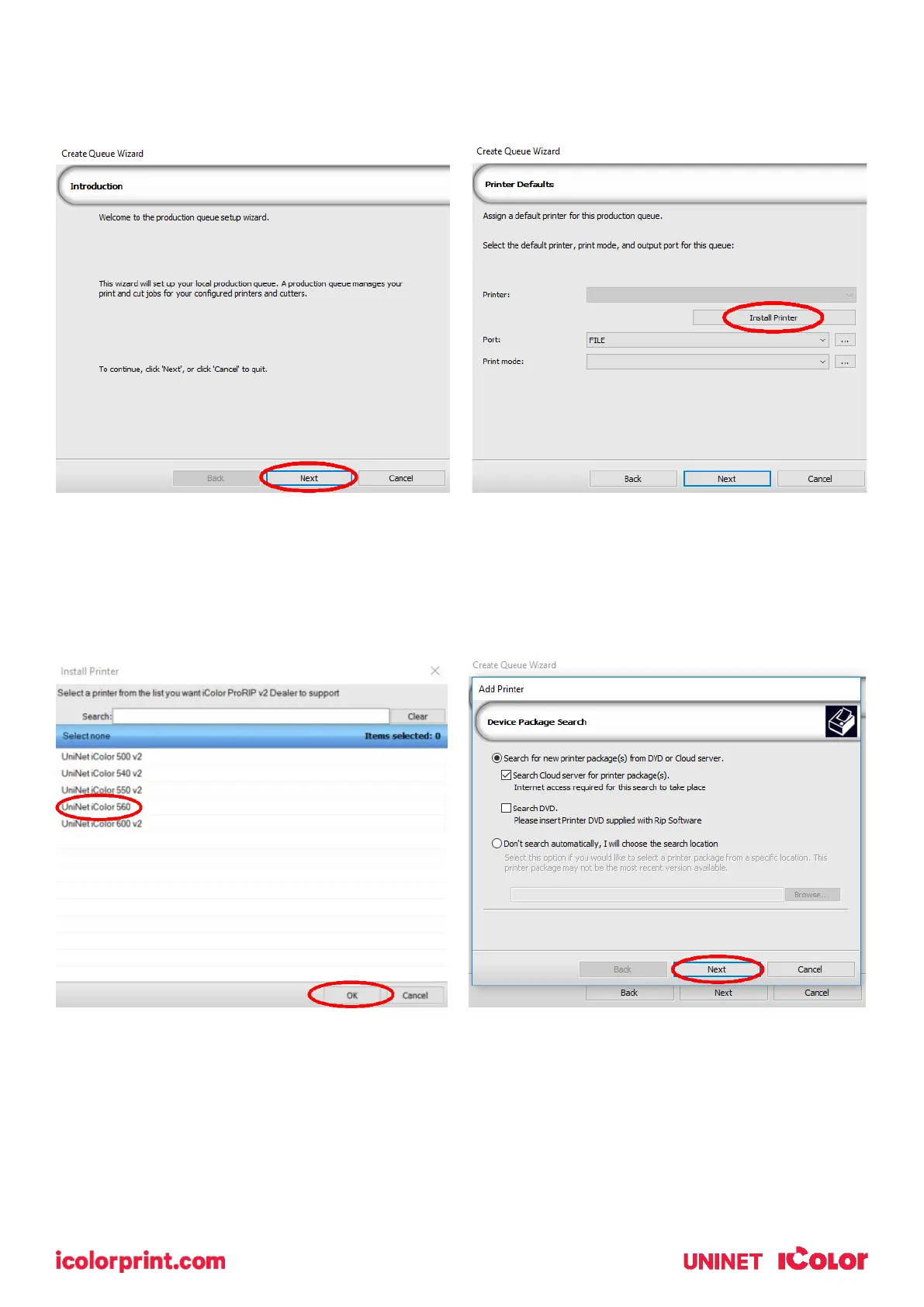
2) Once the ProRIP opens, the Queue Wizard will begin the installation of the support files for your IColor
printer. Click ‘Next’ and then ‘Install Printer’.
3) Select the appropriate printer from the support menu (in this case, we will choose the IColor 560). Click
‘OK’. Then click ‘Next’ to continue the installation. Note that you may have already installed the printer
driver in windows. This installation is for RIP functionality only.



 To Next Page