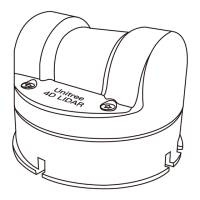
Unitree4D LiDAR-L2 User Manual
Unilidar 2 is an operating software used by the L2 that can display and analyze three - dimensional
point clouds in real time and supports advanced functions such as product settings and external pa-
rameter adjustment. Using the Unilidar 2 software, users can perform simple graphical debugging.
Unilidar 2 currently supports Window® (64 - bit).
Windows users: Run the Unilidar 2.exe program as an administrator after downloading.
For more detailed usage methods of Unilidar 2, please visit the official website www.unitree.com,
download and consult the 《Unilidar 2 User Manual》 for more information.
The LED of the L2 does not support configuration and has three states:
6 - segment light ring in normal mode, 3 - segment light ring in negative angle mode, and the light
ring blinks slowly in 2D mode.
2024 Unitree Robotics. All rights reserved.
12
Unilidar 2
LED Mode
In addition to using Unilidar 2 to view real - time point cloud data, users can also obtain point cloud
data through the Unilidar SDK software package and apply the point cloud data to various scenari-
os. This software package can provide the following functions:
·Parse the original data transmitted from the laser radar and convert it into point cloud and IMU
data
·Obtain point cloud data
·Obtain IMU data
·Configure and query relevant parameters and status information
Visit https://www.unitree.com/download to view more detailed information about the Unilidar SDK
documentation.
Unilidar SDK 2



 To Next Page