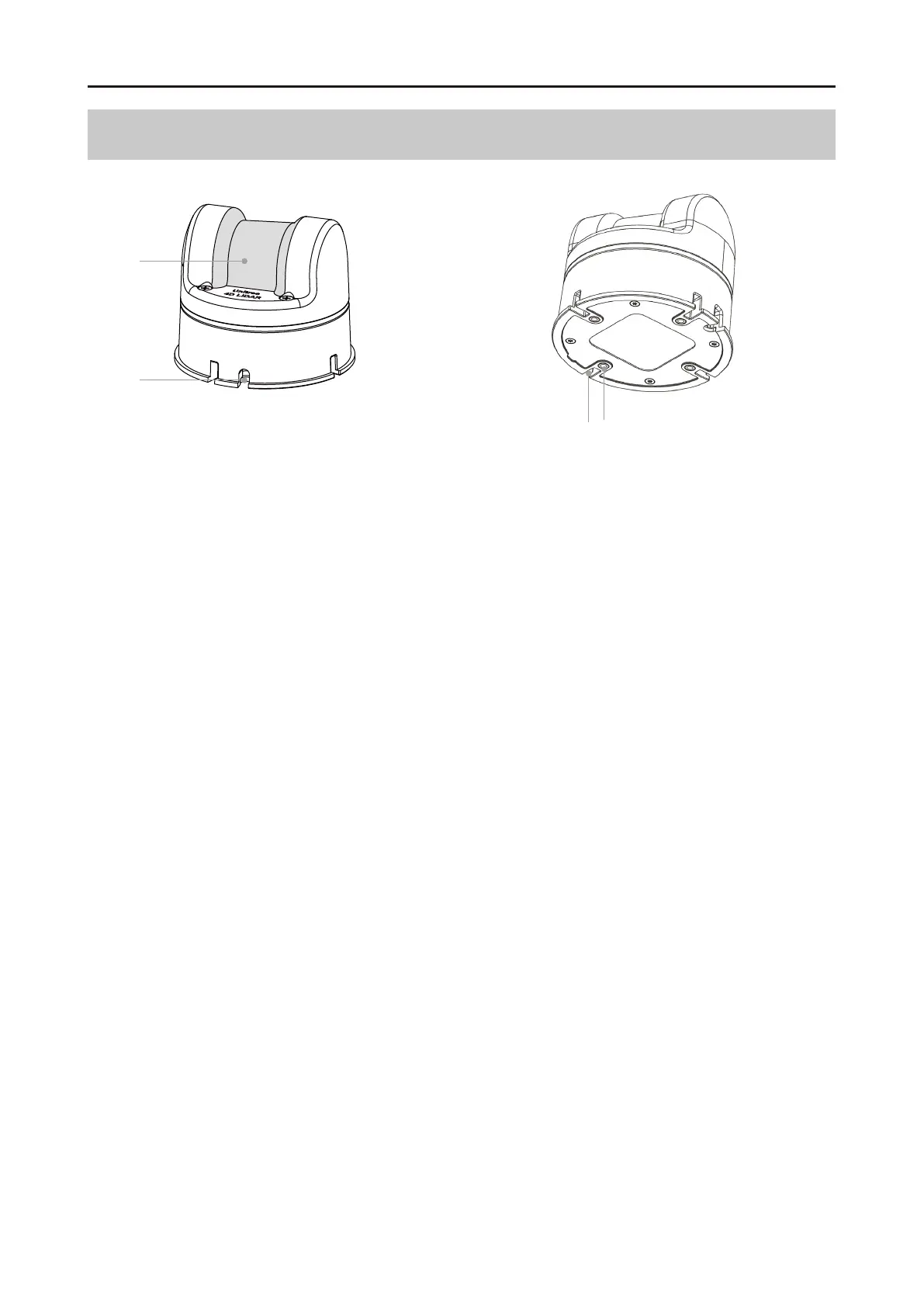
Component Description
Optical Window
The laser beam emitted through the optical window can scan objects within the field of view
(FOV).
Outlet
The L2 has three terminals for its outlet, namely a DC3.5 - 1.35 power supply, an RJ45 receptacle
(network port), and a GH1.25 - 4Y plug (serial port). For detailed wire sequences, please refer to
the Interface Definition section.
Positioning Slots
There are 4 positioning slots in total. When designing a fixed bracket, the positioning slots can
be used to improve the positioning accuracy of the whole machine. For specific dimensions,
please refer to the Installation Dimensions section.
M3 Installation Holes
There are 4 installation holes in total. The L2 can be fixed in an appropriate position using M3
screws.
2024 Unitree Robotics. All rights reserved.
4
Unitree4D LiDAR-L2 User Manual
1.
2.
3.
4.
1
2
3
4



 To Next Page