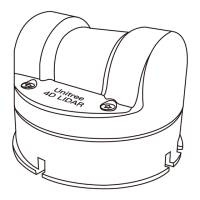
Storage, Transportation and Maintenance
Storage
·The storage temperature of the L2 is - 20° C to 60° C. Please store it in a dry, ventilated and dust -
free environment.
·Avoid placing it with corrosive, flammable and explosive items.
·Handle it carefully when storing to avoid damaging the equipment.
·For equipment stored for a long time, please check and maintain it regularly.
Transport
·Before transporting, fix the equipment and confirm that it is installed in place before packing.
·Use special packing boxes or packing buffer materials to achieve the necessary protection effect.
·Avoid being affected by impacts, vibrations and frictions during transportation to avoid mechanical
damage.
Maintenance
The L2 has good reliability and stability. During normal use, only the optical window needs to be
regularly inspected and cleaned.
If the optical window area is polluted (such as by dust, mud, etc.), it may affect the quality of the
data generated after the radar scans an object. At this time, the radar needs to be cleaned. Prefer-
ably, use a clean cleaning cloth to gently wipe the optical window to remove surface dirt. When
cleaning, wipe gently to avoid scratching the surface of the optical window with excessive force
and affecting its performance. If there are still visible stains on the optical window, use a cleaning
cloth dipped in a small amount of alcohol and then wipe the window.
2024 Unitree Robotics. All rights reserved.
13



 To Next Page