© 2023 All rights reserved, Unitree Robotics 15
Please use the remote control commands affixed to the remote control or visit the Unitree Explore App to access
the remote control user manual.
Please make sure that the robot dog stands on a flat ground and the robot is in a static standing state before
turning it down, (the position of the robot body is in the initial state after startup and standing, the body is
horizontal, the handle is not operated, and the robot is in a static standing state).
1) Press the buttons L2+A twice, and the robot completes the joint locking and lying down actions in turn.
2) After the robot enters the lying state, press the power button briefly and then press the power button
for 3 seconds to shut down.
After turning off the power, please place the robot in the required position, and arrange the legs and hip
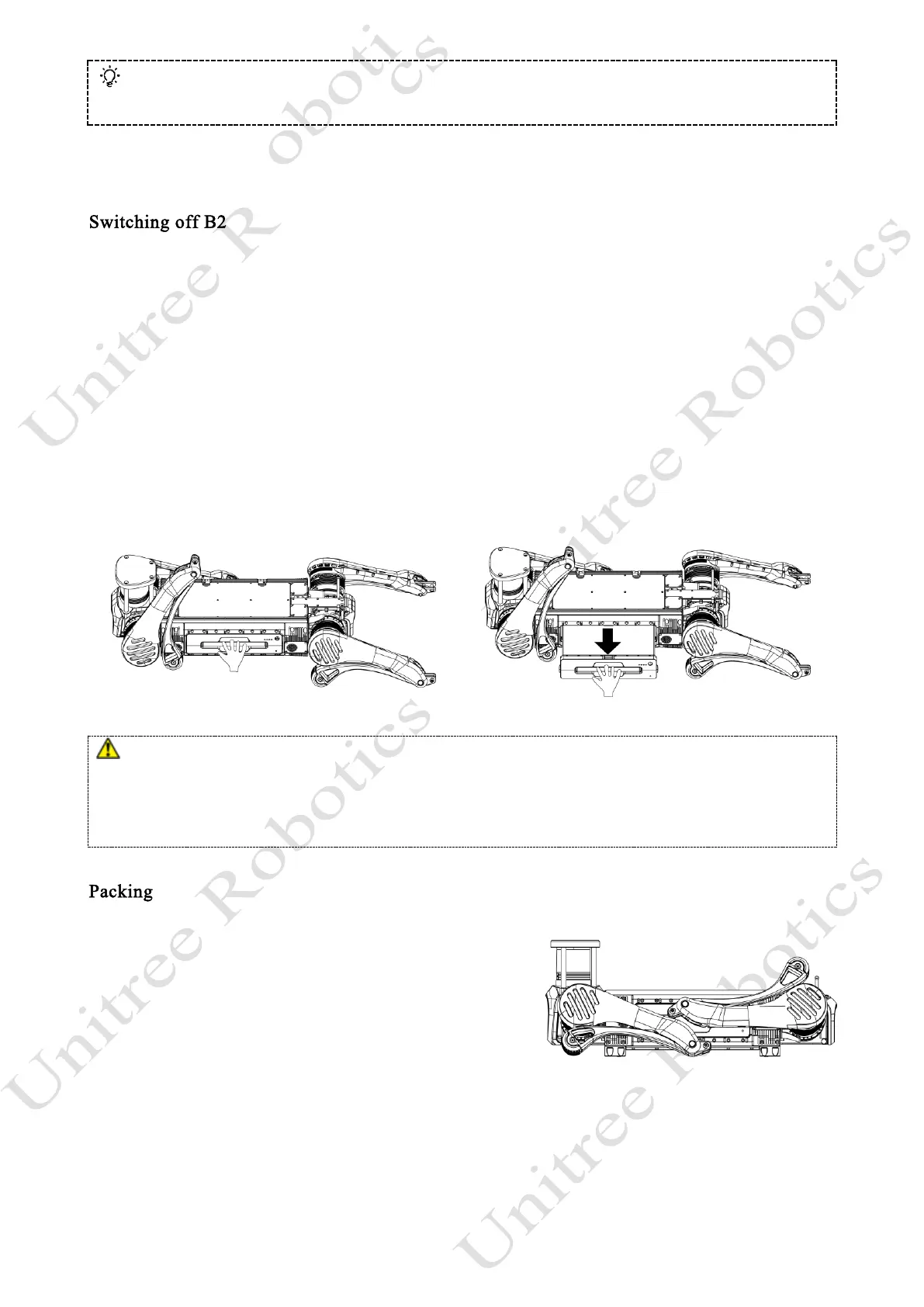
joints properly to prepare for the next power on. If B2 is not used for a long time, please remove the battery
pack in time: pull out the battery pack handle, and the battery pack will pop out and can be removed.
⚫ Please make sure that the robot turned off in a damping state, otherwise the robot will fall heavily on the
ground after it is turn down and powered off, which may cause damage to the robot body and certain potential
hidden dangers!
⚫ Be careful to pinch your hands at the movement joints, please be careful!
Preparation for packing: Rotate the legs of the quadruped
robot to the position shown in the picture (rear leg retracted step:
rotate the rear leg hip motors so that the rear thighs are placed in
the position as the picture shows, and at the same time retract the
rear lower legs to the position shown in the picture.
After completing the pre-packing preparations, first place the quadruped robot into the lower part of the
transportation case. After the quadruped robot is placed in the lower part of the case, put the accompanying
remote control, charger, etc. into their respective positions inside the transportation case to ensure that none
of the above items will fall out when the upper part of the case is closed.
RF warning for Remote Control Portable device:
The device has been evaluated to meet general RF exposure requirment. The device can be used in portable
exposure condition without restriction.



 To Next Page