Due to reasons such as self-consumption of the battery during transport and storage, it is normal to have a
low or empty battery when using it for the first time, and charging can be done in the following way.
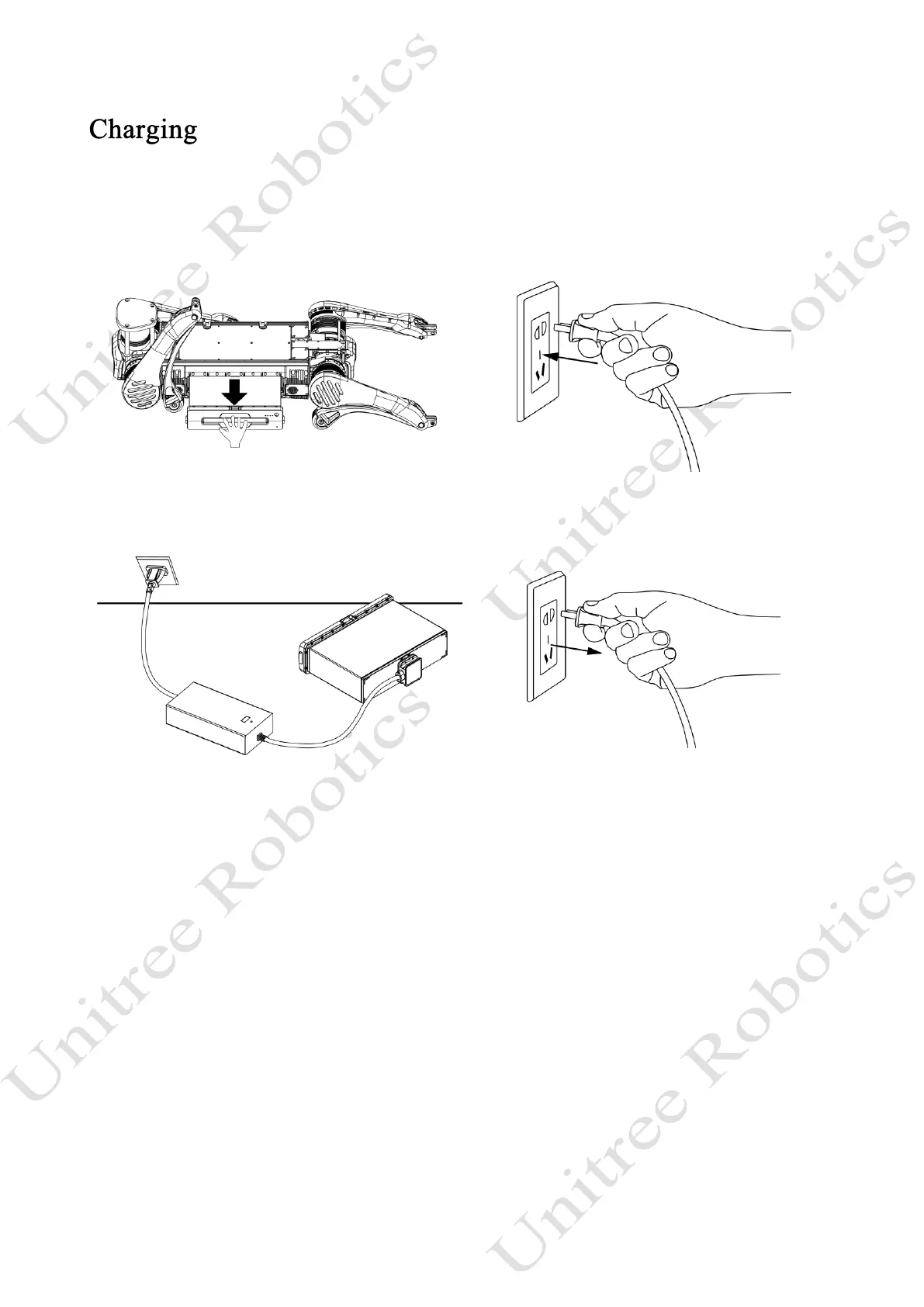
1) Charge the battery
1) Connect the charger to an AC power source (100-240V, 50/60Hz). It must be ensured that the external
power supply voltage matches the rated input voltage of the charger before connecting. Otherwise, the charger
will be damaged (the rated input voltage of the charger is marked on the nameplate of the charger).
2) Plug in the input AC power first before charging the battery, then connect the charger to the battery.
3) Before charging the battery, ensure that the battery pack is switched off. Otherwise, the battery and
charger may be damaged.
4) The users need to remove the battery pack from the robot itself when charging the battery pack.
5) In the charging state, the battery indicator of battery pack will flash at a frequency of 1Hz (1
second/time) and indicate the current battery.
6) If the battery indicator is off, the battery pack is fully charged. Please remove the battery pack and
charger to finish charging.
7) The temperature of the battery pack may be high after running, t, and the battery pack must be charged
after the temperature of the battery pack has dropped to room temperature.



 To Next Page