37
Two ports are provided on the right side of the system for interface with a computer, a serial and a
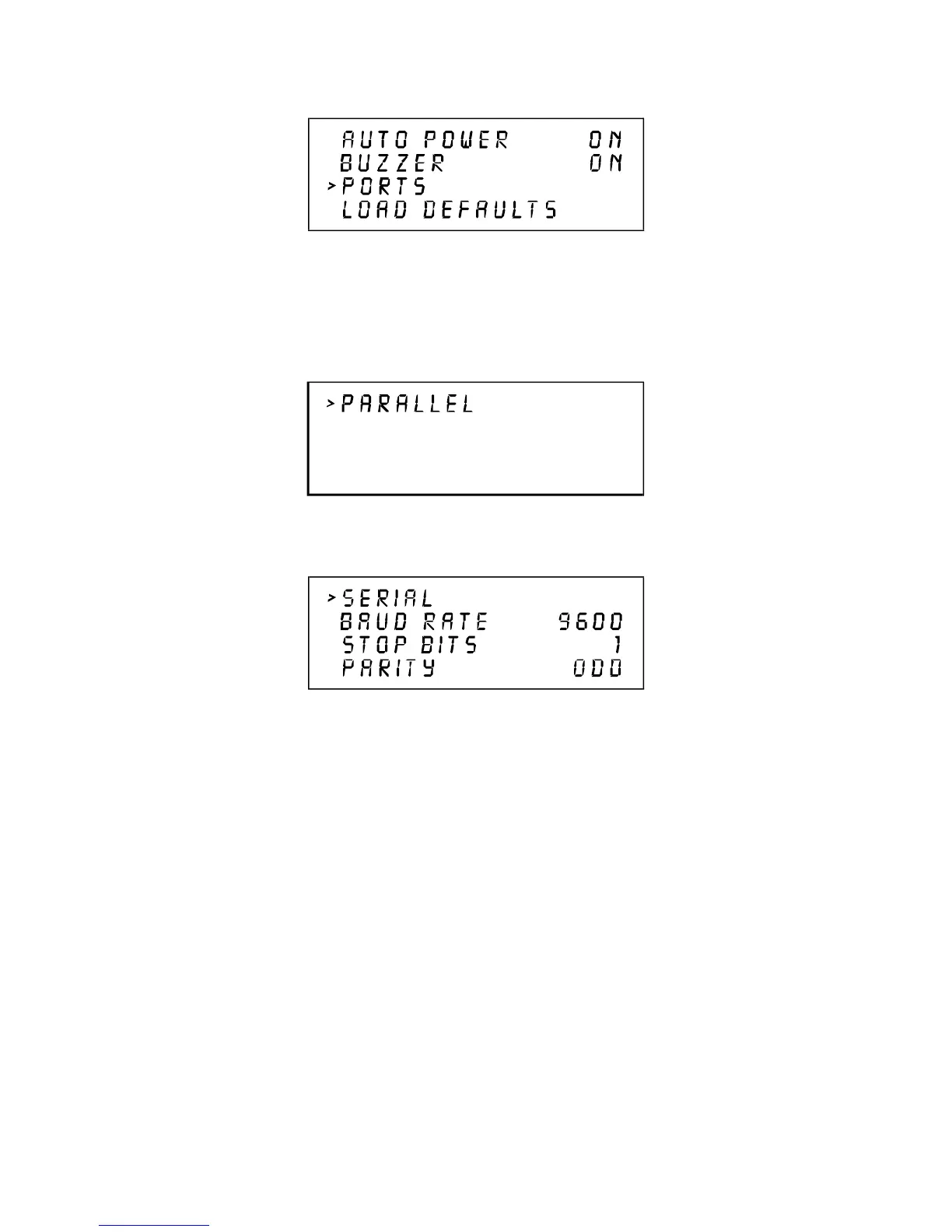
parallel port. Only one port can be used at a time. To activate a port, select PORTS from this menu
and one of the following sub menus will appear:
or
The menu that appears indicates the currently active port on the laser system. To switch to the other
port press the SELECT key. In order to use the SERIAL port the communication settings MUST
match those of the computer. Refer to the computer’s hardware and software manuals for details on
setting up the computer’s serial port.
If using the SERIAL port, select the fastest possible BAUD rate for communication since this effects
how quickly the computer can send files to the laser system. For BAUD rates of 9600 and above, set
the number of STOP BITS on the computer to a higher value than the number of STOP BITS selected
on the laser engraving machine. For example if the number of STOP BITS on the laser engraving
system is set to 1, then set the computer’s stop bits to 1.5 or 2.
PARITY of the laser system and the computer MUST match exactly and the choices are ODD,
EVEN, or NONE. Pressing the SELECT key while the cursor is on PARITY will toggle through
these choices.



 To Next Page