MSC-400 Reference Manual
Rev 4
88
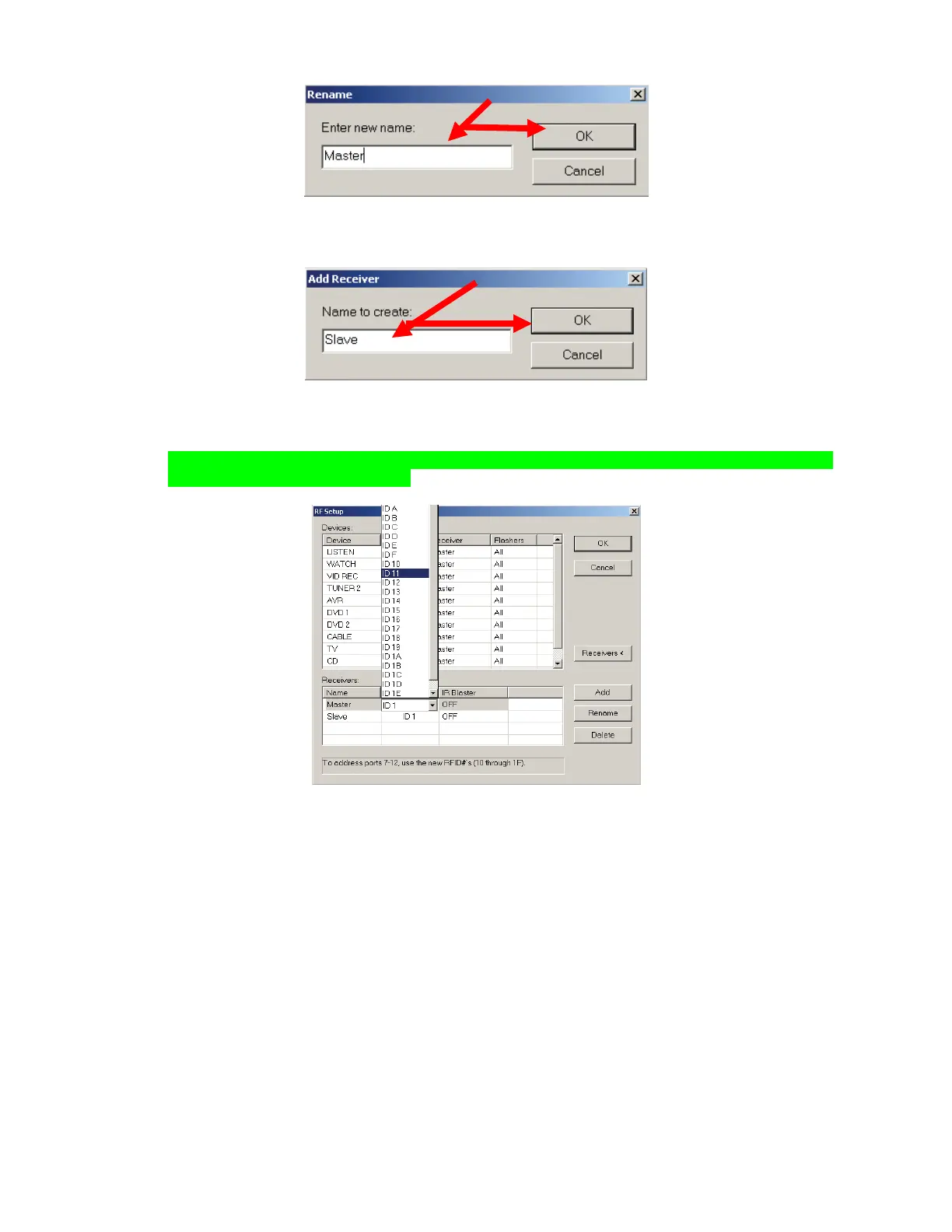
c) In the RF Setup Window, click ADD. The ADD RECEIVER WINDOW will appear.
d) Type SLAVE in the Box and click OK.
e) In the Receivers Section, the MASTER LINE under RECEIVER ID. Set the RFID for the MSC
MASTER to match the setting used in MSC EDITOR (ID 11). Repeat for the SLAVE LINE and set
to the proper RFID (ID 12).
NOTE - If RFIDs of ID10 or higher are not selected, IR Ports 7-11 will not be available when
configuring the Flasher Settings.
6. To set RFID when using MX-3000 or MX-950:
a) Click the RENAME BUTTON. The RENAME WINDOW will appear. Type MASTER PRIMARY in
the Box and click OK.
b) Click ADD. The ADD RECEIVER WINDOW will appear. Type MASTER SECONDARY in the Box
and click OK.
c) Repeat STEP B to create SLAVE PRIMARY and SLAVE SECONDARY RECEIVERS.
d) Click the MASTER PRIMARY LINE under RECEIVER ID. Set the RFID for the MSC MASTER
PRIMARY to match the setting used in MSC EDITOR. REPEAT for the MASTER SECONDARY,
SLAVE PRIMARY and SLAVE SECONDARY RECEIVERS.
7. Set IR BLASTER to OFF for all receivers. Click Receivers.
8. In the DEVICES section, line by line, click under RECEIVER and select the appropriate receiver from
the pull-down. Systems using TX-1000 or MX-900 will be either MASTER or SLAVE, Systems using
MX-3000, or MX-950 will be one of MASTER PRIMARY/MASTER SECONDARY or SLAVE
PRIMARY/SLAVE SECONDARY RECEIVERS. Be sure these settings are correct. If they are not,
some device’s IR commands will not be output by the MSC Controllers.
5e
7
6a
6b



 To Next Page