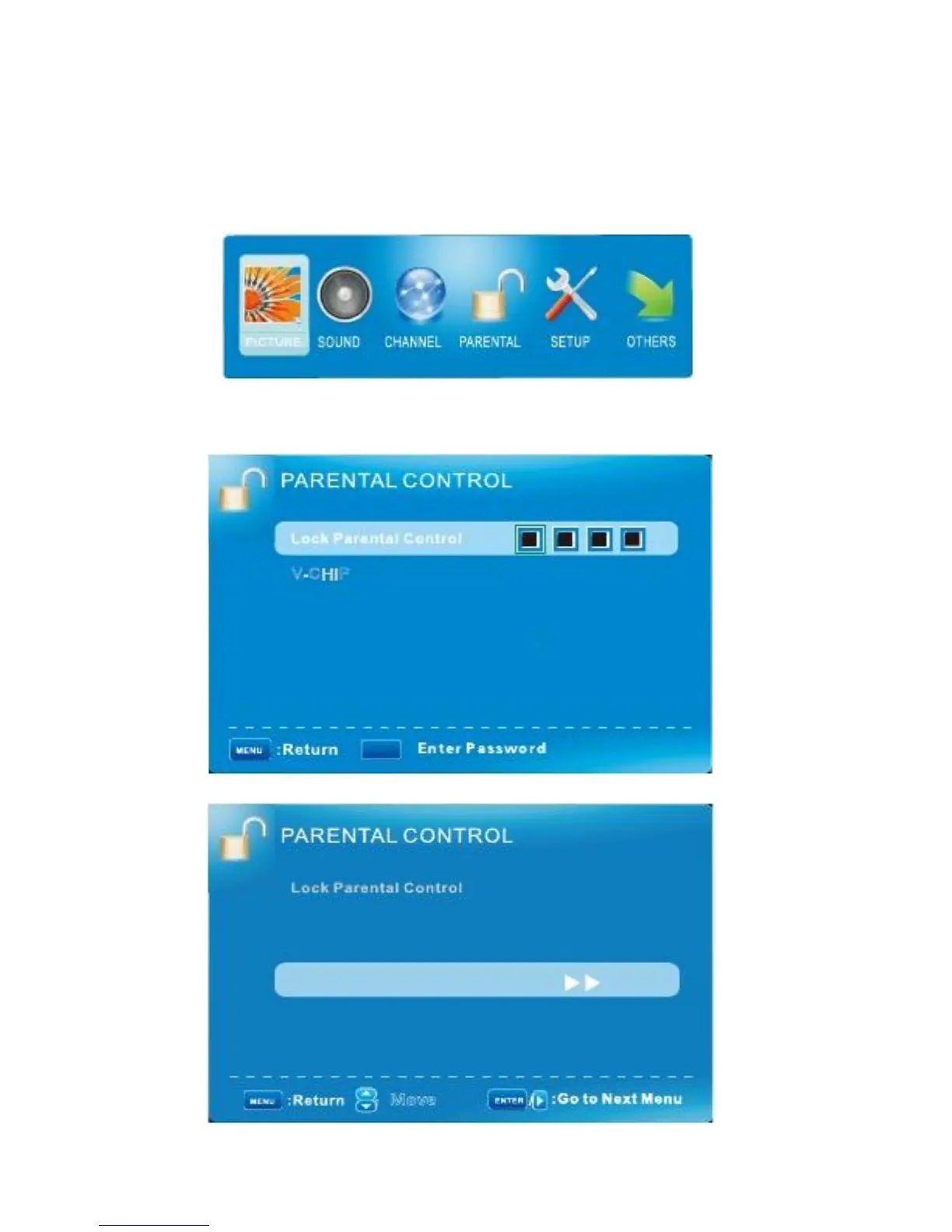
PARENTAL CONTROL MENU/ Lock PARENTAL CONTROL Settings
Press ▼
/
▲ to highlight one of the following options, and then press ENTER or to enter next sub-
Menu to adjust it. Press EXIT to clear on-screen menu or MENU back to the previous menu.
How to access to hotel menu
1
、
Press the menu button on the remote control, the main menu will display.
2
、
Choosing“PARENTAL", look for and select“Lock Parental Control "option .input the password: 0000,
The “hotel Menu "would be active; the following items will be select:
V-CHIP
Change Password
Hotel Menu
0-9
:
V-C HIP
Change Password
Hotel Menu
:
Move
English -26



 To Next Page