4.5 Removal of Transportation Locks
To protect the equipment from the effects of transportation vibration, transpor-
tation locks are installed inside the equipment. After confirming the placement
of the equipment, be sure to remove the transportation locks and store them
properly.
Note: Please perform this operation before connecting the power cables to
avoid malfunctions caused by incorrect actions during equipment operation.
Power Supply for the Equipment: AC 100V~130V or AC 200V~240V, 50~60Hz
- The equipment power connection must have a ground wire and ensure stable
voltage with intact wiring.
- Install in a location where the power plug can be easily controlled at all times
for quick unplugging in case of emergencies.
After confirming the installation location, gently move the purchased product
and place it on the workbench. Ensure the workbench is stable, the product is
placed steadily, and the surroundings of the equipment are kept clean and tidy.
Open the packaging box door, take out the foam padding used for protection
one by one, and place them properly (keep them for future maintenance and
transportation).
Note: Do not install in the following environments:
- Environments with large temperature/humidity fluctuations
- Environments with shaking or vibration
- Environments with high electromagnetic interference such as electromagnetic
waves
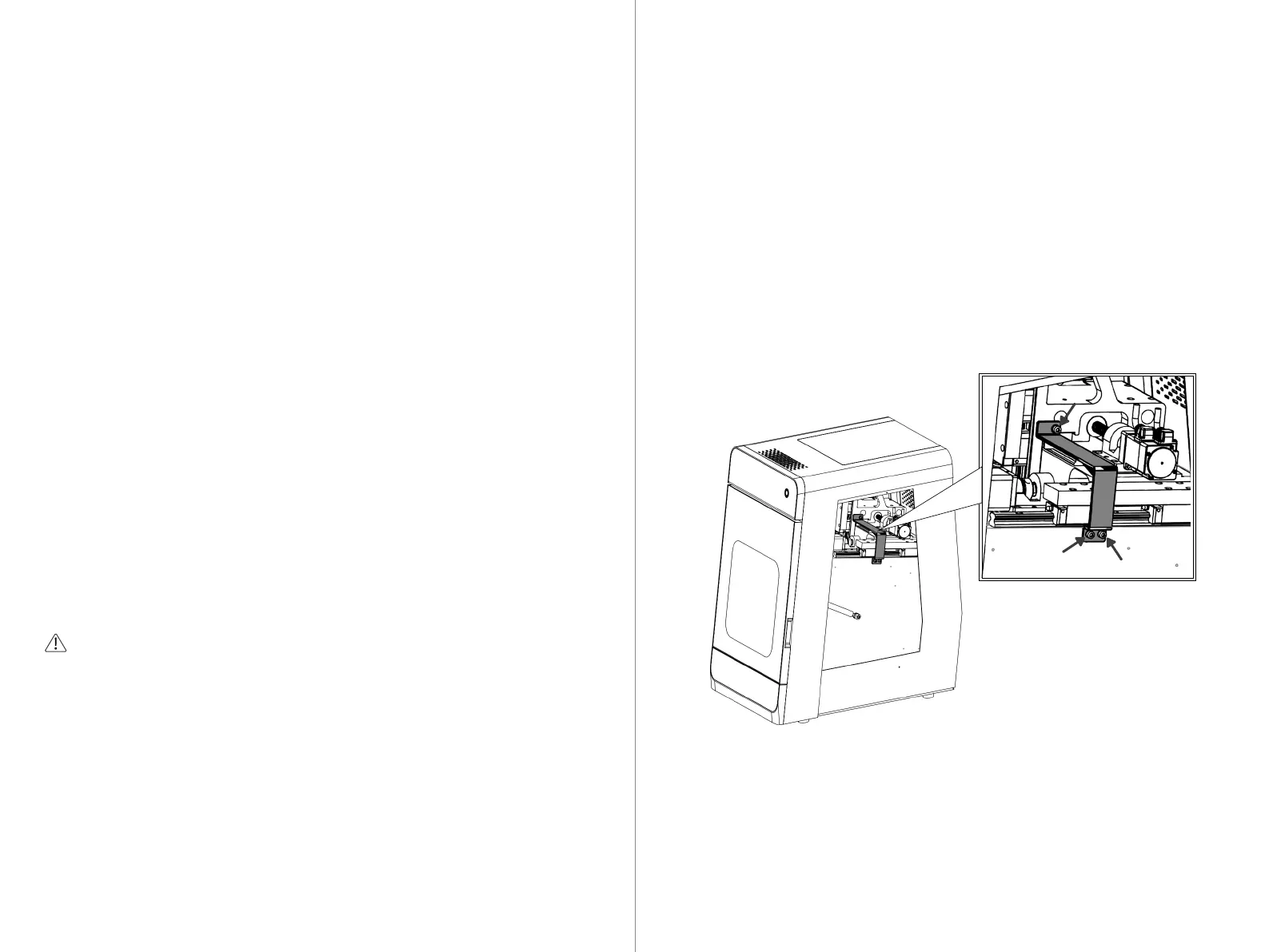
The diagram below shows the installation position and disassembly method of
the transportation fixing device. Please follow the instructions in the diagram.
Please store the disassembled transportation fixing device properly to avoid
loss.
Tools Required: Please use a 4mm Allen wrench.
- Remove the right side panel.
- Use a 4mm Allen wrench to sequentially remove the three bolts of the fixing
device.
- Remove the screws and fixing device.
- Reinstall the right side panel.
Note:
The transportation lock is an essential accessory for the equipment during trans-
portation and long-distance movement. Please store it properly to avoid loss.
①
②
③
17
18



 To Next Page