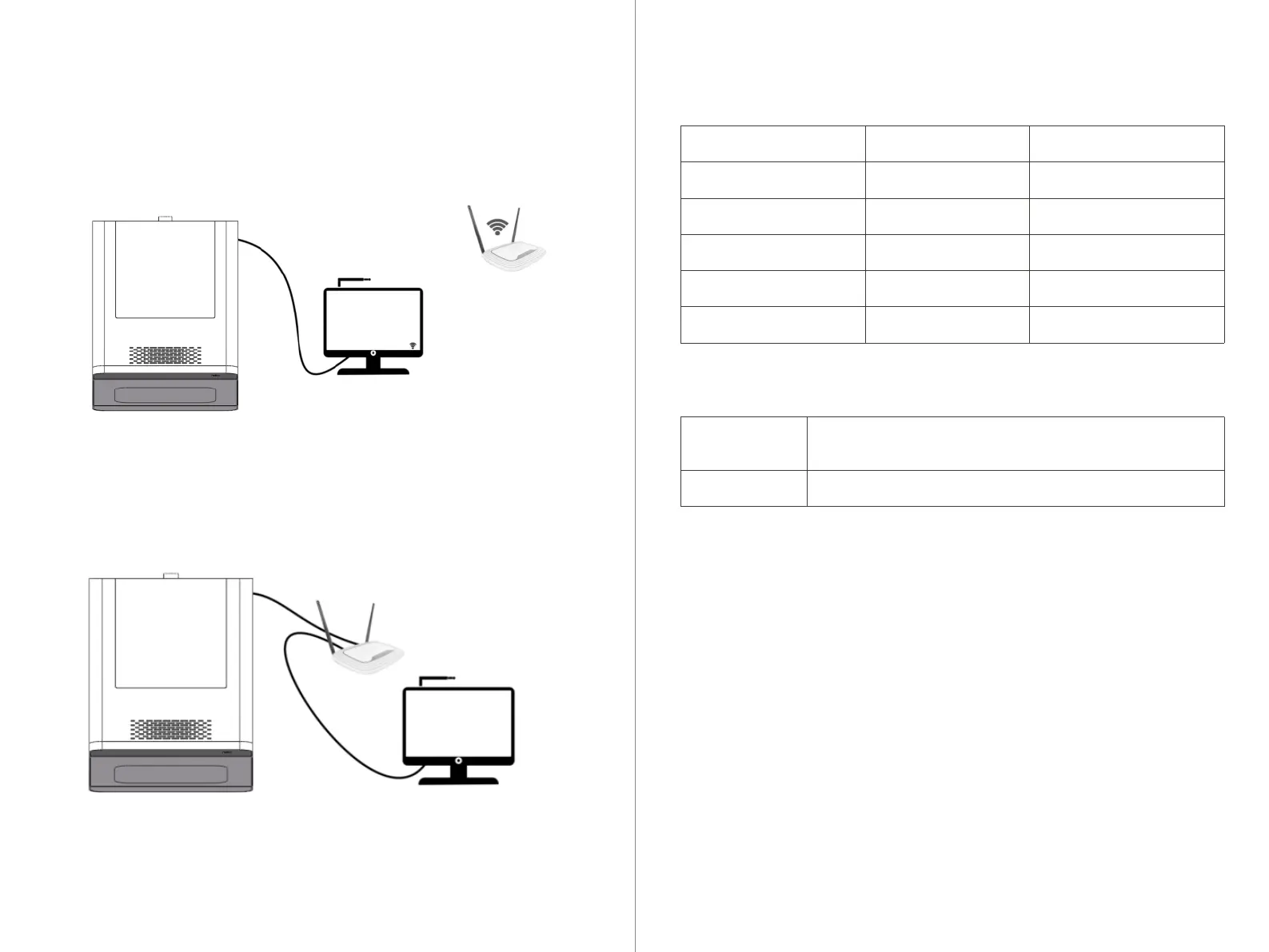
5.1 Diagram of Equipment Connection
/Equipment Connection
05
Directly connect the equipment to the computer with UPCNC installed.
Connect to the computer with UPCNC installed via the local network (converter).
1.Install CNC 3 on the computer by double-clicking on the software installation
package.
2.Choose the installation language. Choose according to the actual situation and
click Next.
3.Choose the installation location. Select the disk location for installation. Make
sure the selected disk has sufficient space and click Next.
4.Add shortcut to desktop. Click Next.
5.Installation complete. Launch CNC 3.
6. The current display when CNC 3 is not connected to the device."
5.2 Computer Selection & Software Installation
Operating System
CPU
Storage
Drive
Graphics Card and Display
Minimum Specification
Intel® Celeron® J1900
4GB
50GB
WINDOWS 10 x64
1024*768
Recommended Specification
Intel i5-5350H
8GB
100GB
WINDOWS 10/11 x64
1920*1080
UPCAM
UPCNC 3
Used for layout generation and toolpath
creation from design files for cutting.
Used to control the machine to execute related instructions.
Requirements for CNC Computer:
Installed Software:
CNC 3 Installation Process:
19 20



 To Next Page