31 32
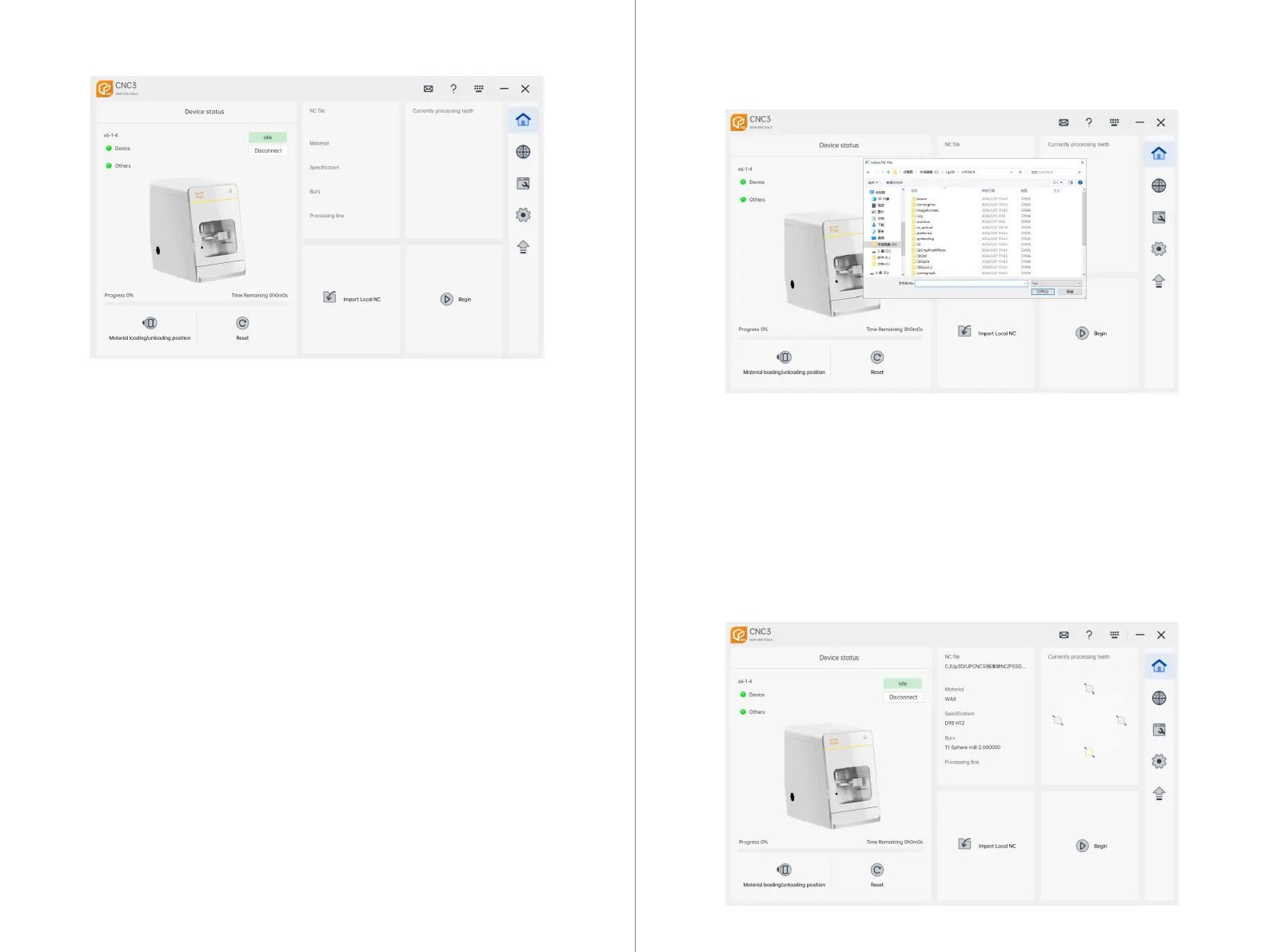
3. Start: After successfully importing the NC file, click "Start" to execute the machining
instructions for the current NC file.
4. Reset: Clear all states of the current machining unit, making the device idle.
5. Version Information: Displays the current version information of CNC3.
6. Auxiliary Functions: Includes message prompts, help, keyboard shortcuts, minimize,
and close buttons.
7. Main Functions: Provides access to the main page, machining mode, equipment
maintenance, settings, and upgrades.
8. Machining Unit List: Displays information about the list of machining units success-
fully connected to CNC3.
9. Machining Unit Status: Allows for expanding the device list to perform operations
such as disconnecting/connecting machining units.
10. NC Machining File Information: Displays detailed information about the current
machining NC file.
1. Click "Import Local NC" to open a local folder.
2. Select the desired NC file for machining from the local folder. After selecting, click
"Open" or double-click to import the file.
3. Import: After successful import, CNC3 will display information about the NC file ready
for machining.
7.3 CNC3 Machining Interface
Import File:
Start Machining:



 To Next Page