49 50
Before cutting, please ensure the following:
- Use UPCAM to layout the repair file and generate the NC file (toolpath file).
- The material is installed in the fixture and securely clamped.
- The appropriate tool for cutting the current material is installed in the tool
magazine, and the tool lifespan is normal.
- Ensure the CNC 3 is connected to the device stably.
8.4.3 Starting, Pausing, and Canceling Machining
1.After verifying everything is correct, close the door of the machining room.
2.Ensure the dust extraction device is properly connected and activate the dust
extraction function.
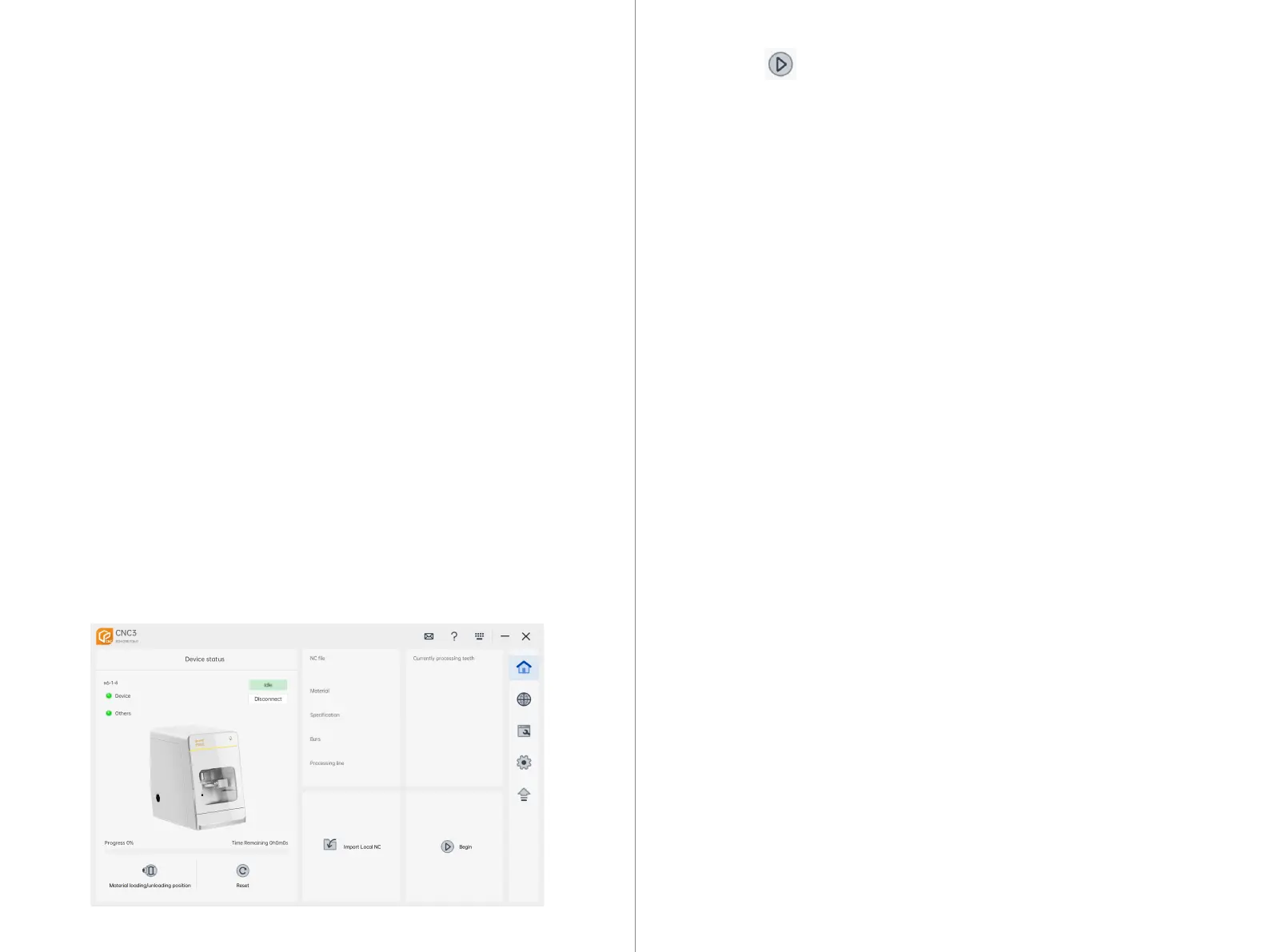
3.In the CNC 3 interface, click the "Import File" button to select and successfully
import the desired NC file for cutting.
8.4.4 Starting Machining
Automatic Tool Change: By clicking the "Return Tool" button in the CNC interface,
the device will return the tool currently held by the spindle to its corresponding
position in the tool magazine. Refer to the CNC guide for details.
Manual Tool Change: By clicking the "Release Tool" button in the CNC interface, the
currently clamped tool in the spindle will automatically drop. Make sure to wear
gloves to catch the falling tool in advance. Refer to the CNC guide for details.
4.Click the "Start" button in the CNC 3 interface to initiate the cutting
process on the device.
Pause Cutting: During the cutting process, click the "Pause" button. This action will
interrupt the cutting process.
Resume Cutting: After the cutting process is interrupted, if you need to resume cutting,
click the "Start" button again, and the device will resume cutting.
8.4.2 Pausing and Resuming Cutting
1.During the cutting process, click the "Pause" button to interrupt the cutting.
2.After the cutting process is interrupted, click the "Reset" button. This action will return
the device to the standby state, clearing all states and instructions.
3. Then click the "Home" button to move all axes of the device to the origin position.
8.4.3 Canceling Cutting
Ensure cleanliness in the machining room.
Close the machining room door.
Turn off the start button on the front panel of the device.
Turn off the main power switch of the machine.
8.5 Shutting Down the Device



 To Next Page