S.4 Supplement
Brake Maintenance
Adjusting the Brake
The following instructions apply to the
Stearns Series 1-056,200 10 pound-foot
brake (also referred to as 56,200). Stearns
manufactured four versions of this brake:
Original (pre-revision), REV A, REV B and
REV C.
The REV C brake is supplied on new
machines at the time of this publication and
is shown in this publication. Adjustment and
repair information is the same for earlier
versions except as noted. Older machines
used an earlier brake model; contact your
Urschel representative for replacement
information.
m WARNING
According to the brake manufacturer,
inhaling dust from inside the brake may be
dangerous to your health. Do not disperse
dust into the air or inhale dust! Do not
use an air hose to blow off dust from the
brake interior. Use a vacuum or brush to
remove dust. Wear a mask or respirator.
See additional warnings in the brake
manufacturer’s literature*.
m WARNING
This machine contains voltages
dangerous to life! Always lock out the
power source before beginning any
maintenance procedure.
The following tools are recommended:
0-300 inch-pound (0-34 newton meter)
torque wrench
3/8", 5/16" and 3/16" hex wrenches
5/16" nut driver
1/4" screwdriver
8" adjustable wrench
1. Disconnect and lock out the power
supply.
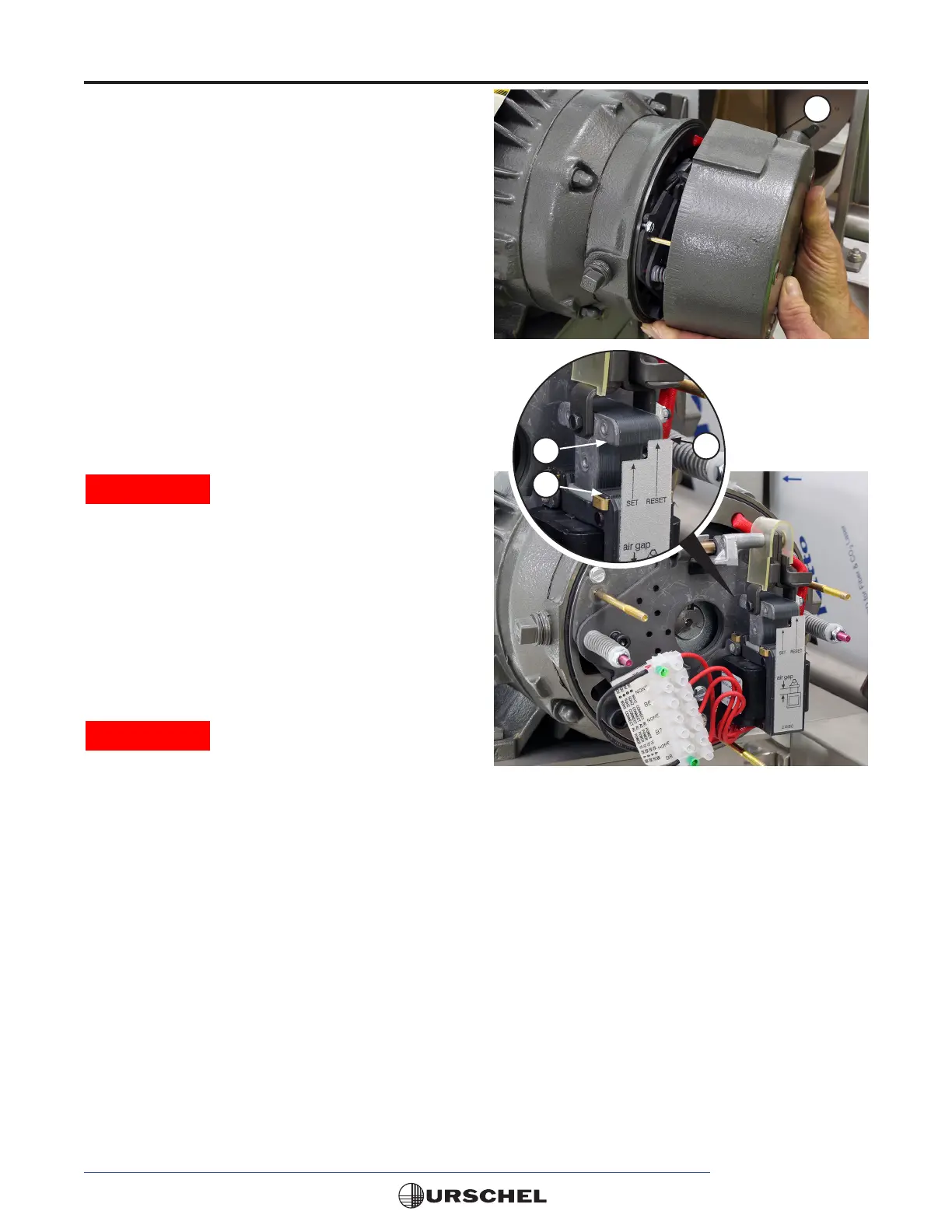
2. Remove the housing (1). Remove the
three fasteners and slide the housing off
of the studs.
3. Check the air gap. The air gap is the
distance from the top of the solenoid
frame (2) to the bottom of the plunger
(3). If the bottom of the plunger is at or
above the RESET (4) position on the
air gap reset label, the brake requires
adjustment. The air gap will increase as
the friction discs wear.
* See the Stearns® website for additional safety information.
www.stearnsbrakes.com/les/90560_stearns_1056x00_series_all_revisions_manual_.aspx
1
3
2
4


 To Next Page