④
Figure 6
TV
1 2
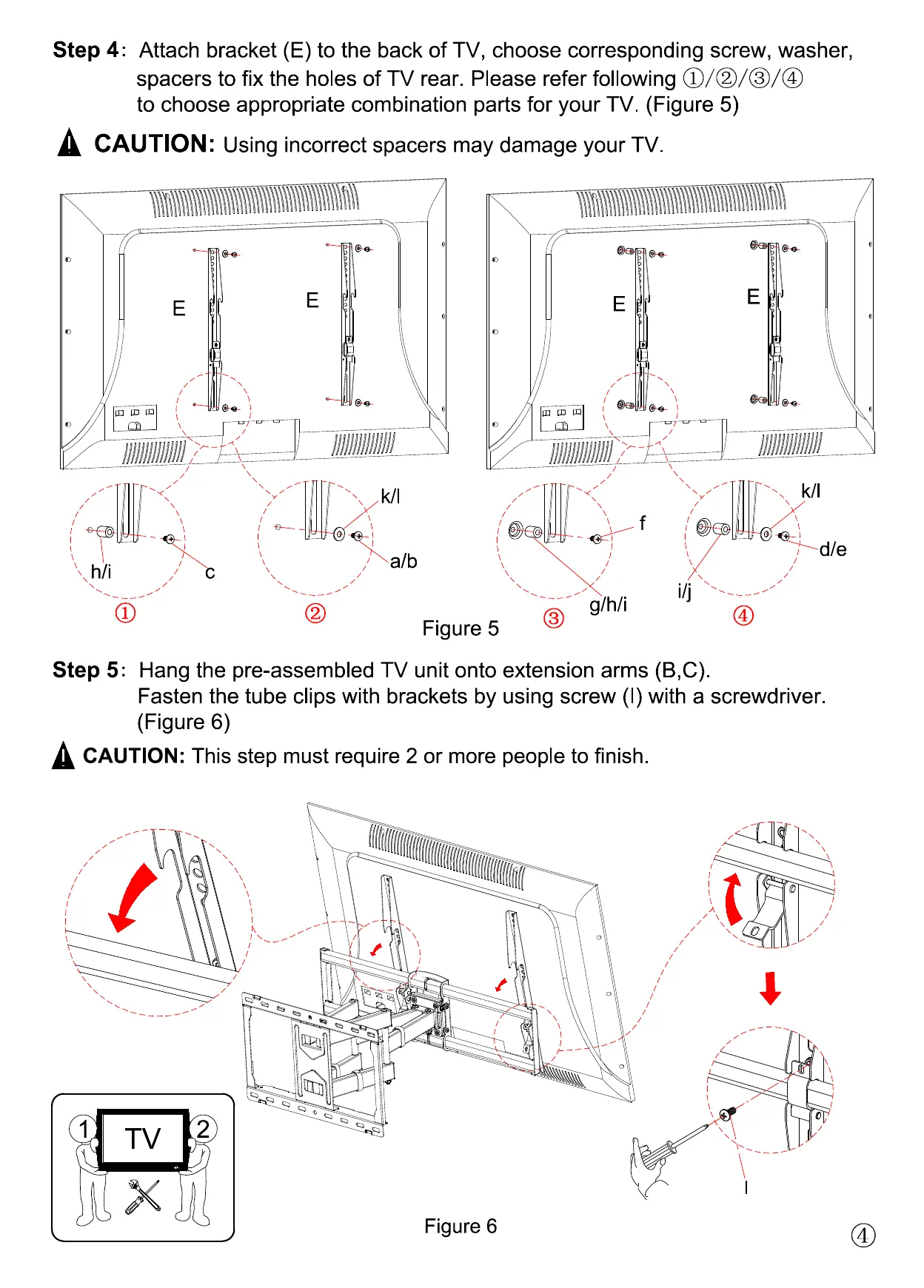
Step 4
Attach bracket (E) to the back of TV, choose corresponding screw, washer,
spacers to fix the holes of TV rear. Please refer following ①/②/③/④
to choose appropriate combination parts for your TV. (Figure 5)
CAUTION
:
Using incorrect spacers may damage your TV.
c
k/l
a/b
k/l
d/e
g/h/i
f
Figure 5
Step 5
Hang the pre-assembled TV unit onto extension arms (B,C).
Fasten the tube clips with brackets by using screw (I) with a screwdriver.
(Figure 6)
I
CAUTION:
This step must require 2 or more people to finish.
i/j
E
E
E
E
h/i
①
②
③
④


 To Next Page