2LV/2L1/2L2/2MS/2MT-1
1-2-7
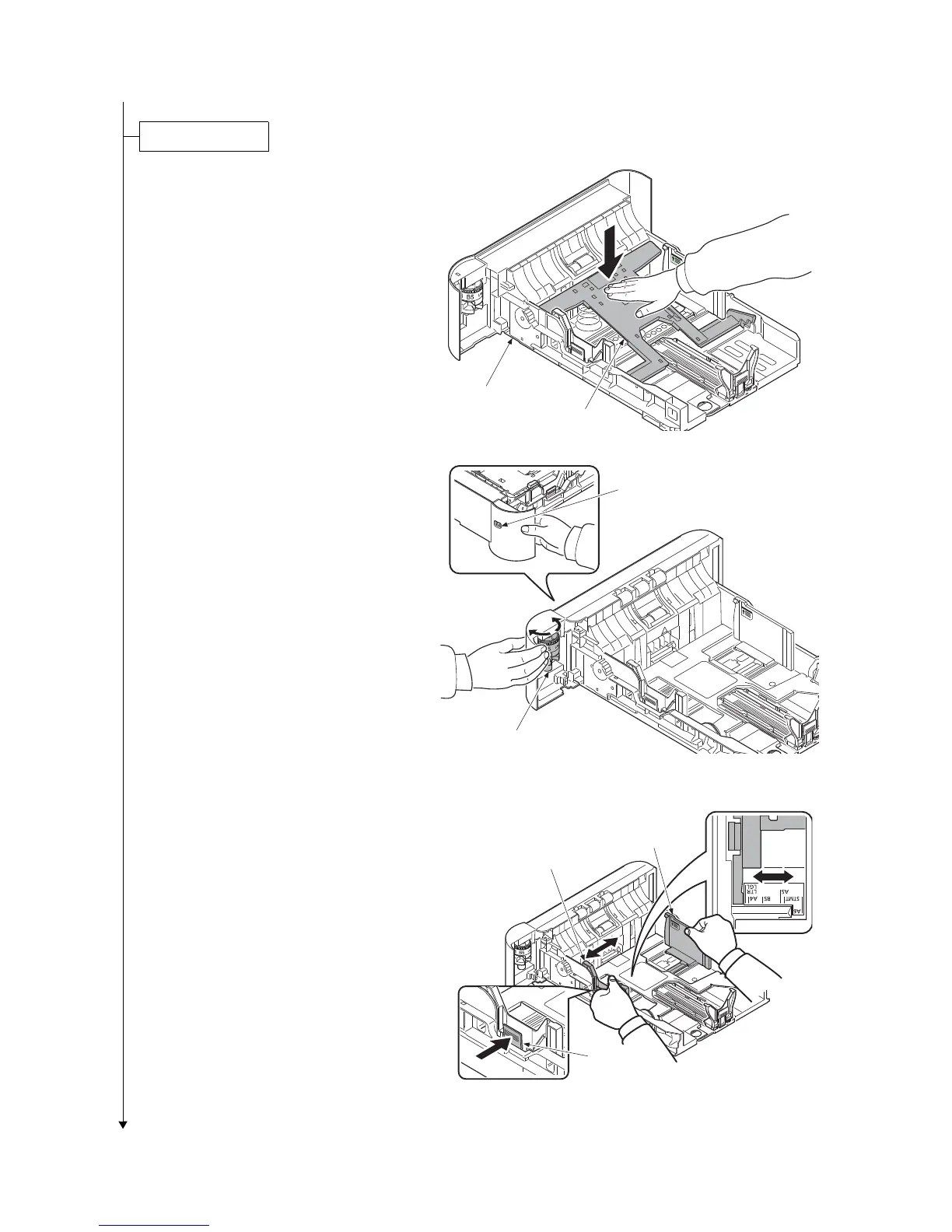
1. Pull the cassette from the printer out.
(40 ppm model only)
2. Push the bottom plate down.
Figure 1-2-11
(Common)
3. Turn the cassette size dial so that the
size of the paper you are going to use
appears in the cassette size window.
Figure 1-2-12
4. Push the lock lever on the left side
guide and slide to the desired paper
size.
Figure 1-2-13
(40 ppm model only)
Botom plate
Cassette
Cassette size dial
Cassette size window
Paper didth guide
Paper width guide
Lock lever


 To Next Page
 Loading...








