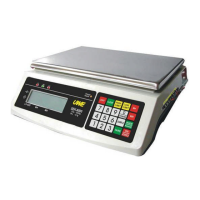
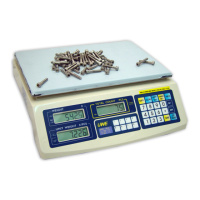
Press the preferred PLU location to store, or
press PRESET again to quit.
NOTE: Data stored in Unit Piece Weight PLU will
not be erased when scale is powered off.
5.13.2 Recall Unit Piece Weight from Memory
To recall unit piece weight stored in memory,
simply press the corresponding Unit Piece
Weight PLU.
After the PLU is pressed, the unit piece weight
will be displayed on the UNIT WEIGHT PANEL.
NOTE: The AUTO PIECE WEIGHT ENHANCEMENT
function will be disabled for same subsequent
counting if the unit piece weight is recalled
from memory.
5.13.3 Clear Unit Piece Weight PLU
a. Press 0
b. Press PRESET
c. Press preferred PLU location to clear, or
press PRESET again to quit.
5.14 COMPUTER DATA RS232C OUTPUT (Option)
5.14.1 Create a Program File
a. Create BASIC computer program file as below
to enable the computer to receive data sent
by scale.
10 OPEN "COM*:2400, N,8,2,CS,DS,CD" AS#1
*: Input 1 if the input port of computer
is COM 1, or input 2 for COM 2 ...etc.
20 LINE INPUT #1, A$
30 PRINT A$
40 GOTO 20
50 END
b. Save the above program file.
5.14.2 Connect the Scale with a Computer
Follow the below steps to connect the scale
with a computer.
a. Turn scale off
b. Turn computer off
c. Connect the RS232C output of scale to
computer by a appropriate data cable
d. Turn scale on
e. Turn computer on
f. Load and run the BASCIA program file
5.15 PRINTER OUT (OPTION)



 To Next Page