24
T-Max
Function
Operating elements
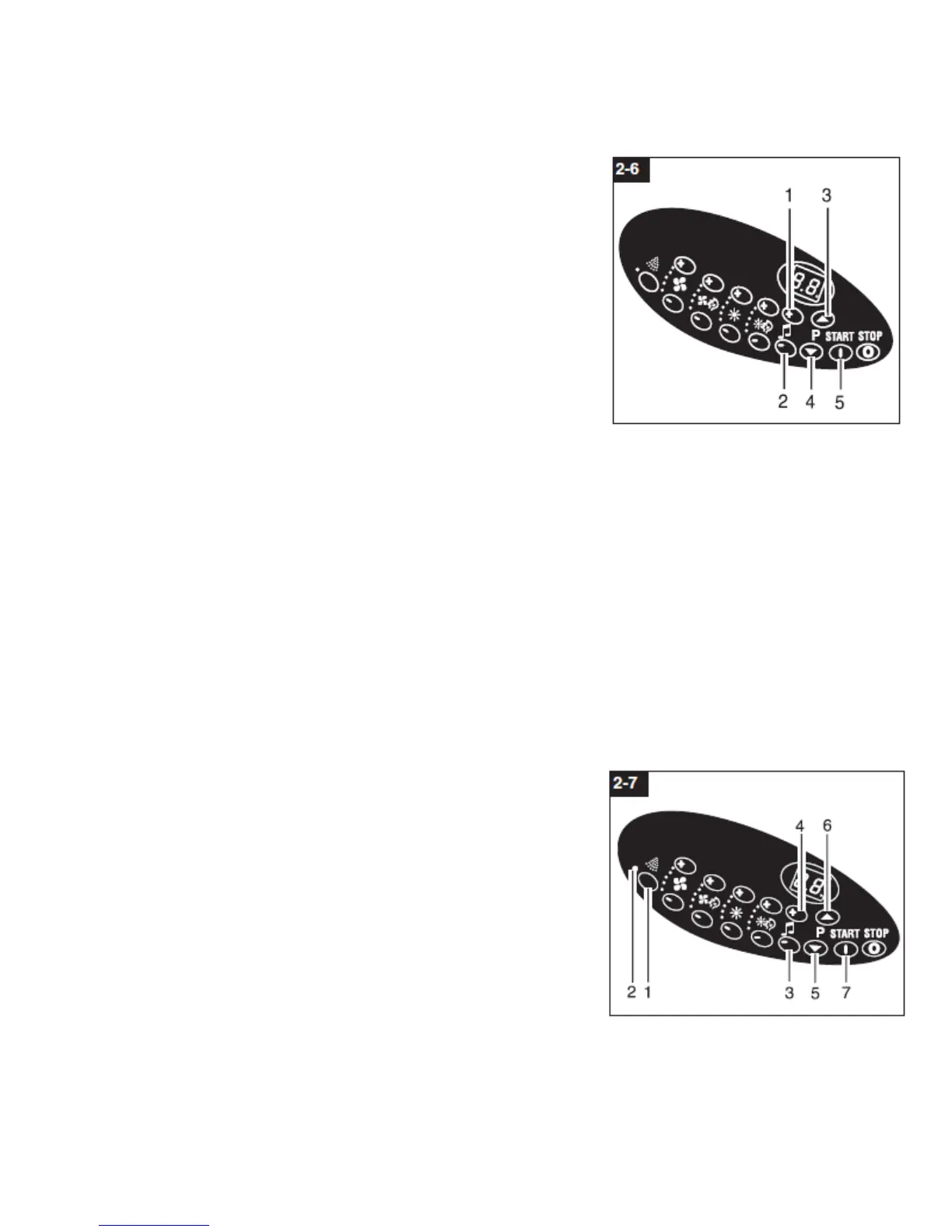
button (2-6/3)
button (2-6/4)
button (2-6/5)
To parametrize T-Max XT push the up (6/3), down (6/4) and start
button (6/5). Please read the T-Max XT manual.
Program selection
Operating elements
[+] button (2-6/3)
[-] button (2-6/4)
Use [+] and [-] to select from the entertainment programs which are fed into the unit.
T-MAX AUDIO amplifier
Precondition to be able to operate the T-MAX XT AUDIO is the uwe Control Software
Variation V 1.09.05 or updated version.
T-Max Manager Version 4.18 or updated version.
T-Max XT Audio.
Function
Please use the following operation elements to operate the T-
MAX XT AUDIO:
Operating and display elements:
[+2-7/4] button volume regulation
[- 2-7/3] button volume regulation
[ 2-7/5 ] button channel selection
[ 2-7/6 ] button channel selection
Channel selection:


 To Next Page