-10-
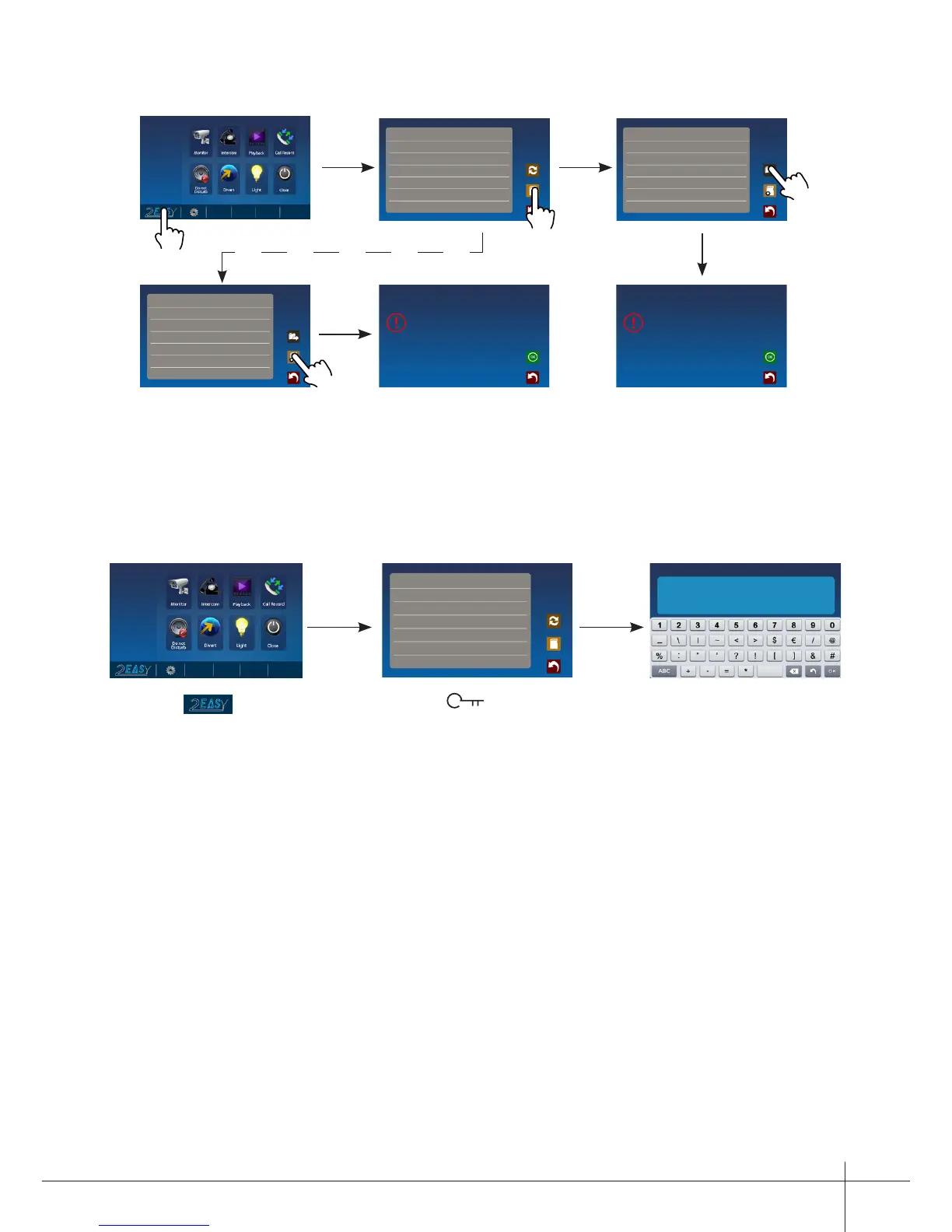
13. Monitor Parameter Setting
1.Touch icon on
main menu page.
2.Touch UNLOCK
button and hold for 2s.
3.A digital keypad
will be shown.
How to enter the installation setting page
About
Local Address 00.00
Video Standard
AUTO
System Verson 00.01.00
Display Driver 1.0
Front 1.0
UI 1.0
Memo Information
SD Card --
Video Capacity
----
Video Usage ----
Flash
Image Capacity 0118
Image Usage 0000
Copy Pictures To SD ?
Memo Information
SD Card --
Video Capacity
----
Video Usage ----
Flash
Image Capacity 0118
Image Usage 0000
Format SD Card And Restart ?
About
Local Address 00.00
Video Standard
AUTO
System Verson 00.01.00
Display Driver 1.0
Front 1.0
UI 1.0
INSTALLER SETUP
123
_
A Monitor can be assigned as Guard Unit Monitor; when the Guard Unit Monitor
answers the call, conversation with the guard person is started..
The code number of 8004 is used to set the monitor as a guard unit monitor and 8005 is
used to cancel this function.
How to set the monitor as a Guard Monitor
The system offers two methods of date and time.
The code number of 8008 is used to set the date format as month/date/year
The code number of 8009 is used to set the date format as date/month/year
The code number of 8012 is used to set the time format as 12 hour system
The code number of 8013 is used to set the time format as 24 hour system
How to set date and time format



 To Next Page