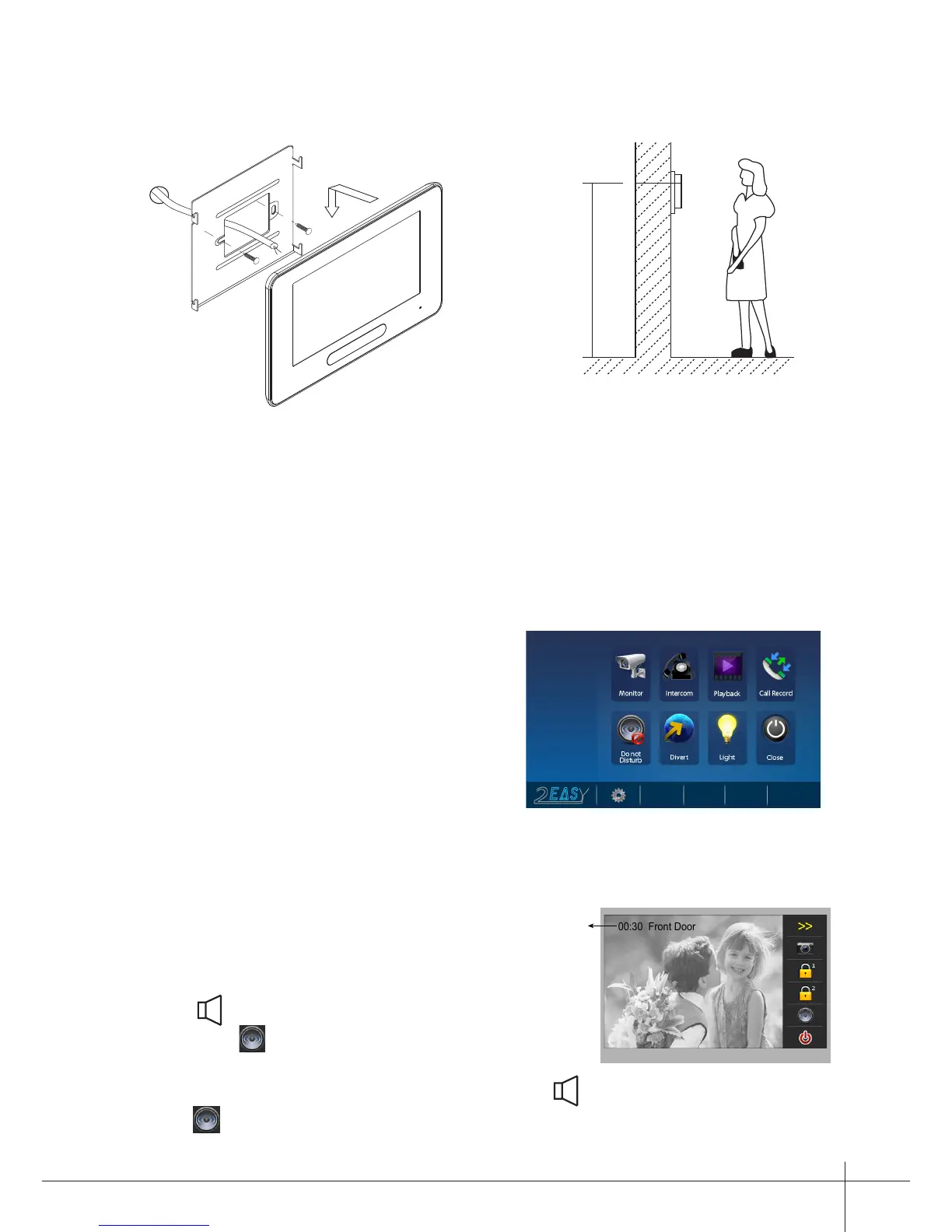
2. Monitor Mounting
145~160 cm
3. Main Menu
Touch the touch button anywhere in
standby mode, the main menu page will
be shown as follows:
-2-
4. Basic Door Release Operation
1. Press CALL button on outdoor station, the
Monitor rings, at the same time, the screen
displays the visitors' image.
2. Press TALK/MON Button on monitor
or touch icon on screen, you can
communicate hands free with the visitor for
90 seconds.After nishing communication,press TALK/MON button again or
touch icon to end the communication. If nobody answers the phone, the screen
will be turned off automatically after 30 seconds.
1. Use the screws to x the Mounting Bracket on the mounting box.(tting accesories
includes a Bracket (Two pieces of 4X25 screws are needed to fasten the Mounting
Bracket), Special 2 wire connectors to connect with Monitor)
2. Wire the system correctly(refer to connection chapter) then hang the Monitor on
the Mounting Bracket rmly.



 To Next Page