-8-
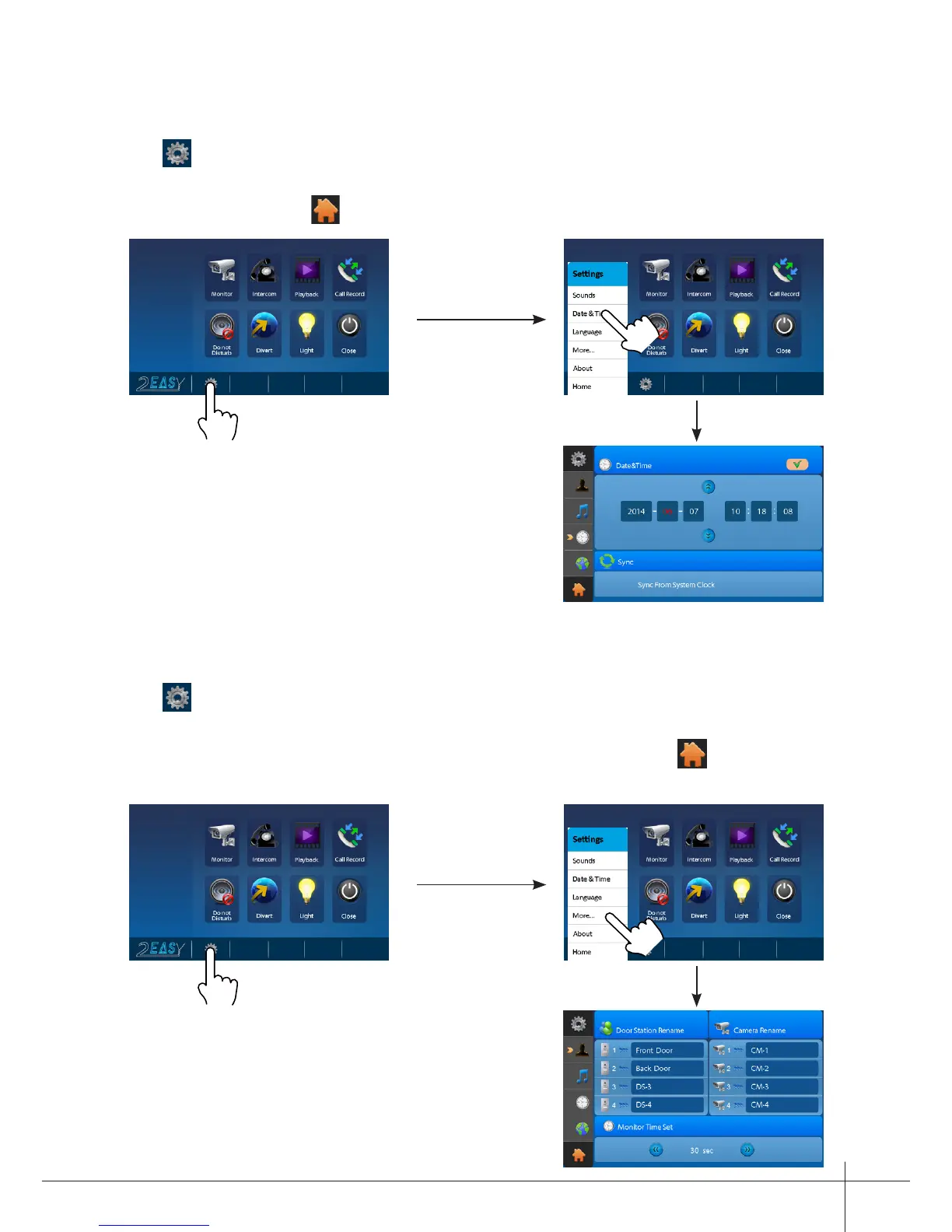
Date & Time Settings
Touch icon on main menu page(or on door camera switching mode page), then select
"
Date & Time
" item to enter the date & time settings page.You can set the date &
time on this page.(touch icon to exit the setting and return main menu page.
Note: You can set your own time, you
can also synchronize the system time.
Rename & Monitor Time Settings
Touch icon on main menu page(or on door camera switching mode page), then select
"
More...
" item to enter the Rename & monitor time settings page.You can set door
station rename, camera rename, monitor time on this page.(touch icon to exit the
setting and return main menu page.



 To Next Page