1. During talking state, Press UNLOCK Button or touch icon to open the
door for the visitor.(if two locks are connected to door camera,touch unlock
2nd icon to release the second lock )
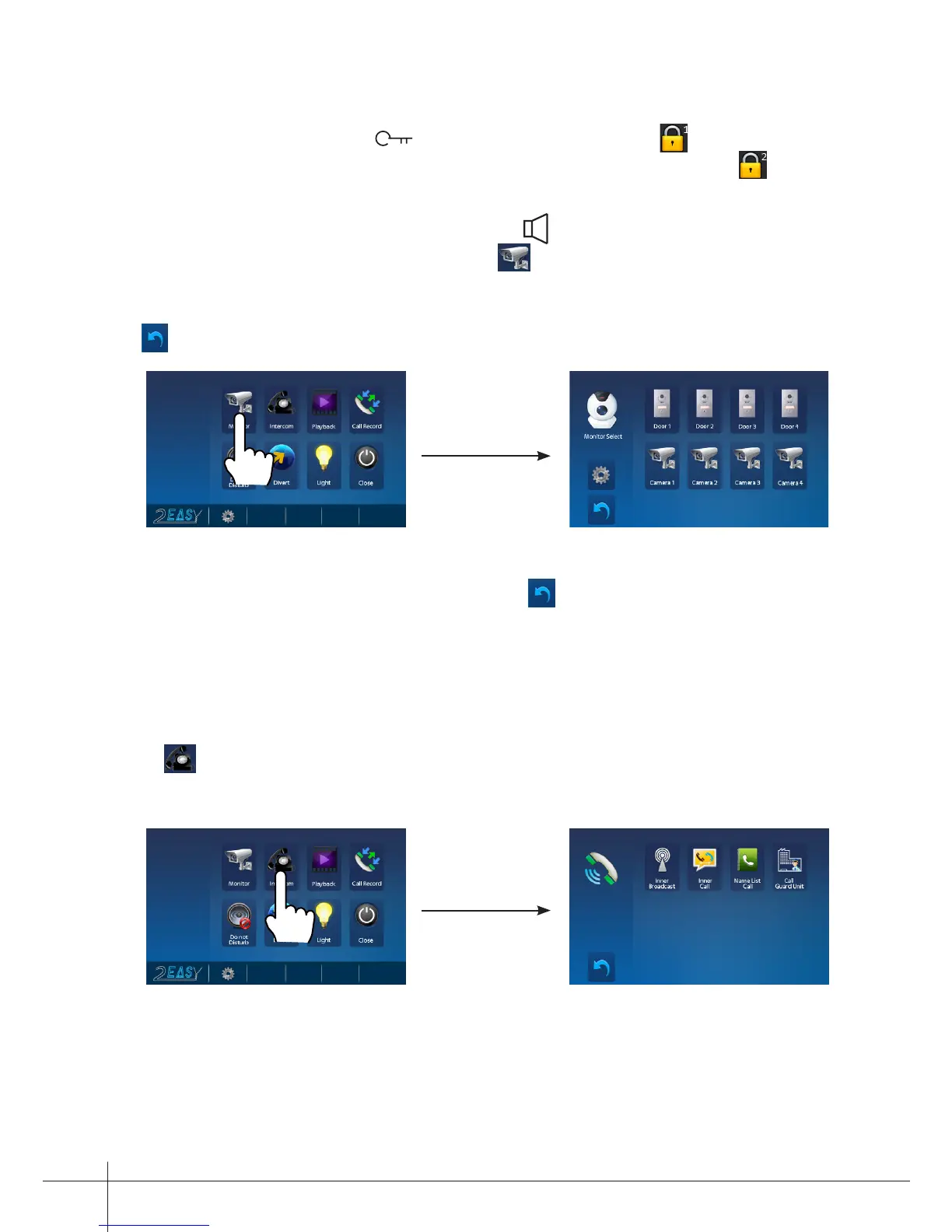
2. When the monitor is in standby mode, press TALK/MON Button, The screen
can display the view of outside. Or touch Monitor icon on main menu to get
into the door camera switching mode, if multi door stations are installed, you can
press the door 1/2/3/4 to monitor the door station or CCTV camera you want.press
icon to exit and enter main menu page.
Note: if the system connect 2 wire camera via camera controller, press the camera
1/2/3/4 to monitor the camera you want.press icon to exit and enter main menu
page.
5. Intercom Function
1.
Inner Broadcast
: If multi slave monitors are installed in the same apartment, select
Inner Broadcast, all the other monitors will mandatory receive broadcast content at
the same time, whichever slave monitor doesn't need to answer the broadcast, and
whichever slave monitor also doesn't need to open the scrccn.
2.
Inner Call
: If multi slave monitors are installed in the same apartment, select Inner
-3-
3.
4.
Touch Intercom icon on main menu to get into the intercom mode , you have 4 item
to select:Inner Broadcast, Inner Call, Name List Call and Call Guard Unit.



 To Next Page