-10-
1 2 3
4 5 6
7 8 9
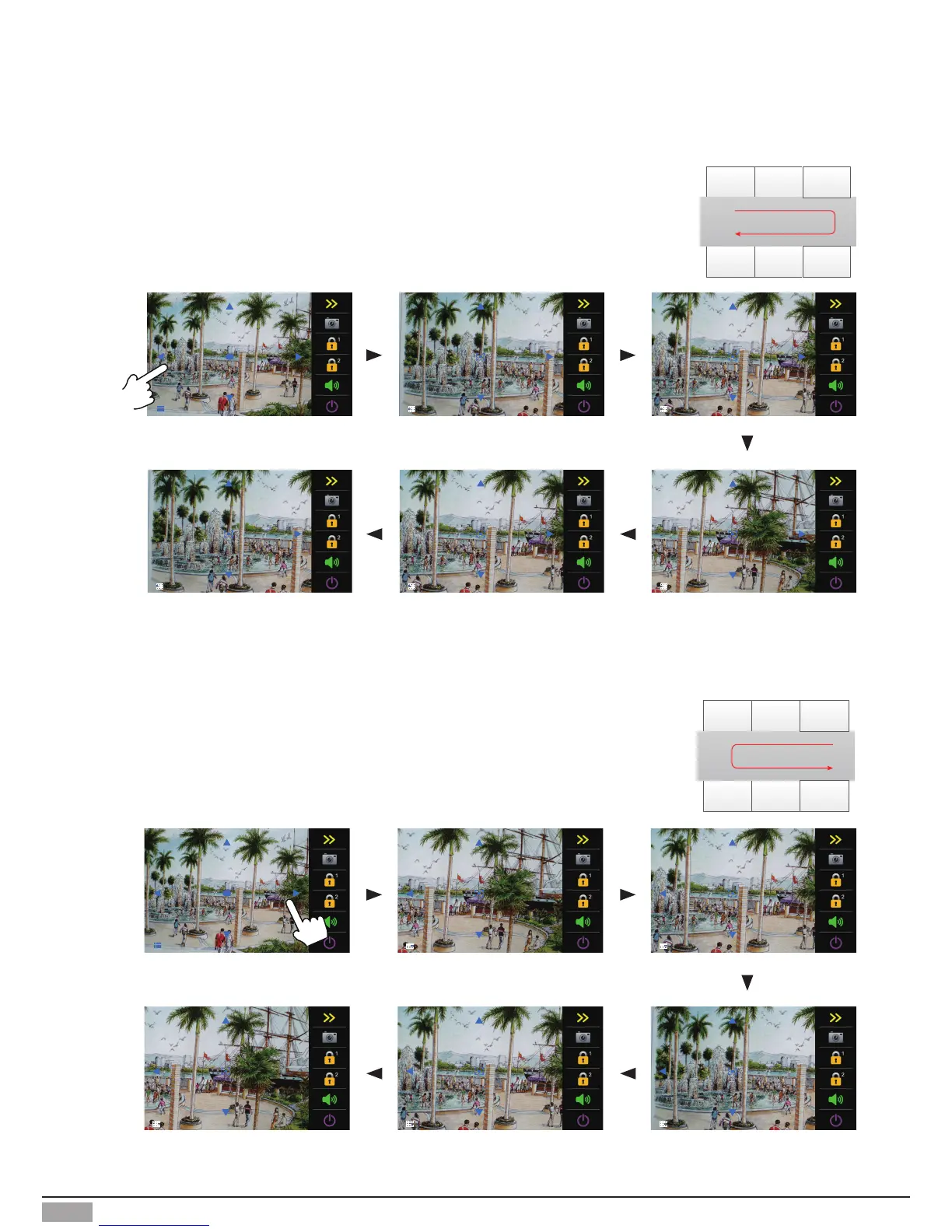
1) Touch area 4: zoom area 4, the lens moves to area 6, and then
return to area 4;(As below picture)
2) Touch area 6: zoom area 6, the lens moves to area 4, and then
return to area 6;(As below picture)
Note: Touch the screen again to exit the panview mode.
Note: Touch the screen again to exit the panview mode.
1 2 3
4 5 6
7 8 9


 To Next Page