-12-
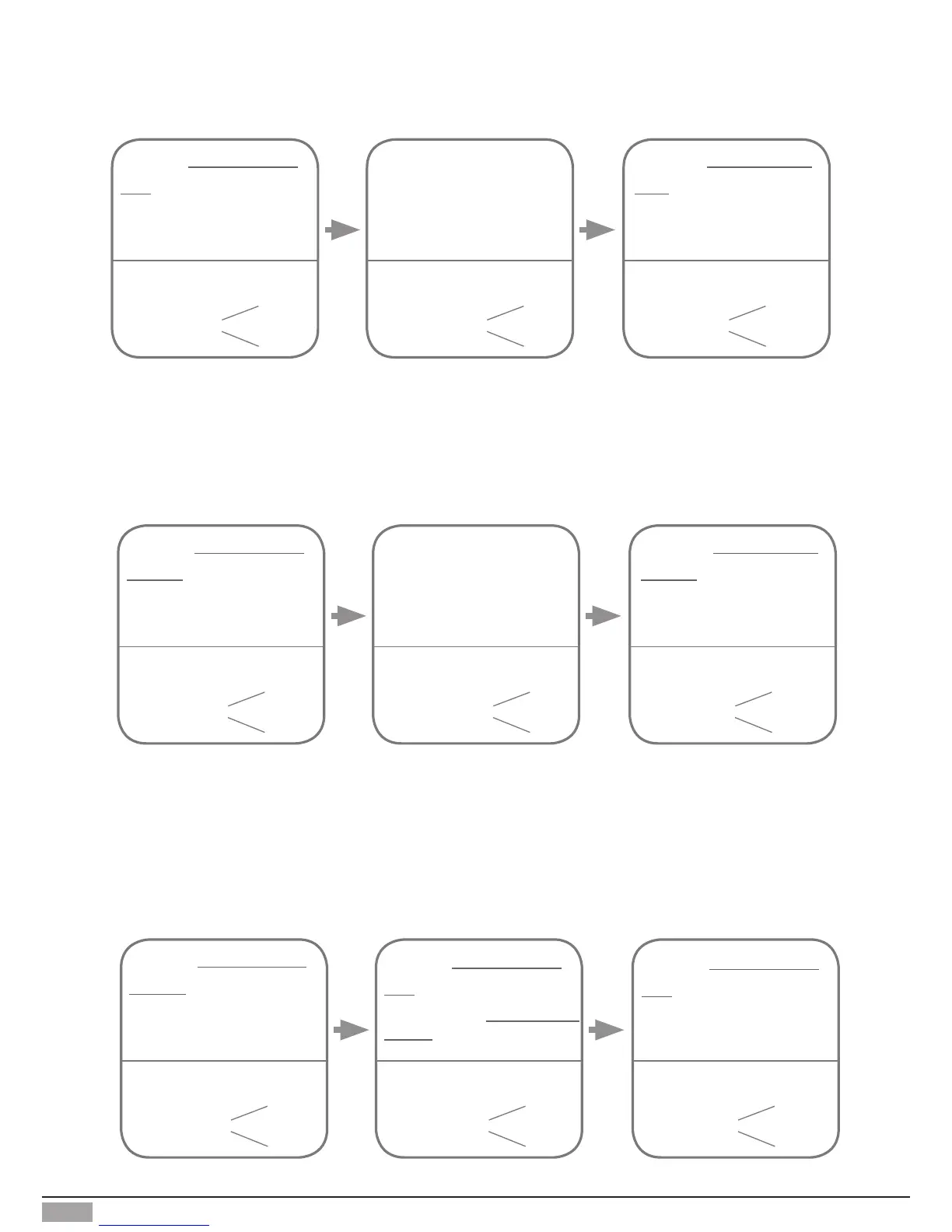
Access Initialization (delete all user cards):
Show the
MASTER CARD
DELETE
card to ID card
window in standby mode.
Show the
MASTER CARD
ADD
card to ID card window.
(At this time show the
MASTER CARD
DELETE
,
it will return to the "Delete User
Cards" state)
Show the
MASTER CARD
ADD
card to ID card window
again,format operation is
performing.
The color of
background indicator
beep+,beep beep+
(yellow)
The color of
background indicator
The color of
background indicator
(green blink)(red)
beep+,beep
Add User Cards:
The color of
background indicator
beep+,beep beep+ beep,beep+
Show the
MASTER CARD
ADD
card to ID card window
in standby mode.
Show user cards to be
added, one by one.
Show the
MASTER CARD
ADD
card to exit.
(white)
The color of
background indicator
(green blink
one time)
The color of
background indicator
(blue)
Delete User Cards:
Notice:it will return to standby mode if no operation within 10s .Or press Call Button to exit the status of
setting and start to call the monitor.
The color of
background indicator
beep+,beep beep+ beep,beep+
Show the
MASTER CARD
DELETE
card to ID card
window in standby mode.
Show user cards to be
deleted in sequence
Show the
MASTER CARD
DELETE
card to exit.
(yellow)
The color of
background indicator
(green blink
one time)
The color of
background indicator
(blue)
Notice:it will return to standby mode if no operation within 20s.Or press Call Button to exit the status of
setting and start to call the monitor.


 To Next Page