-9-
Notethatthisfunctionrequiresthemonitorwithsh-eyefunctiontosupport.
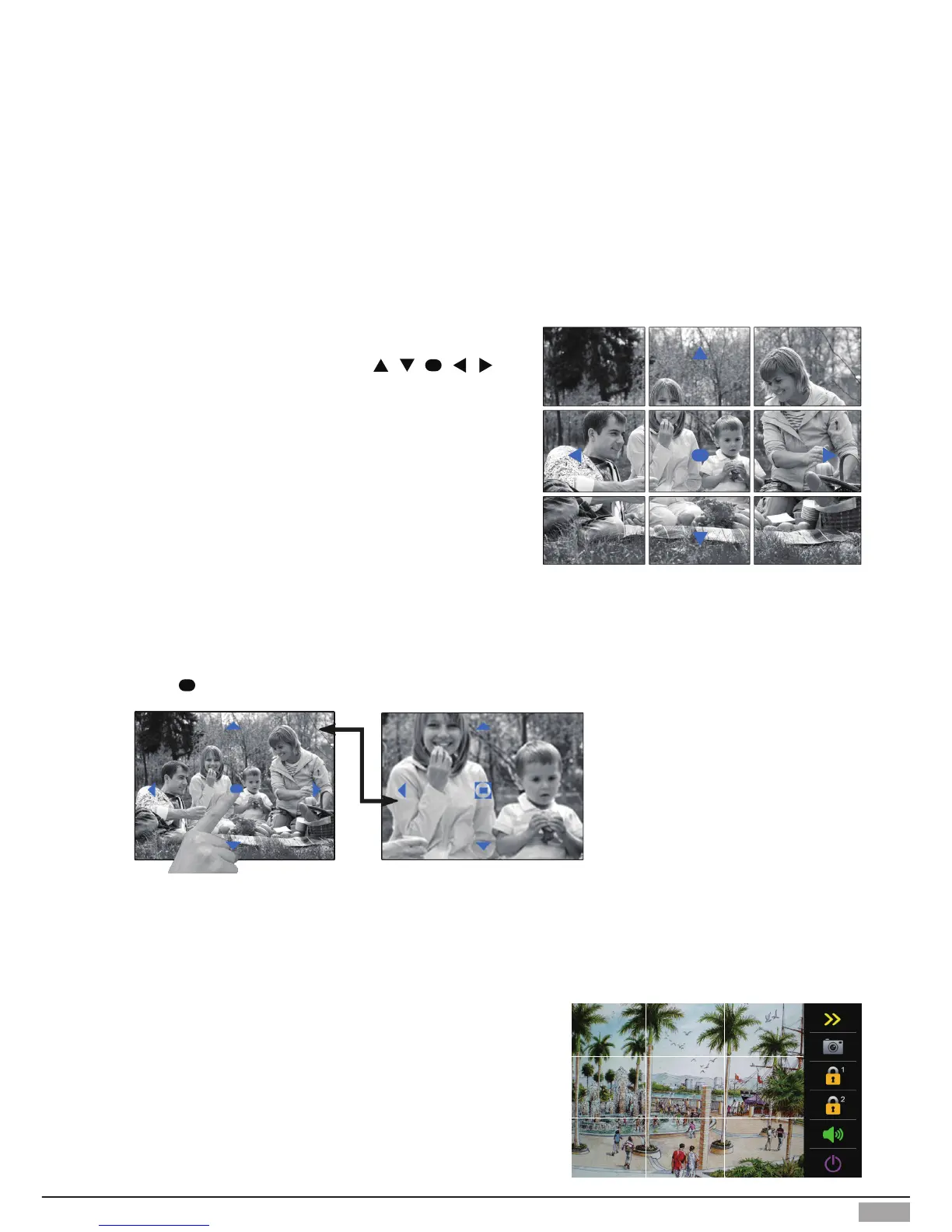
Itisavailabletoadjustthedisplaymodeforviewingimagesatash-eyedoorstationbyusingthe
5 direction pad button.
Here are some examples:
Touch icon to zoom the center position.
Note: The edge of pantilt image will not be displayed.
Screen of monitor
When an image at a door station is displayed,move
to the desired position by touching
on the screen to view the image in zoom mode.
5. Pan-tilt & Zoom & Panview
1 2 3
4 5 6
7 8 9
Panview function:
We divided the screen image into nine parts, as shown in the
guretotheright.
In this case there are two panview modes:


 To Next Page