AV Bridge MATRIX PRO
AV Bridge Matrix Pro Manual - Document Number 342-0915 Rev C Page 24 of 68
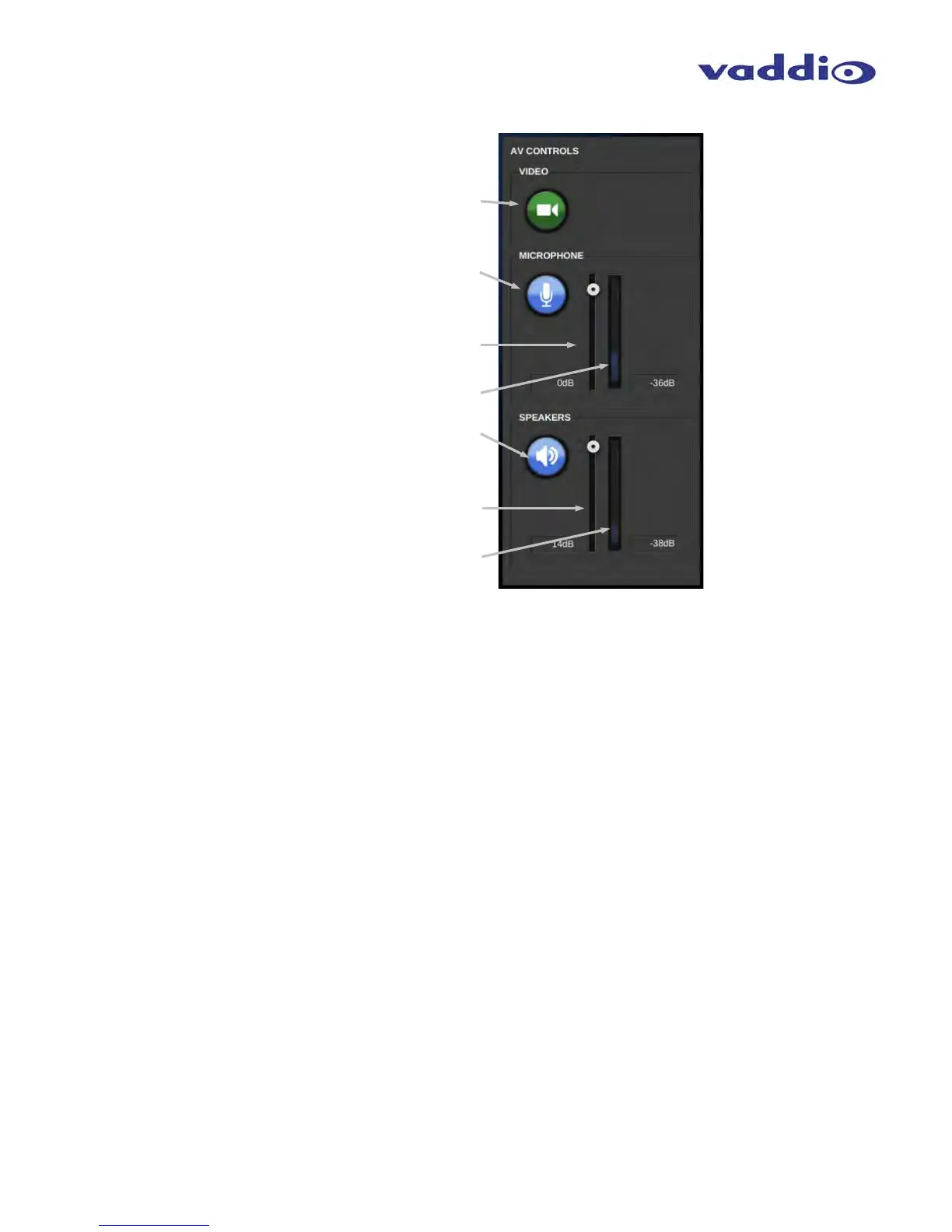
• AV Controls:
Video Mute button: Mutes all video outputs. Green
color indicates live video, red indicates mute condition.
Microphone mute: Mutes all microphone/line inputs.
Blue indicates active, Red indicates mute condition.
Microphone level slider: Adjusts audio level for
outbound USB microphone input.
Microphone level indication meter: Shows average
level of all active microphone sources.
Speaker Mute: Mutes speaker (Master) Output.
Blue indicates active, Red indicates mute condition.
Speaker level slider: Adjusts audio output level for
speaker (Master) audio output.
Speaker output level indication meter: Displays
average level of speaker (Master) audio output.



 To Next Page