AV Bridge MATRIX PRO
AV Bridge Matrix Pro Manual - Document Number 342-0915 Rev C Page 26 of 68
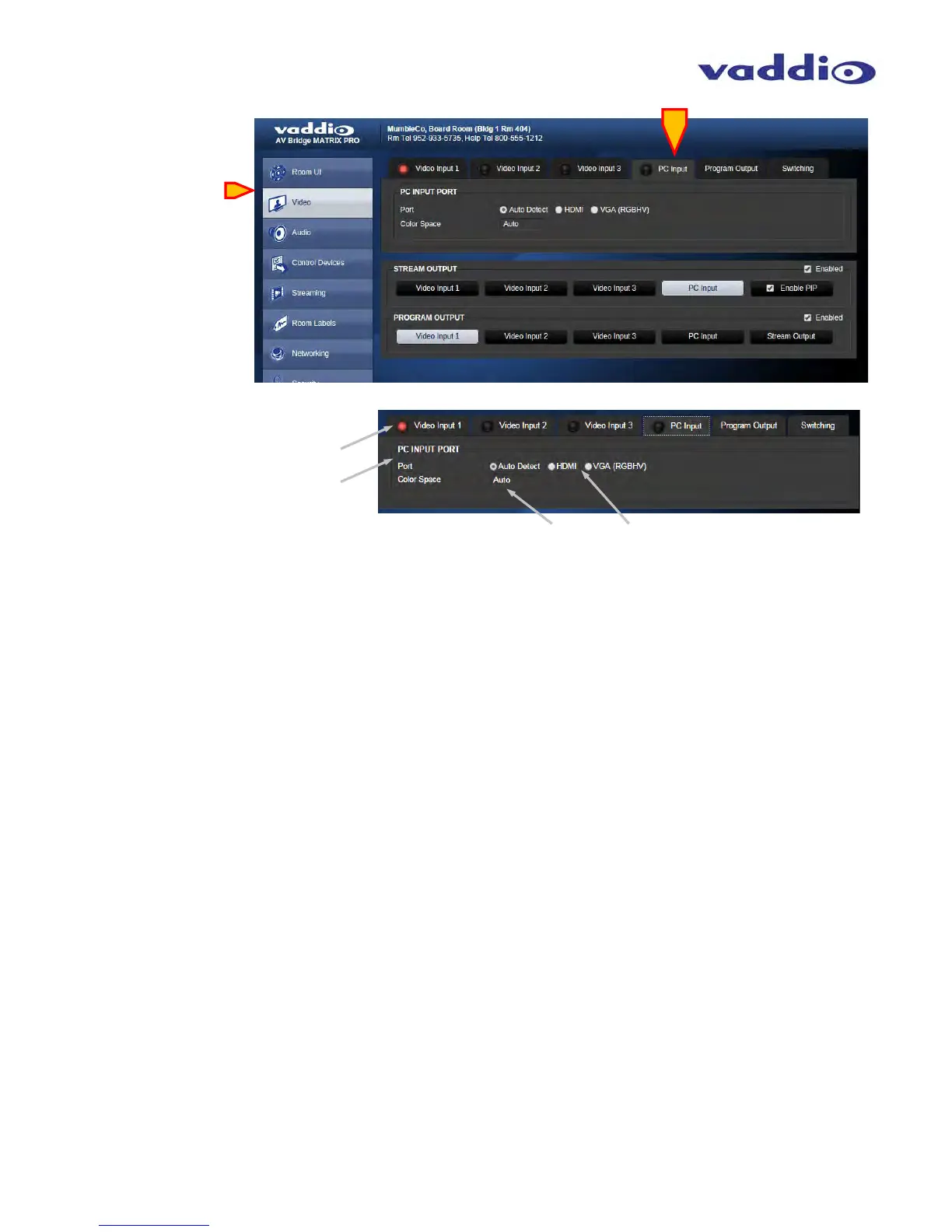
• Video PC Input:
Red Light on tabs: The red LED-style indicator is a
Tally light for the Program buss. Whichever source is
selected in the Program buss will also show a tally on it’s
tab to help alleviate changing a camera which is “live”.
PC Input Port: Use this screen to configure the
PC (or 4th) input. It will default to Auto-detecting
the video sources for their resolution and color
space information. If both sources are connected,
and valid video detected, the priority will be HDMI,
then RGBHV (DE-15).
HDMI/RGBHV: Bulleting either of these will force the
MATRIX PRO to use these as the desired input. The
unit will still Auto-detect both signals, so this could be
used for crude web page source selection if desired.
Color Space: Use this selection to choose the color
Space for DVI or HDMI. The two options are sRGB
(usually DVI) or HDMI (usually YCbCr). Adapters will
will play into this, so which choice will display the correct
video is not always what you might expect. Hence the
ability to select the best color space for your given
application.



 To Next Page