AV Bridge MATRIX PRO
AV Bridge Matrix Pro Manual - Document Number 342-0915 Rev C Page 30 of 68
• Audio Inputs:
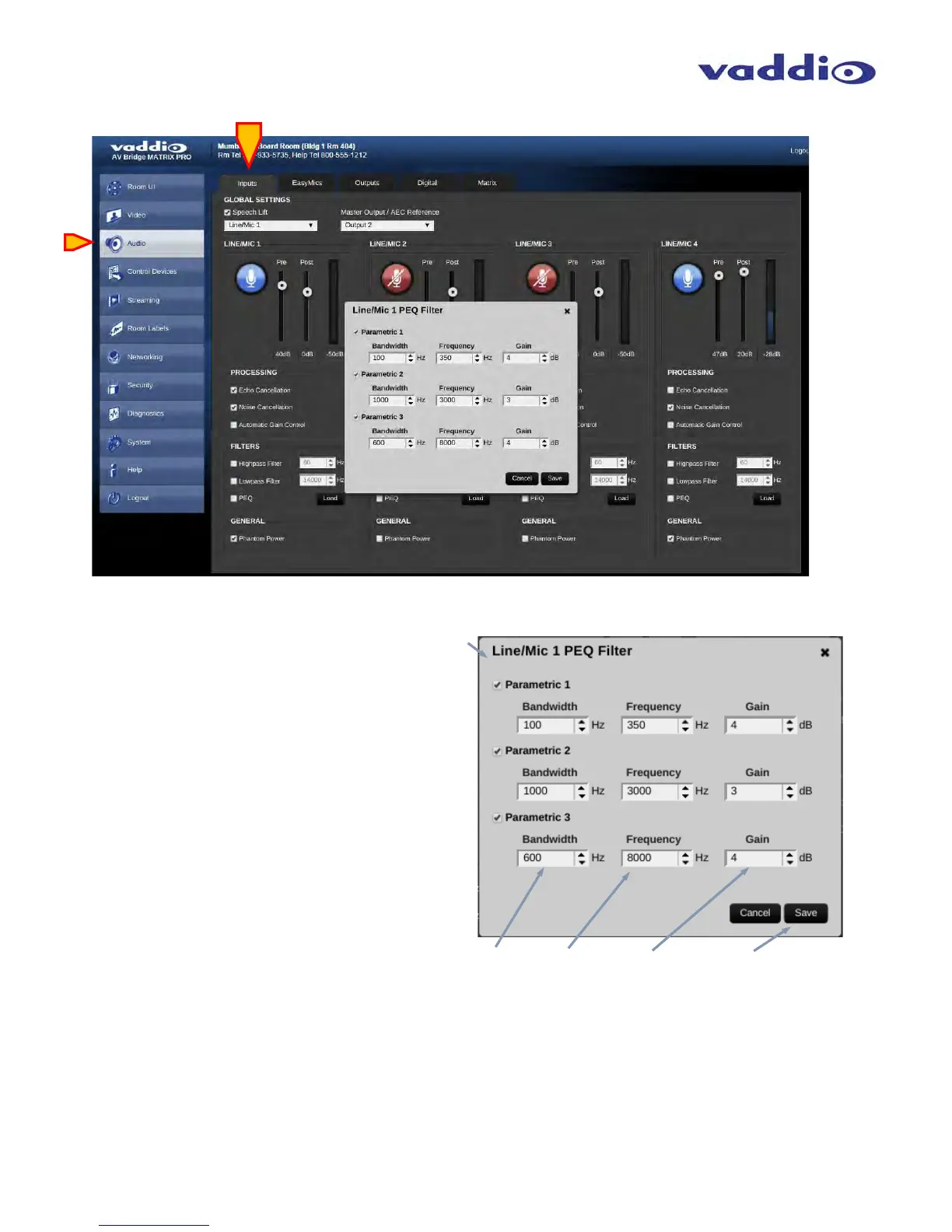
PEQ: When check box is enabled, Parametric EQ
is active. Press Load button to open window and
allow parameter adjustments. 3 bands available,
each with check boxes to enable.
Bandwidth: Use up/down arrows to adjust the
desired bandwidth of each EQ filter band.
Frequency: Use up/down arrows to adjust the
desired center frequency of each EQ filter band.
GAIN: Use up/down arrows to set the desired
amount of gain or attenuation at that frequency
of each EQ filter.
Save Button: Use this button to save current PEQ
parameters and exit PEQ pop-up window.



 To Next Page