EasyTalk USB Tools
Vaddio EasyTalk USB Solution - Document Number 342-0449 Rev A Page 25 of 48
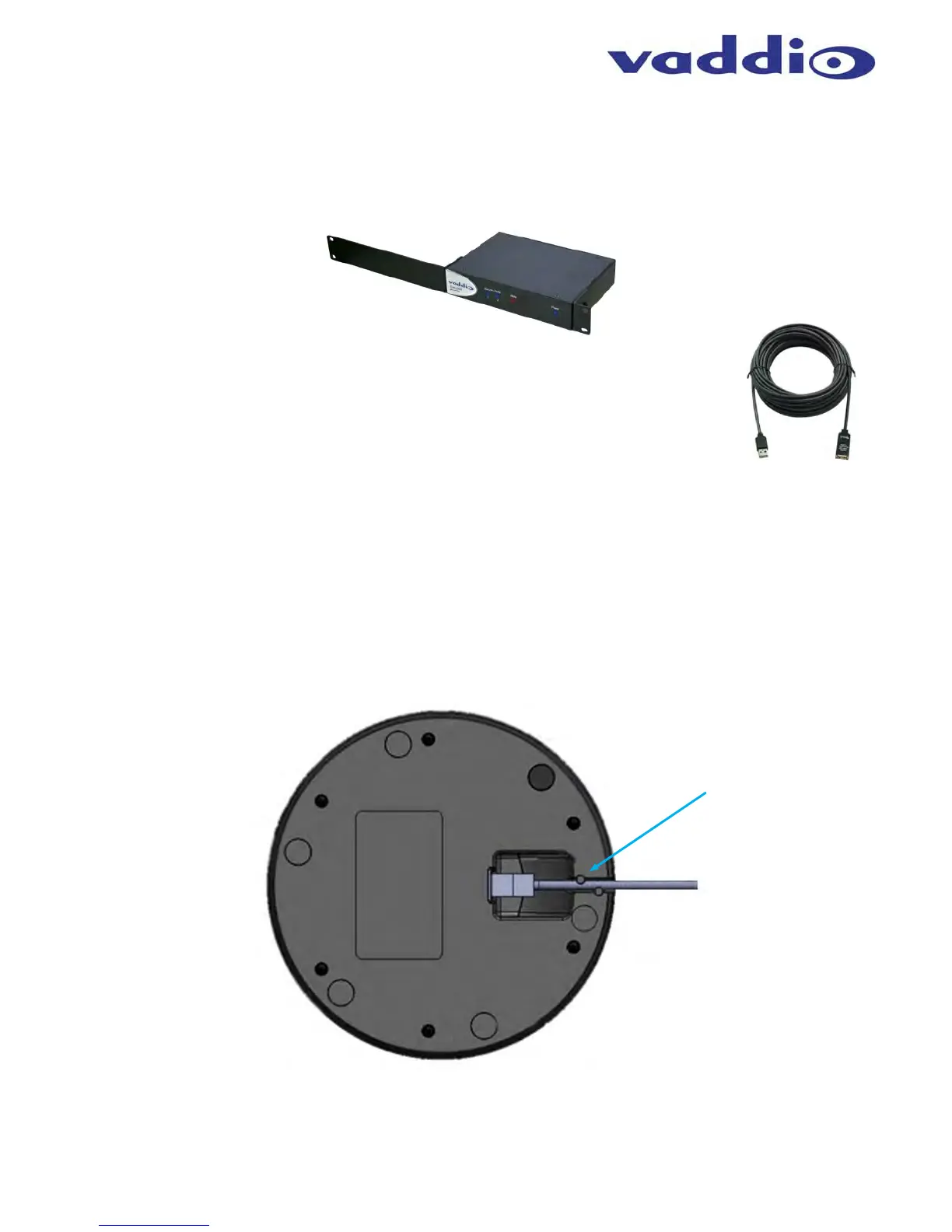
Optional Accessories - The EasyUSB Mixer/Amp has two optional accessory kits:
Rack Mounting Kit: The rack kit provides a method for the EasyUSB Mixer/Amp to be installed in a 1RU
space within a rack. The Rack Kit includes two rack ears (one long and one short). The rack ears are
mounted on the sides of the EasyUSB Mixer/Amp using the existing screws included on the device.
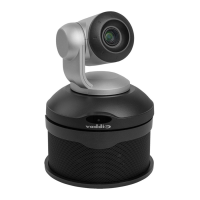
USB 2.0 Extension Kit: An optional USB Extension Kit extends the USB 2.0 connection
between the EasyUSB Mixer/Amp and the PC up to 65 feet.
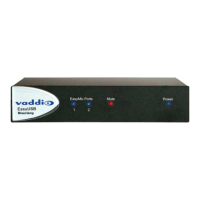
EasyMic MicPOD Installation:
STEP 1: Pick up EasyMic MicPOD and flip it to the bottom side.
STEP 2: Plug in RJ-45 cable originating from EasyUSB Mixer/Amp.
STEP 3: Align RJ-45 cable into cable tray for exiting out enclosure and place unit back on table.
Diagram: EasyMic MicPOD Installation Diagram (bottom view)
CAT-5e
Cable
Tuck Cable into
Channel and
under Tabs


 To Next Page