EasyTalk USB Tools
Vaddio EasyTalk USB Solution - Document Number 342-0449 Rev A Page 34 of 48
Mixer in the PC:
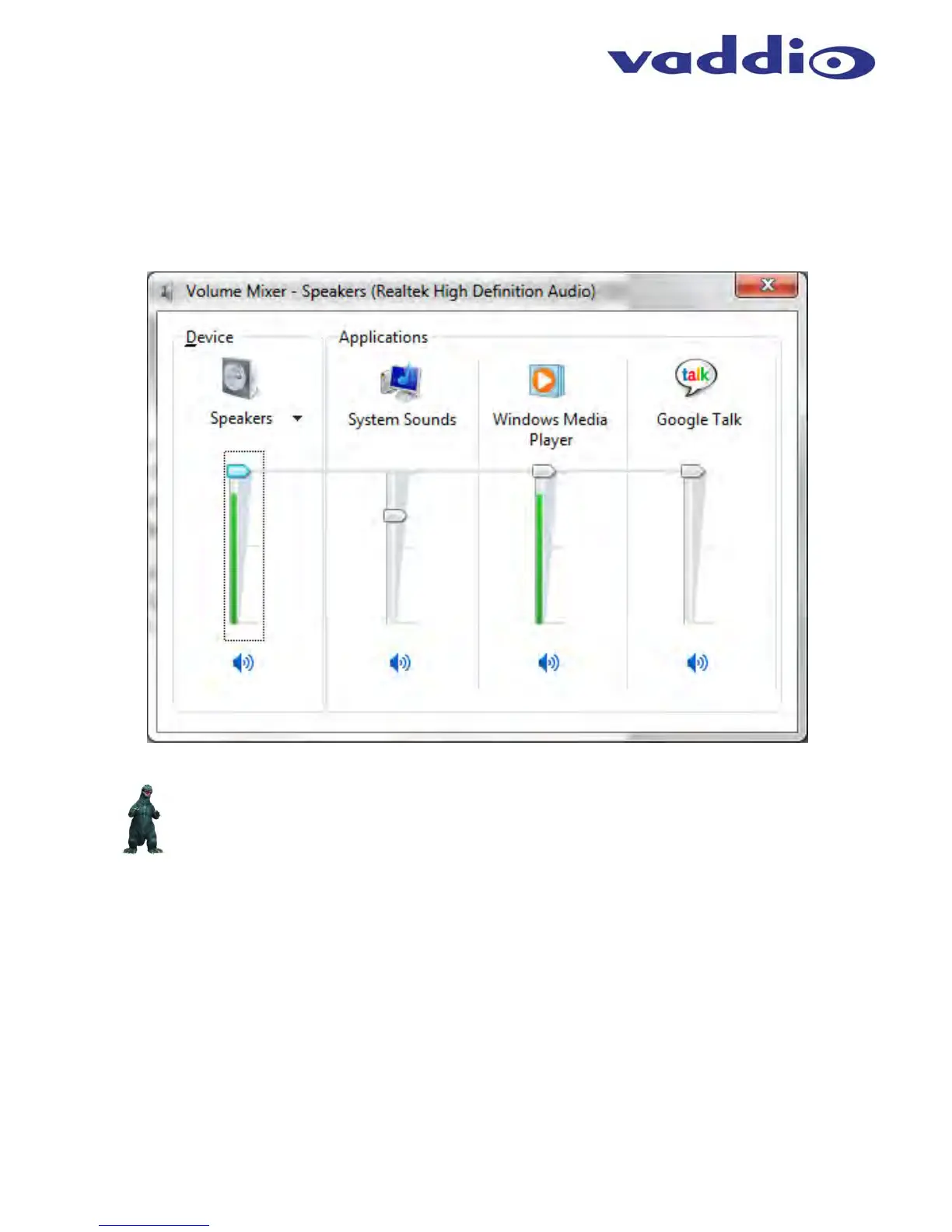
The EasyUSB Mixer/Amp volume and mute audio controls are mapped to the operating system sound device
controls used by the software application. This allows the software application to change the loudspeaker
volume or mute microphones from the PC (if supported by the software application). An example of typical
speaker audio controls from the operating system is depicted below.
Diagram: Windows 7 Volume Mixer
*Note: Limitations exist within the Windows Operating System that prohibits the USBdevice from
notifying Host PC of mute change activated from the device. Specifically, it the user mutes with
EasyMic MicPOD button, Windows will provide no notification.


 To Next Page