EasyTalk USB Tools
Vaddio EasyTalk USB Solution - Document Number 342-0449 Rev A Page 9 of 48
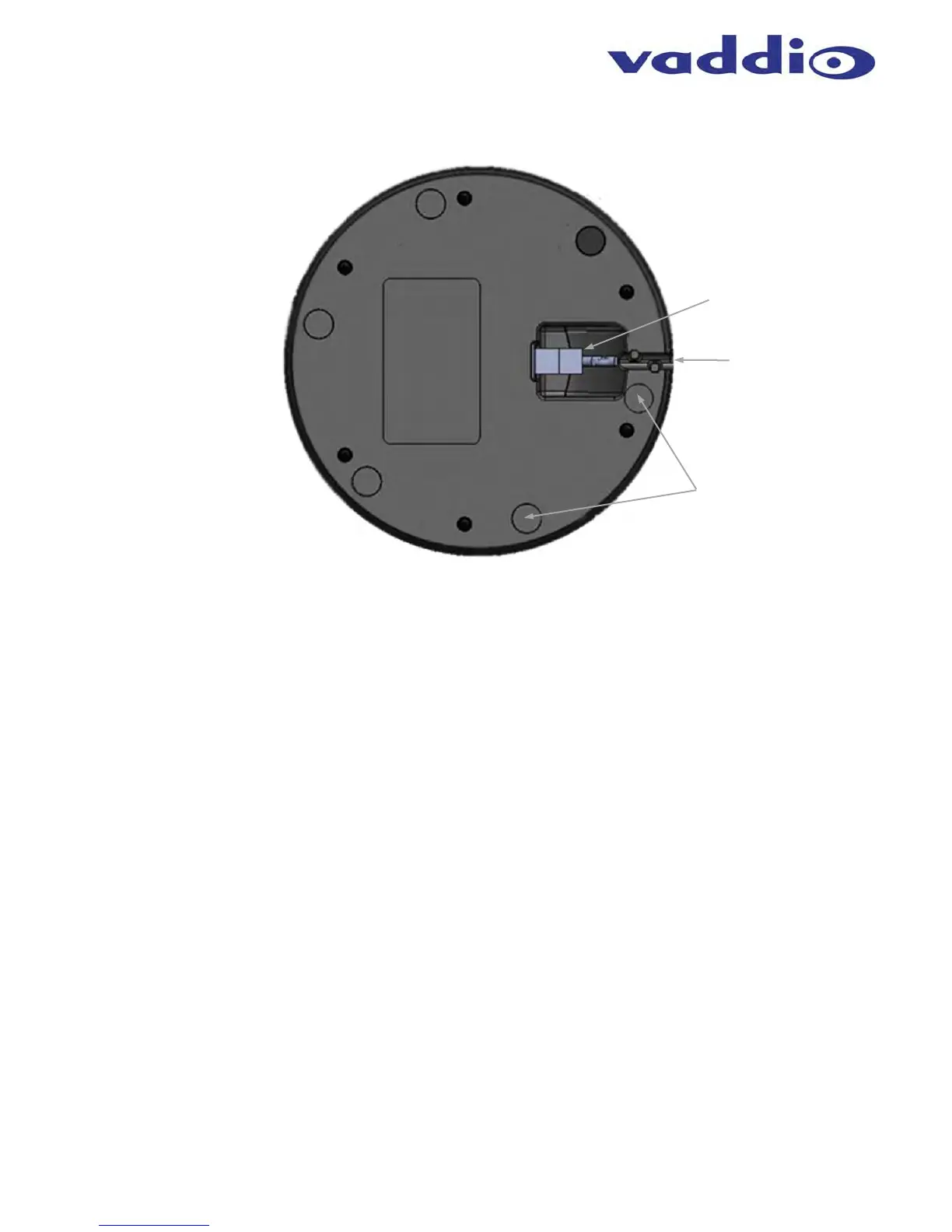
Diagram: Bottom View of EasyMic MicPOD
1) EasyMic Port:
RJ-45 Connection port that is home ran to the EasyUSB Mixer/Amp via up to 100’ (30.48m) of CAT-5 cable.
2) Cable Management:
A channel with cable tabs is for routing CAT-5 cable from the mic while allowing the mic to sit flat on any surface.
3) Rubber Feet:
Six rubber feet are evenly space around the radius on the bottom of the EasyMic MicPOD to prevent the mic from
sliding around on the table, which can be annoying.
➌
➊
➋


 To Next Page