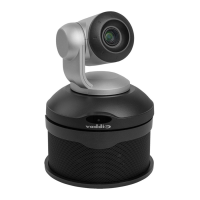
EasyTalk USB Tools
Vaddio EasyTalk USB Solution - Document Number 342-0449 Rev A Page 4 of 48
EasyUSB Mixer/Amp Installation: .................................................................................................................................................................... 24
Diagram: Basic System Connections ......................................................................................................................................................... 24
EasyMic MicPOD Installation ........................................................................................................................................................................... 25
Diagram: EasyMic MicPOD Installation Diagram (bottom view) ................................................................................................................ 25
EasyMic Ceiling MicPOD: … ............................................................................................................................................................................ 26
Diagram: EasyMic Ceiling MicPOD Installation ......................................................................................................................................... 26
EasyTalk Sound Bar Installation ...................................................................................................................................................................... 27
Diagram: EasyTalk Sound Bar Installation ................................................................................................................................................. 27
EasyTalk Ceiling Speaker Installation .............................................................................................................................................................. 28
Diagram: Installing Ceiling Speakers in Ceiling Tile ................................................................................................................................... 28
System Configuration and Programming .............................................................................................................................................................. 29
EasyUSB Mixer/Amp ........................................................................................................................................................................................ 29
Table: EasyUSB Mixer/Amp Dip Switch Configuration Settings ................................................................................................................ 29
Mixing Modes ................................................................................................................................................................................................... 30
Table: USB Conferencing Mixing Mode Audio Routing Table ................................................................................................................... 30
Table: Recording Mixing Mode Audio Routing Table ................................................................................................................................. 30
Table: VC Bridge Mixing Mode Audio Routing Table ................................................................................................................................. 30
Advanced Audio Processing Functions ................................................................................................................................................................ 31
Interfacing with WEBBi - Web Controller .............................................................................................................................................................. 31
Interfacing with the HD-USB Camera for Control ................................................................................................................................................. 31
User Operations .................................................................................................................................................................................................... 32
Connecting to PC: ............................................................................................................................................................................................ 32
Mixer in the PC ................................................................................................................................................................................................. 34
Diagram: Windows 7 Volume Mixer ........................................................................................................................................................... 34
EasyMic MicPOD User Controls ........................................................................................................................................................................... 35
Using EasyUSB Tools with Unified Communications Soft Clients ........................................................................................................................ 36
Skype Example: ............................................................................................................................................................................................... 36
Microsoft Lync Example ................................................................................................................................................................................... 37
A Note about Working with Unified Communications Soft Clients ................................................................................................................... 38
Customer Support Contact Information................................................................................................................................................................. 38
Firmware Updates ................................................................................................................................................................................................. 39
For EasyUSB Mixer/Amp ................................................................................................................................................................................. 39
For EasyMic MicPODs ..................................................................................................................................................................................... 39
Warranty Information: ............................................................................................................................................................................................ 40
Compliance and CE Declaration of Conformity .................................................................................................................................................... 41
Technical Specifications ........................................................................................................................................................................................ 42
Appendix 1: Connectors Pin Outs ........................................................................................................................................................................ 44
Appendix 2: EasyUSB Mixer/Amp Serial Commands (ASCII) ............................................................................................................................. 45
Preconfigured EasyTalk USB Audio Systems ...................................................................................................................................................... 46


 To Next Page