12 Operating and installation instructions 0020288151_04
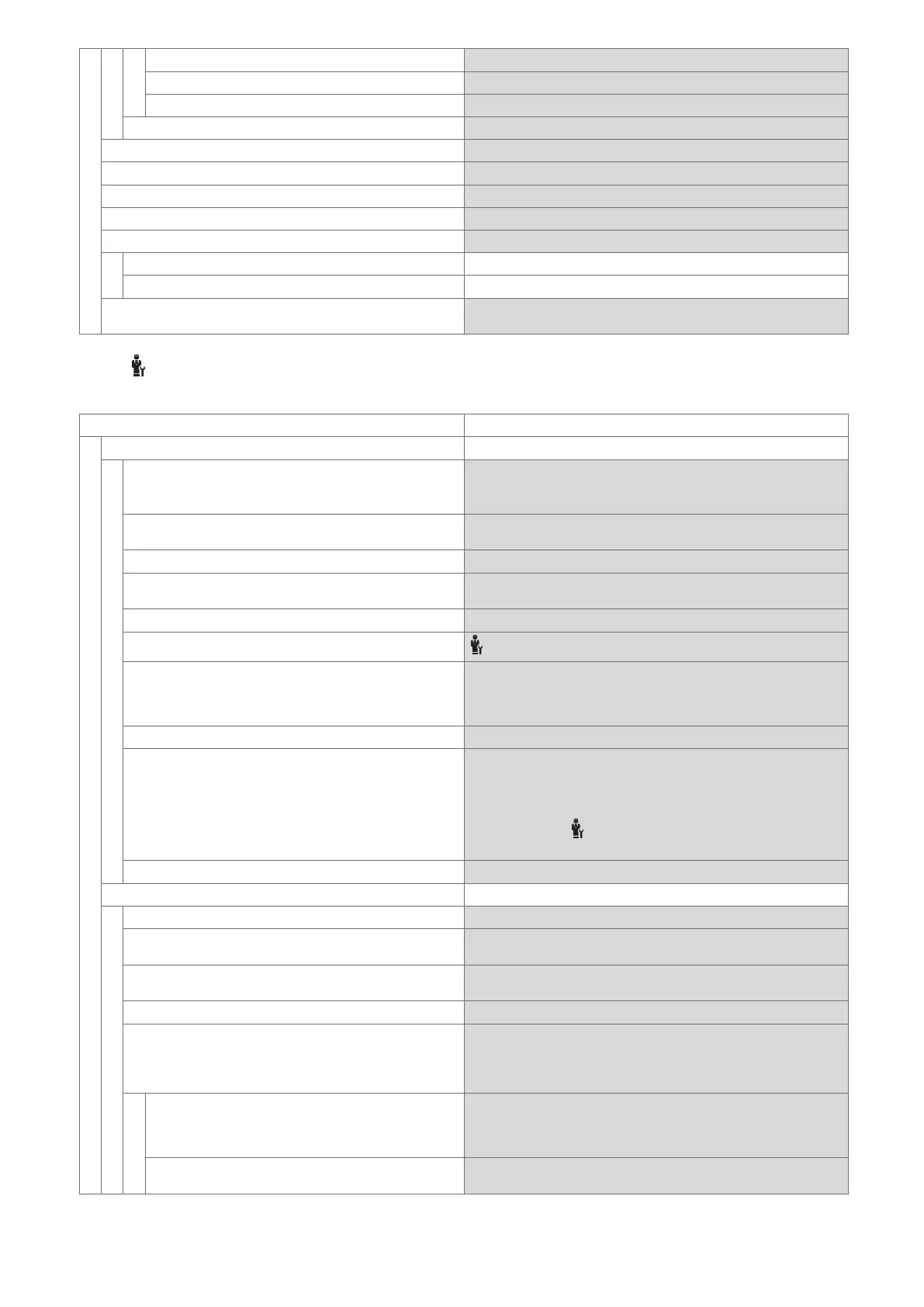
Heating Current month, Last month, Current year, Last year, Total
DHW Current month, Last month, Current year, Last year, Total
Installation Current month, Last month, Current year, Last year, Total
Heat recovery Amount of energy saved by the ventilation unit
Burner status: Current burner status of the connected boiler
Air quality sensor 1: Measures the CO
2
content of the room air
Control elements Explanation of the control elements
Menu introduction Explanation of the menu structure
Competent person contact info The competent person can store their telephone number.
Phone number
Company
Serial number Identification of the product. The 7th to 16th digits of the serial
number form the article number
2.14.3 SETTINGS menu item
MENU
SETTINGS
Installer level
Enter access code Access to the installer level, factory setting: 00
If the access code is unknown, reset the system control to the fact-
ory setting.
End external Energy Manager After ending, the system control re-assumes its control function
with its original settings.
Competent person contact info Entering contact details
Service date: Enter the next service date for a connected component, e.g. heat
generator, heat pump, ventilation unit
Fault history Faults are listed in chronological order
Installation configuration
Installation configuration menu item (→ section 2.14.4)
Sensor/actuator test Selecting a connected functional module and
– carrying out a function check of the actuators.
– Carry out a plausibility check of the sensors.
Noise reduction mode Set the time programme in order to reduce the noise level.
Screed drying Activate the Screed drying profile function for freshly laid screed
in accordance with the construction regulations.
The system control regulates the flow temperature independently
of the outdoor temperature.
Set screed drying Installation configuration menu item (→
section 2.14.4)
Change code Defining an individual access code for the installer level
Language, time, display
Language: Defining the language that is to be shown on the display.
Date: After the power is switched off, the date is retained for approx. 30
minutes.
Time: After the power is switched off, the time is retained for approx. 30
minutes.
Display brightness: Brightness during active use.
Daylight saving time: Define whether daylight saving time should be used.
For outdoor temperature sensors with DCF77 receivers, the Day-
light saving time: function is not used. The conversion to sum-
mer/winter time takes place via the DCF77 signal.
Automatic The change takes place automatically:
– On the last weekend in March at 02:00 (daylight saving time)
– On the last weekend in October at 03:00 (standard time)
Manual The Daylight saving time: function is not used. The time does not
change automatically.






 To Next Page