EasyManua.ls Logo

Vaisala CARBOCAP GMW86P - User Manual

Vaisala CARBOCAP GMW86P
42 pages
Print Icon
To Next Page IconTo Next Page
Loading...
M211748EN-C
USER'S GUIDE
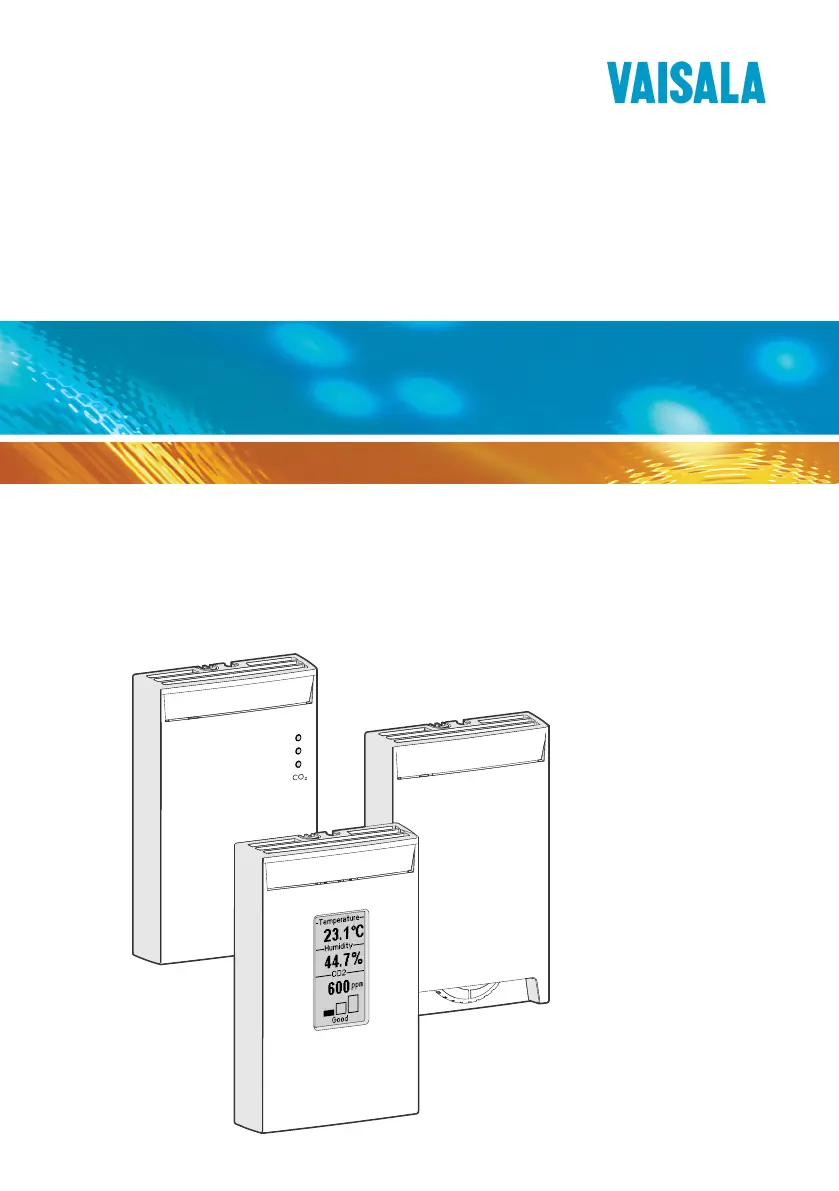
Vaisala CARBOCAP® Carbon Dioxide,
Humidity and Temperature Transmitters
GMW80 Series

Questions and Answers

  • L
    Lauren LewisAug 12, 2025
    What to do if Error Messages appear on the Vaisala Temperature Controller display?
    • D
      Dennis CallahanAug 12, 2025
      If you see error messages on the display, there could be several reasons: * The GM10 module might be disconnected. Open the transmitter and check if the GM10 module is securely installed. If it's loose or disconnected, reinstall it. If the problem persists, disconnect and reconnect the module carefully. * The CO2 measurement module might need replacement. Replace the GM10 module with a verified working module. * The CO2 reading might be over 6000 ppm. Use a portable instrument to verify the CO2 reading at the installation location and check for sources of CO2 in the measured area.
  • C
    clarkalexisAug 16, 2025
    Why is the temperature reading too high on my Vaisala Temperature Controller?
    • M
      mary51Aug 16, 2025
      A high temperature reading can stem from several factors: * The transmitter might be in an unsuitable location, such as near a heat source or in direct sunlight. Relocate the transmitter to a more appropriate spot. * The transmitter could be installed in an improper orientation. Reinstall it, ensuring the arrow on the mounting base points up. * The operating environment might be unsuitable. Verify that the environment is within the specified operating limits.
  • R
    reidrobertAug 19, 2025
    What to do if the analog output reading is unchanging and appears incorrect on my Vaisala Temperature Controller?
    • S
      Sharon GilmoreAug 20, 2025
      If the analog output reading remains constant and seems incorrect, it's possible that the transmitter has set the analog output to the error level (3.6 mA or 11 V) because the transmitter is in the error state. Identify the cause of the error state and eliminate it.
  • C
    Chase DavenportAug 23, 2025
    What does 'RH-SENSOR' error on the Vaisala Temperature Controller display mean?
    • R
      Rachel NelsonAug 23, 2025
      The 'RH-SENSOR' error indicates a disconnected humidity sensor. Open the transmitter and inspect the humidity sensor. If it's missing or damaged, replace it. If the sensor is wet, allow it to dry or gently dry it with clean instrument air.
  • J
    James HillAug 27, 2025
    Why is the CO2 reading too high on my Vaisala Temperature Controller?
    • M
      Michelle PottsAug 27, 2025
      If the CO2 reading is too high, consider these possibilities: * There might be a source of CO2 near the transmitter. Use a portable instrument to verify the CO2 reading at the installation location. Check for CO2 sources in the area, such as people working close to the transmitter. * The CO2 measurement module might need to be replaced.
  • P
    Pamela VaughanAug 31, 2025
    Why is the CO2 reading too low on my Vaisala Temperature Controller?
    • L
      Leslie DavisAug 31, 2025
      A low CO2 reading could be due to: * Materials in the measured area that bind CO2, such as fresh concrete, creating a low-CO2 environment. Use a portable instrument to verify the CO2 reading at the installation location. Also, check if the transmitter is installed on a mounting box that supplies air from inside the wall; if so, plug the hole. * The CO2 measurement module might need to be replaced.
  • M
    Michael RomeroSep 3, 2025
    What does 'T-SENSOR' error on the Vaisala Temperature Controller display mean?
    • J
      Jason FrancisSep 3, 2025
      The 'T-SENSOR' error on the display can mean: * The temperature reading is outside the scaled output range. Verify the ambient temperature with a portable instrument. * The temperature sensor is damaged. Open the transmitter and check if the active temperature sensor on the component board has been damaged.
  • B
    beth62Sep 8, 2025
    What does 'INTERNAL' error on the Vaisala Temperature Controller display mean?
    • K
      Kristen FloresSep 8, 2025
      If you see an 'INTERNAL' error on the display, it indicates a problem with the transmitter software. Try restarting the transmitter.

Summary

About This Document

Documentation Conventions

Explains symbols and formatting used in the manual for clarity and consistency.

Trademarks

Lists registered trademarks of Vaisala and mentions third-party product names.

Product Overview

Introduction to GMW80 Series

Introduces the Vaisala GMW80 series transmitters for demand controlled ventilation applications.

Transmitter Models

Details the different GMW80 series transmitter models and their features.

Transmitter Parts

Illustrates and identifies the key components of the GMW80 series transmitter.

Display

Describes the startup screens and measurement screens shown on the transmitter display.

CO2 Level Indicator LEDs

Explains the function and meaning of the CO2 indicator LEDs on the GMW83A model.

Temperature Setpoint Potentiometer

Details the temperature setpoint adjustment function and its operation via a potentiometer.

Analog Output Overrange Behavior

Explains how analog outputs behave when measured values are outside the scaled range.

Safety

Provides essential safety precautions for handling and installing the GMW80 series transmitters.

Regulatory Compliances

Lists directives and standards that the GMW80 series conforms to.

Patent Notice

Details the patents protecting the GMW80 series and their corresponding national rights.

Installation

Selecting Location

Guidance on choosing suitable locations for installing the GMW80 series transmitters.

Opening and Closing the Transmitter

Instructions on how to safely open and close the GMW80 series transmitter for installation.

Installing the Mounting Base

Steps for securely attaching the mounting base to a wall or mounting box.

Wiring

Instructions for connecting the wiring to the screw terminals on the mounting base.

Wiring GMW83, GMW83 D and GMW83 A

Wiring diagram and instructions for GMW83, GMW83D, and GMW83A models.

Wiring GMW83 T

Wiring diagram and instructions for the GMW83T model.

Wiring GMW83 RP and GMW83 DRP

Wiring diagram and instructions for GMW83RP and GMW83DRP models.

Wiring GMW86 P

Wiring diagram and instructions for the GMW86P model.

Wiring GMW86 PT

Wiring diagram and instructions for the GMW86PT model.

Maintenance

Cleaning

Guidelines for cleaning the transmitter body and precautions for the CO2 module.

Replacing the CO2 Measurement Module (GM10)

Step-by-step instructions for replacing the GM10 CO2 measurement module.

Replacing the INTERCAP Humidity Sensor

Procedure for replacing the INTERCAP® humidity sensor with precautions.

Troubleshooting

Problem Situations

Lists common problems, their possible causes, and remedies for GMW80 transmitters.

Error State

Explains the transmitter's error state, error levels, and situations causing it.

Technical Data

Specifications

Details performance specifications for CO2, Temperature, and Humidity measurements.

Operating Environment

Specifies the operating and storage conditions for the GMW80 series transmitters.

Mechanics

Provides mechanical specifications including IP class, housing, and weight.

Inputs and Outputs

Lists the electrical inputs, outputs, and LED indicator levels for the GMW80 series.

Dimensions

Provides detailed dimensional drawings and measurements for GMW80 series models.

Spare Parts and Accessories

Technical Support

Warranty

Recycling

Vaisala CARBOCAP GMW86P Specifications

General IconGeneral
Protection ClassIP65
TechnologyCARBOCAP
OutputRS-485
Power Supply10...30 VDC
Operating Humidity Range0 to 100 %RH

Related product manuals