72 Rainger Linear
OPERATION
Swing Around
Pivot Procedure (continued)
13. After the span has pivoted a few degrees and
the latch hoops have moved behind the pivot
swivel latches, push the pivot swivel levers into
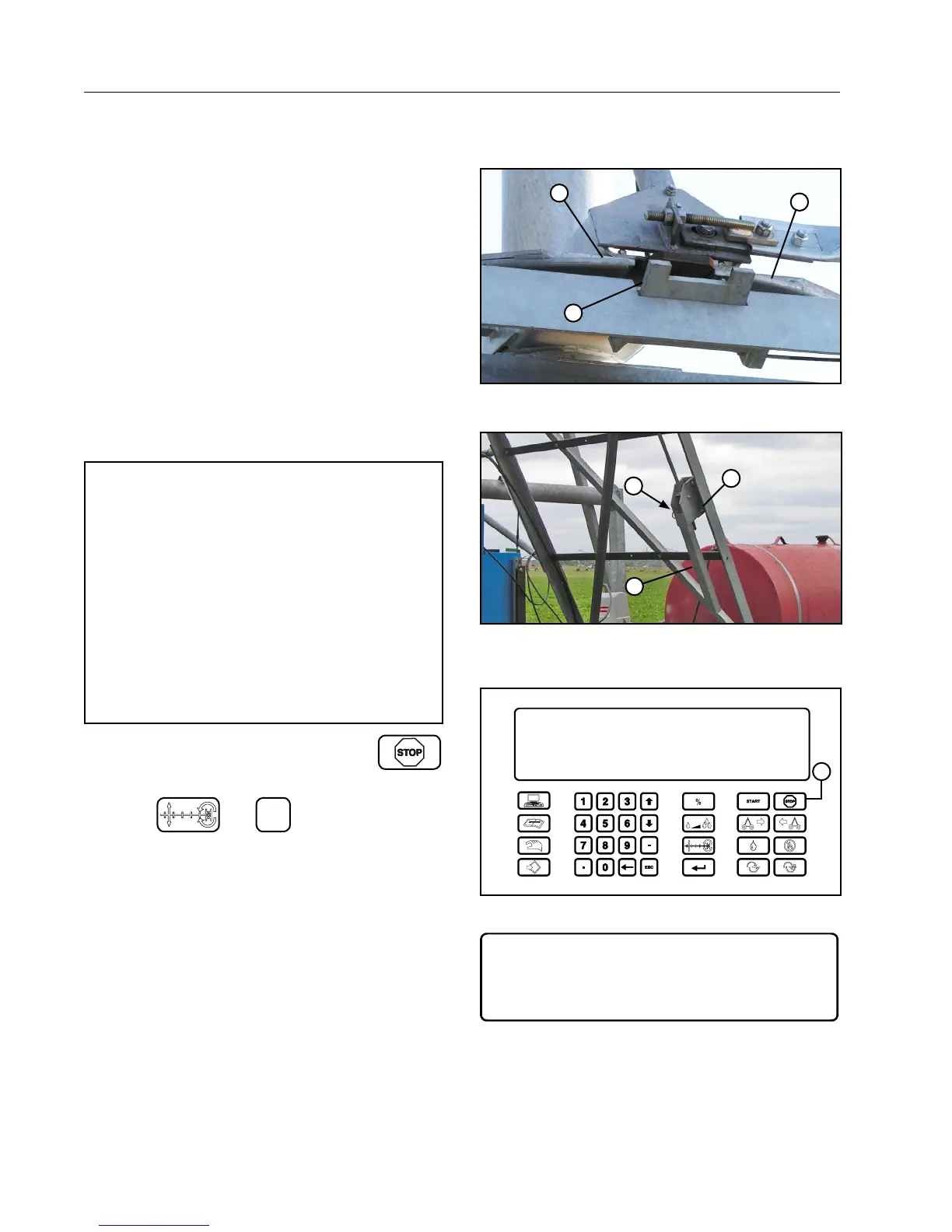
the closed position. See Figures 72-1 and 72-2.
Secure each lever in the closed position with the
original torque and clevis pins. See Figure 72-2.
14. Monitor the machine as the span pivots.
Each pivot swivel latch rides against a latch hoop
to keep the latch open.
When the span has pivoted 180° and each latch
has reached the end of a latch hoop, the latches
will automatically close, latching the span in posi-
tion, activating the latch proximity sensors which
will automatically stop the machine.
NOTE
• If both latches DO NOT automatically close
and latch completely, use the override button
to jog the span in one direction then the other
direction to close the remaining open latch.
• The Override button only functions in the
pivot mode when at least one of the latch
proximity sensors are NOT activated.
• Both of the latches MUST close and both
latch proximity sensors MUST activate be-
fore the machine can be switched from the
pivot mode to the linear mode.
15. After the latches are closed press
.
See Figure 72-3.
16. Press
and
3
to return the machine
to the linear mode. See Figure 72-4.
Pivot procedure is complete.
1
1
2
Figure 72-1 1. Latch Hoop
2. Pivot Swivel Latch
1
2
3
Figure 72-2 1. Pivot Swivel Lever (CLOSED POSITION)
2. Torque Pin
3. Clevis Pin
MANUAL
PIVOT A
477 VOLTS
48.0 HR
0. . DEG
0. .PSI
100 %
0.25 IN
STOPPED
FORWARD
WATER OFF
SIS. 500
1
Figure 72-3 1. Stop Key
MANUAL
PIVOT A
477 VOLTS
48.0 HR
ENTER 1.AUTO 2.PIVOT 3.LINEAR (2) > 3
180. .DEG
0. .PSI
100 %
0.25 IN
STOPPED
FORWARD
WATER OFF
SIS. 500
Figure 72-4



 To Next Page