signal is given, then release the button.
Please note:
- The flames on the N.G. appliance will appear predominantly blue. The flames
on the L.P.G. appliance will appear predominantly yellow.
- The appliance will operate to its maximum potential if the flue is primed during
the first 20 – 30 minutes of operation. To do this, simply set the control knob
to its ‘HIGH’ setting. This will also burn off any dust deposits that may have
formed during the appliance being switched off.
Adjusting to the pilot only setting.
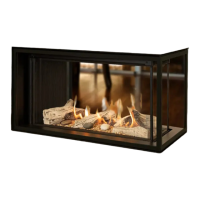
When the burner is operating press
and hold the (small flame) until
the burner flame extinguishes. The
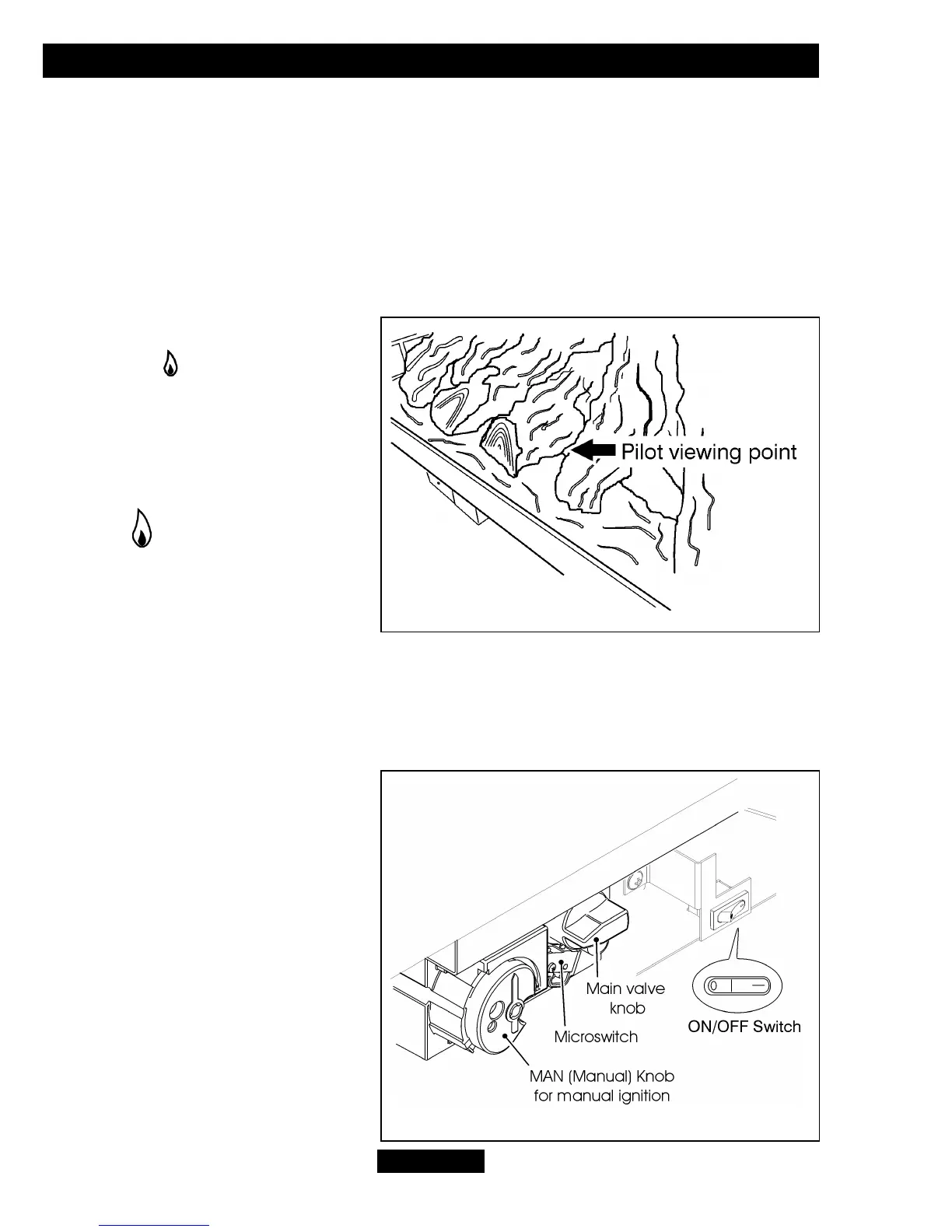
pilot can be seen through the cutout
immediately to the right of the centre
log (See figure 3). To turn the main
burner on again simply press and
hold the (large flame) button.
To turn off.
To turn the fire off press the ‘OFF’
button. After turning the fire off the
remote control valve will return to its starting position. For this reason it is important to
leave the appliance alone for a period of one (1) minute before attempting to relight.
Operating the fire WITHOUT the Remote Control Handset.
Lighting the burner in the event of
battery failure.
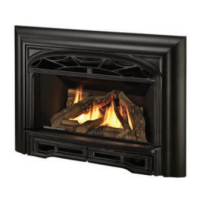
1. To gain access to the gas valve it
will be necessary to remove the
fascia. Please read the SAFETY
section at the start of the installer
guide. The bottom of the fascia is
held in place with magnets. Hold the
lower outside edges of the fascia
and gently pull forward. With the
bottom released, lift the fascia
upward and clear of the upper
hanging brackets on the convection
box.
© GDC Group Ltd. 2013
Page 47
OWNER GUIDE
Figure 3. Pilot viewing
Figure 4. Controls



 To Next Page