17.1 Checking the aeration setting of the burner.
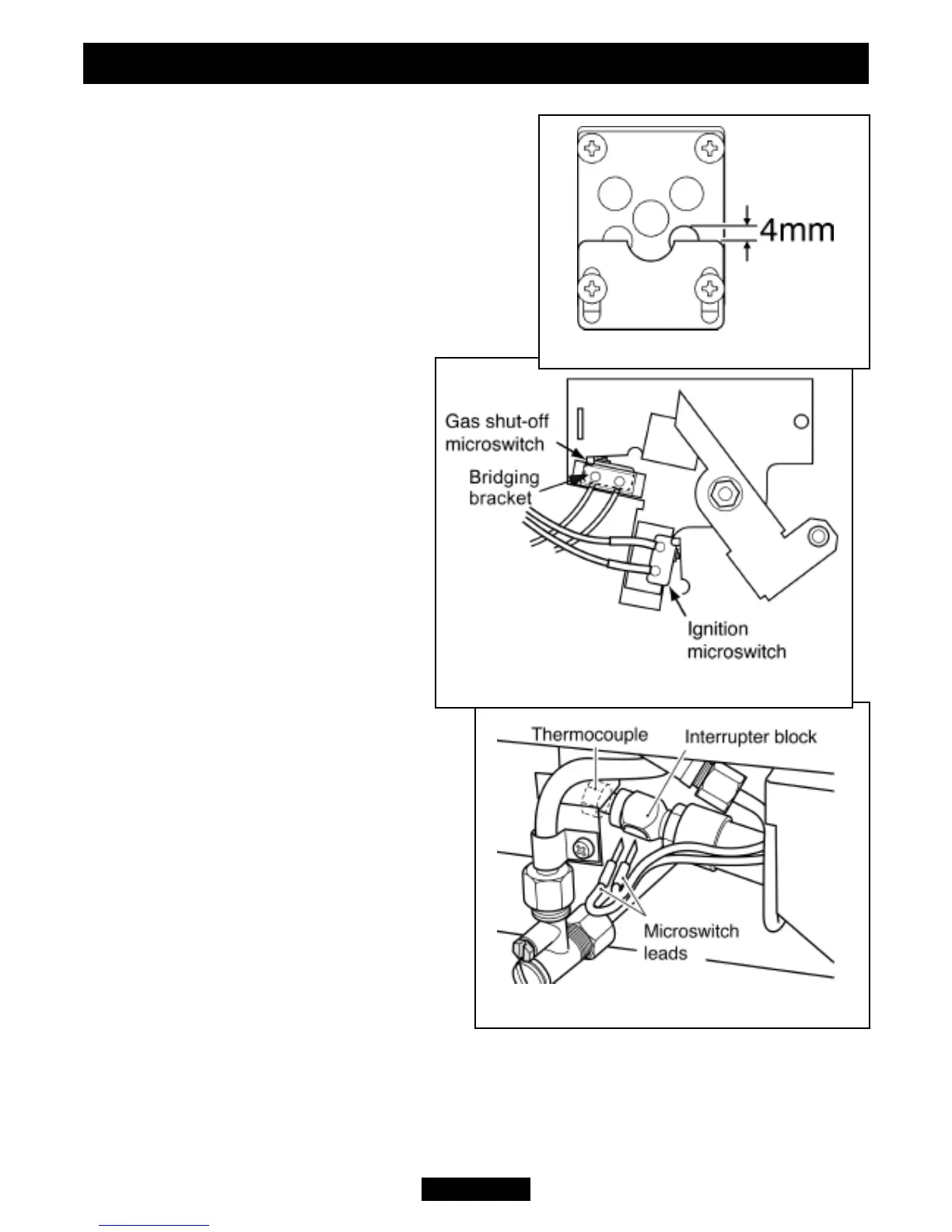
1. The aeration shutter is factory set and should
not require adjustment. If the shutter is not as
shown in figure 30 and requires adjustment,
loosen the two aeration shutter screws, slide the
aeration shutter to the position shown in figure 30
and tighten the fixing screws.
17.2 To remove the ignition microswitch.
(See figures 31 & 32).
1. Remove the firefront casting and the front
cover casting.
2. Disconnect the leads from the
ignition microswitch (The lower of the
two microswitches - See figure 31).
3. Detach the microswitch and
insulation pad by removing two
screws.
4. Replace in the reverse order.
5. Check that the microswitch
operates correctly by fully closing it
and observing that there are sparks at
the pilot electrode.
17.3 To remove the gas shut-off
microswitch.
(See figures 31 & 32).
1. Remove the firefront casting and the
front cover casting.
2. Loosen the thermocouple nut to free
the microswitch leads and pull the leads
clear of the thermocouple interrupter block
(See figure 32).
3. Detach the bridging bracket,
microswitch assembly by removing two
screws (See figure 31).
4. Replace in the reverse order. When
refitting the leads to the interrupter block,
make sure that they are secured firmly to
give a good electrical contact.
Page 36
© GDC Group Ltd. 2013
INSTALLER GUIDE
Figure 32. Thermocouple interrupter block
Figure 31. Microswitches
Figure 30. Aeration shutter setting


 To Next Page