12
Cuomising your activity screens.
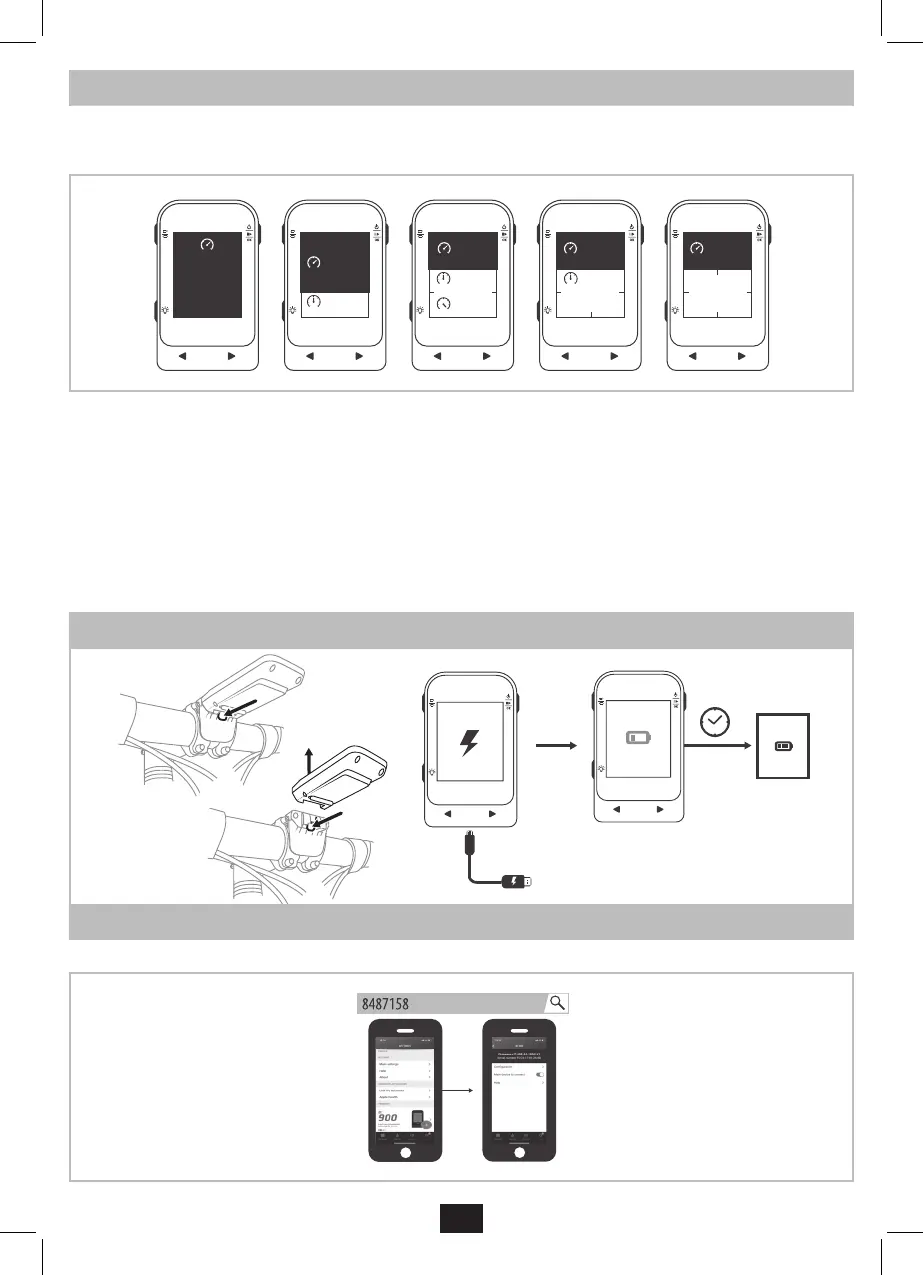
You can cuomise each activity screen (the pages on the cyclometer that you see when riding). For each page, you can choose:
- the number of elds (values): between 1 and 5 (the size adjus automatically so if you want bigger numbers, don’t have too many
values per page)
km/h
0.0
km/h
0.0
Avg km/h
20.2
AVG
km/h
0.0
MAX
Avg km/h
20.2
AVG
Max km/h
31.4
km/h
0.0
Avg km/h
20.2
AVG
Max km/h
31.4
Kcal
124
km/h
0.0
Avg km/h
20.2
Max km/h
31.4
Kcal
124
12:45
- the type of value for each eld
- the number of pages (up to 9 pages)
These settings can be adjued on the cyclometer or even more easily on the Decathlon Connect app.
To congure screens using the Decathlon Connect app:
- Turn on your BC900 bike computer
- Go to the Settings menu in the Decathlon Connect app, select the BC900, then Conguration.
- Wait for the verication of the current screen conguration to appear.
- You can now add or remove screens, choose the number of functions to be displayed on each screen, and choose the information to be
displayed in each eld.
- Press Save to send the new conguration to the bike computer (bike computer mu be on).
- Wait for the conguration to take eect.
Charging the BC900 bike computer.
LOW
BATTERY
2H30
100%
Detailed inructions on the BC900 bike computer.
To get the mo out of your BC900 bike computer, it is highly recommended to read the detailed inructions on our supportdecathlon.com website.


 To Next Page
 Loading...